Stand at the side of bike with both hands on the handlebar and make sure the way in front of you is clear.
Press and hold the ‘-‘button on the thumb controller to start walk assist status. Walk assist will start after 2-3
seconds of pressing the ‘-‘ button and the bike will keep at an even speed of 6km/h until the button is
released.
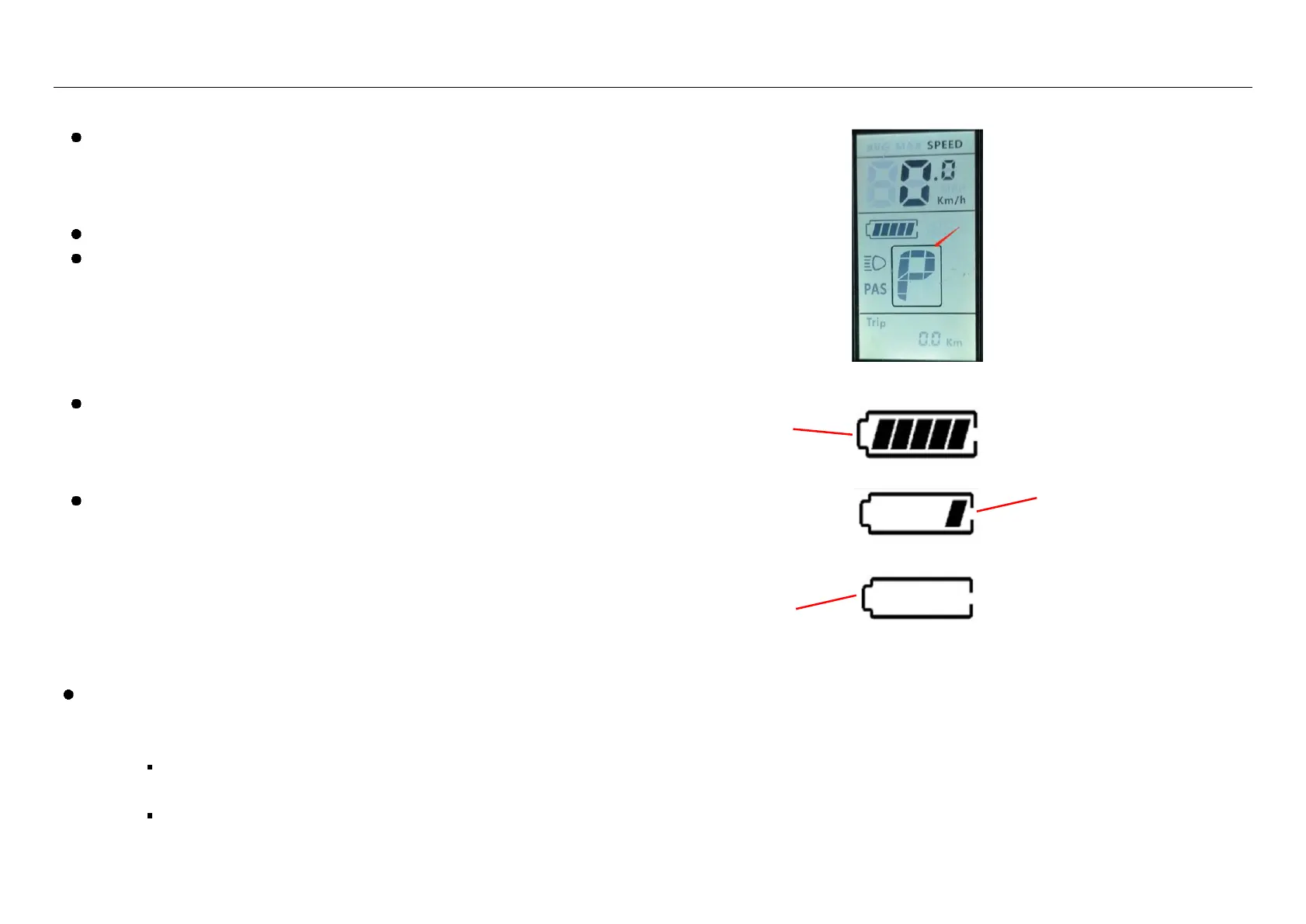
When operating in Walk Mode the display will show a ‘P’ (see right).
WARNING: Walk assist should only be used when pushing the bike; do not use this function when riding.
5.6 Battery Charge Indicator
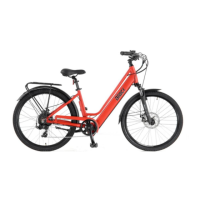
When the battery is fully charged, all five bars will be displayed, and
when the battery is under voltage, the last bar will flicker, indicating that
the battery is seriously under voltage and needs to be charged
immediately.
WARNING: Try to avoid letting your battery indicator get to the last
bar often as repetitive low-charge states will reduce the battery life.
5.7 Error Codes
If something goes wrong an error code may show on the display. Contact your dealer, let them know the error code that is displayed and arrange to take your bike in to them
for professional service:
o 01E - Communication error.
Check whether the plugs between the display, controllers and buses are loose or damaged, and whether any connector pins are bent. Contact your dealer.
o 34E - Throttle error.
There is no throttle fitted to this bike. Contact your dealer.
o 35E - Motor error. Contact your dealer.
Battery requires
charging
Battery requires
charging immediately


 To Next Page