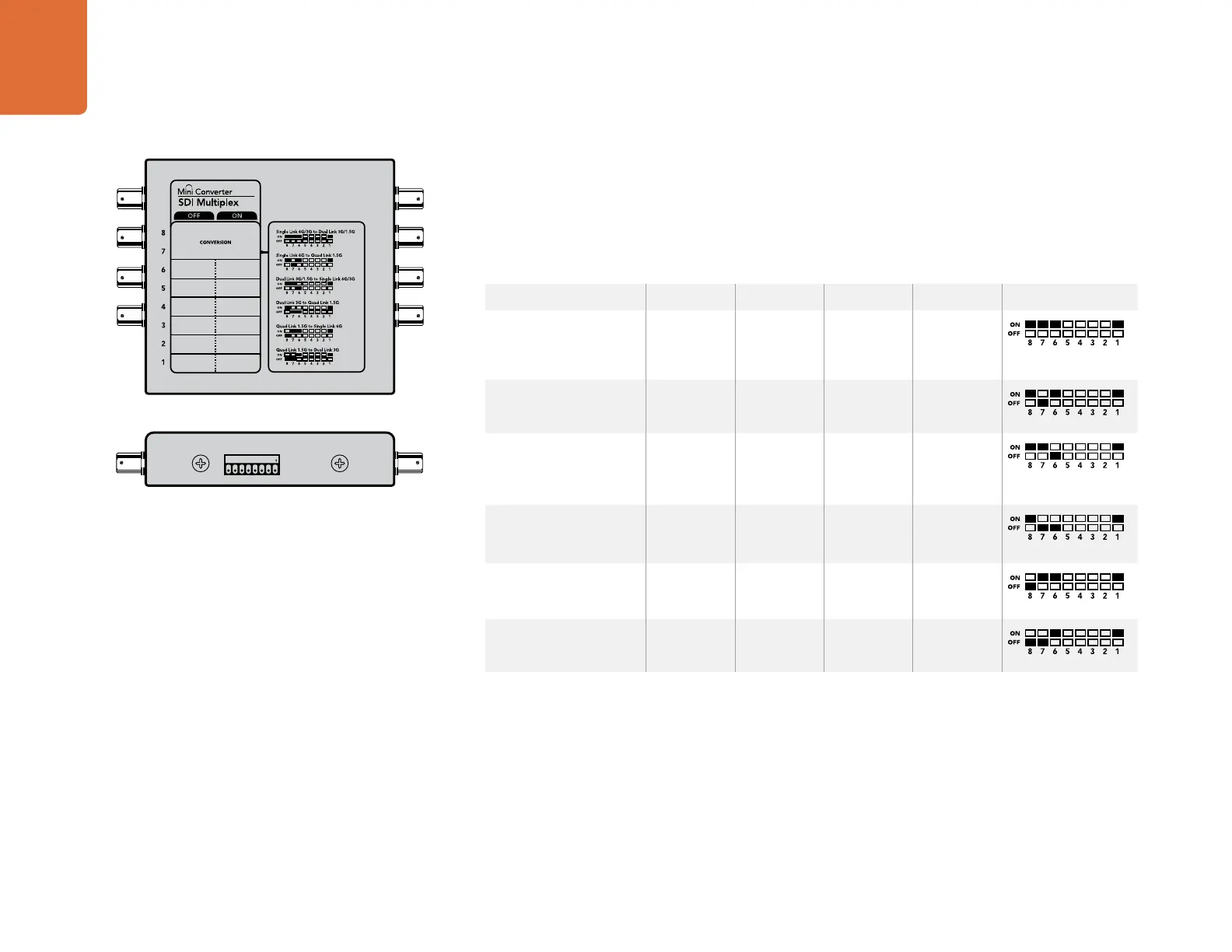
Mini Converter SDI Multiplex 4K
40
Mini Switches
Mini Converter SDI Multiplex 4K's mini switches provide the following settings:
Switches 8, 7 and 6 - Format Conversion
Combinations of switches 8, 7 and 6 set conversions such as dual link HD-SDI to single link HD-SDI, or quad
link 4K to single link 4K.
Switch 1 - Processing ON/OFF
When switch 1 is set to OFF, Mini Converter SDI Multiplex 4K acts as a 4 output SD/HD/6G-SDI distribution
amplifier.
Mini Switch Settings Example: Convert quad link 4K to dual link 4K by setting switch 8 to ON, and switch
7 to OFF.
Conversion Switch 8 Switch 7 Switch 6 Switch 1 Switch Diagram
Single Link 6G/3G-SDI
to Dual Link 3G/1.5G-
SDI
ON ON ON ON
Single Link 6G-SDI to
Quad Link 1.5G-SDI
ON OFF ON ON
Dual Link 3G/1.5G-SDI
to Single Link 6G/3G-
SDI
ON ON OFF ON
Dual Link 3G-SDI to
Quad Link 1.5G-SDI
ON OFF OFF ON
Quad Link 1.5G-SDI to
Single Link 6G-SDI
OFF ON ON ON
Quad Link 1.5G-SDI to
Dual Link 3G-SDI
OFF OFF ON ON
1
ON
2 3 4 5 6 7 8
4K
Change your converter's internal settings by adjusting the mini
switches using the tip of a pen.













 To Next Page