Understanding the LCD Menus
38
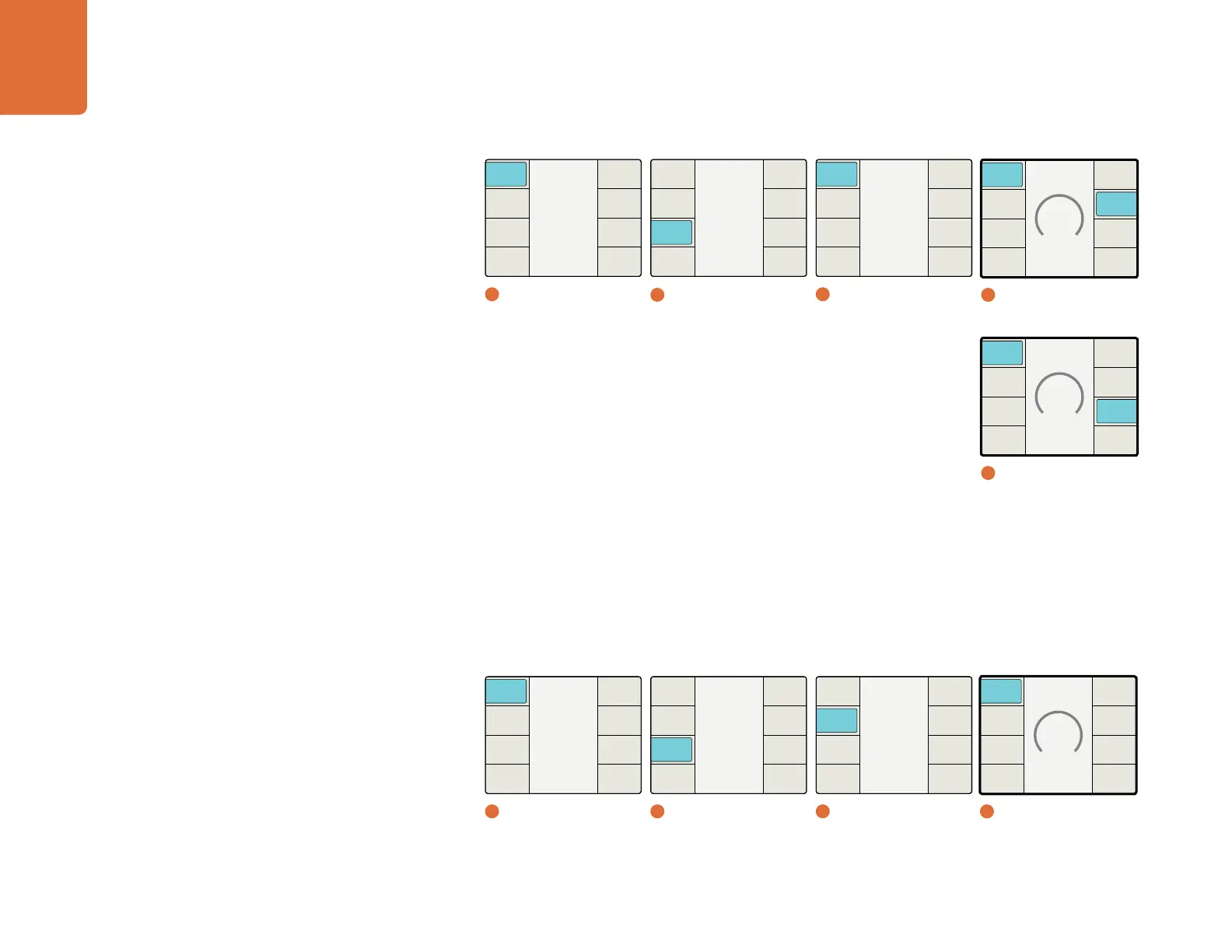
Aspect Fill
The Aspect Fill menu allows you to define a desired color for use in aspect ratios requiring a fill, such as pillar
box or letterbox aspect ratios. Luminance and Cb and Cr chroma values may be independently adjusted
using the front panel rotary encoder.
Luma – Range: 64 to 940. Default: 64
Cb – Range: 64 to 960. Default: 512
Cr – Range: 64 to 960. Default: 512
Video
Back
Advanced
Test
Patterns
Proc
Amp
Aspect
Clip
Color
2
Video
Set Value
64
Back
Reset
All
Cr
Cb
Luma
4
Aspect Fill / Luma
Main Menu
Back
Audio
Setup
3D
Ancillary
Data
Noise
Reduction
Video
1
Main Menu
Trim Horizontal
0
Back
Trim
Position
Size
Reset
All
Both
Vertical
Horiz
4
Adjust Aspect / Trim Horiz
Main Menu
Back
Audio
Setup
3D
Ancillary
Data
Noise
Reduction
Video
1
Main Menu
Aspect
Back
Zoom /
Crop
Aspect
Fill
Adjust
Aspect
3
Aspect
Aspect
Back
Zoom /
Crop
Aspect
Fill
Adjust
Aspect
3
Aspect
Position Horizontal
0
Back
Trim
Position
Size
Reset
All
Vertical
Horiz
4
Adjust Aspect /
Position Horiz
2
Video
Video
Back
Advanced
Test
Patterns
Proc
Amp
Aspect
Clip
Color


 To Next Page