Understanding the LCD Menus
77
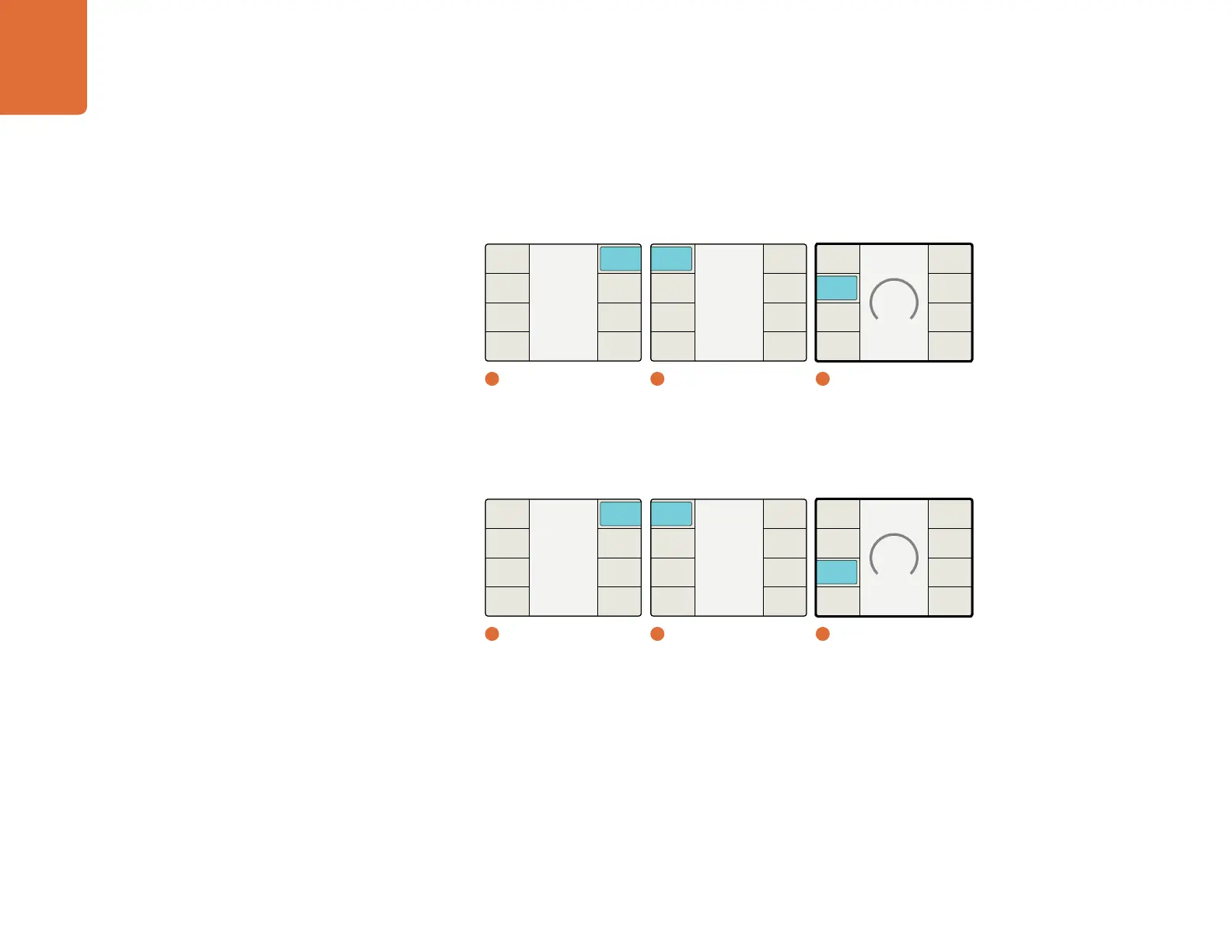
Line Offset
This control adjusts the Line timing of the output relative to the external reference selected.
The Range is determined by the current output format selection.
Pixel Offset
This control adjusts the Pixel timing of the output relative to the external reference selected.
The Range is determined by the current output format selection.
Video Setup Menu
The Video Setup menu allows you to define the type of analog video being used for the input and
output video connections on the rear panel. The choice will be either composite or component.
This menu is also used to define which video signal will be output when there is a loss of input video.
No Input – Allows you to define the video signal that the processor will output when input video is lost
Input Analog – Allows you to define the type of input analog video that you are using
Output Analog – Allows you to define the type of output analog video that you are using
Output Sampling – Allows you to define the output sampling as 4:2:2-YCbCr, 4:4:4-YCbCr or 4:4:4 RGB.
Output Dual Link– Allows you to define the outputs for 4:4:4 and 3G formats as either Single Link
or Dual Link.
Main Menu
Back
Audio
Setup
3D
Ancillary
Data
Noise
Reduction
Video
1
Main Menu
Setup
Back
Audio
Video
Reference
2
Setup
Pixel Offset
0
Back
Pixel
Offset
Line
Offset
Type
3
Reference / Pixel Offset
Main Menu
Back
Audio
Setup
3D
Ancillary
Data
Noise
Reduction
Video
1
Main Menu
Setup
Back
Audio
Video
Reference
2
Setup
Line Offset
0
Back
Pixel
Offset
Line
Offset
Type
3
Reference / Line Offset


 To Next Page