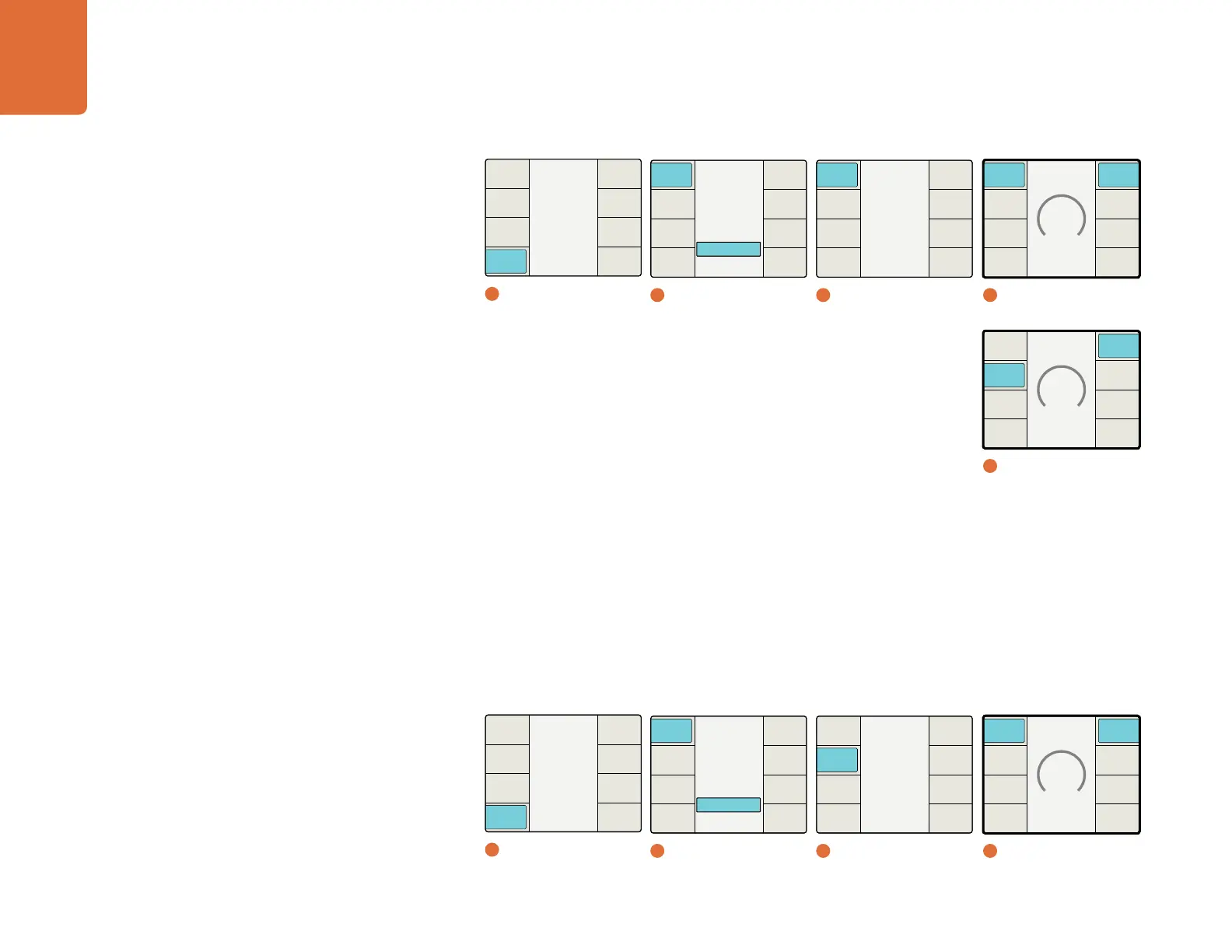
Understanding the LCD Menus
68
Rotation Menu
The Rotation Menu of the Camera Align application permits axial rotation adjustment of the image along
the X, Y, and Z axes, either independently or in any combination of the three dimensions. Axial rotational
adjustment may be used to compensate for 3D camera rigs that have mechanical misalignments.
Roll Adjustment - Z-Axis
The Roll Z adjustment provides image rotation on the Z axis.
The range of the adjustment is -8 to +8 degrees on the Z axis. The default setting is 0.
The granularity of the adjustment is 1/50th (0.02) of a degree.
Main Menu
Back
Audio
Setup
3D
Ancillary
Data
Noise
Reduction
Video
1
Main Menu / 3D
Main Menu
Back
Audio
Setup
3D
Ancillary
Data
Noise
Reduction
Video
1
Main Menu / 3D
3D Align
2D to 3D
3D Convert
Off
3D Mode
Back
Camera
Align
Depth
Intensity
Output
Input
3D Mode
2
3D Mode / 3D Align
3D Align
2D to 3D
3D Convert
Off
3D Mode
Back
Camera
Align
Depth
Intensity
Output
Input
3D Mode
2
3D Mode / 3D Align
Camera Align
Back
Trim
Zoom
Flip
Reset
All
Rotation
Align
2
3D Mode / 3D Align
Camera Align
Back
Trim
Zoom
Flip
Reset
All
Rotation
Align
2
Camera Align / Rotation
Align
0
Back
Both
Eyes
Right
Eye
Left
Eye
Reset
All
Vertical
Horiz
4
Left Eye Horizontal
Rotation
0
Back
Both
Eyes
Right
Eye
Left
Eye
Reset
All
Toe-in Y
Tilt X
Roll Z
4
Left Eye / Roll Z Axis
Align
0
Back
Both
Eyes
Right
Eye
Left
Eye
Reset
All
Vertical
Horiz
4
Left Eye Vertical


 To Next Page