Understanding the LCD Menus
65
Input
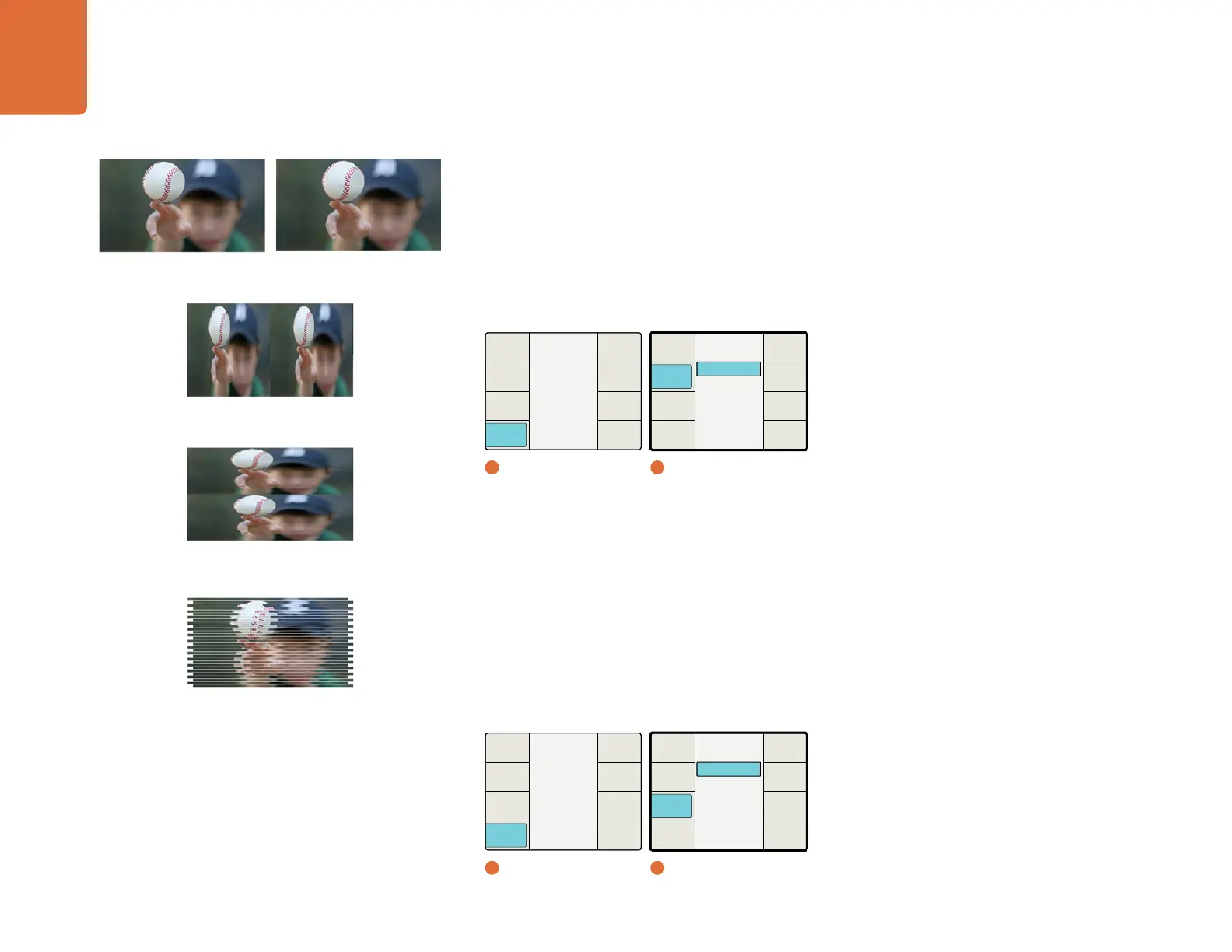
The 3D Input menu allows you to define the input formatting of your 3D source.
Full Frame – Full resolution inputs for left and right eye images on SDI inputs A and B, respectively,
or from an HDMI frame packed signal if using the HDMI input.
Side by Side – Decodes a Side by Side encoded input via SDI Input A or the HDMI input.
Top / Bottom – Decodes a Top and Bottom encoded input via SDI Input A or the HDMI input.
Line by Line – Decodes a Line by Line encoded input via SDI Input A or the HDMI input.
Output
The 3D Output selection determines the output formatting for your 3D image.
Full Frame – Provides full resolution outputs for left and right eyes on SDI outputs A and B,
respectively, while simultaneously providing a frame packed signal on the HDMI output.
Side by Side – Enables Side by Side output encoding. SDI outputs A, B and the HDMI output will
provide identical side by side output signals.
Top / Bottom – Enables Top and Bottom output encoding. SDI outputs A, B and the HDMI output
will provide identical Top/Bottom output signals.
Line by Line – Enables Line by Line output encoding. SDI outputs A, B and the HDMI output will
provide identical line by line output signals.
Main Menu
Back
Audio
Setup
3D
Ancillary
Data
Noise
Reduction
Video
1
Main Menu
Main Menu
Back
Audio
Setup
3D
Ancillary
Data
Noise
Reduction
Video
1
Main Menu
Line by Line
Top / Bottom
Side by Side
Full Frame
Output
Back
Camera
Align
Depth
Intensity
Output
Input
3D Mode
2
3D / 3D Input
Line by Line
Top / Bottom
Side by Side
Full Frame
Output
Back
Camera
Align
Depth
Intensity
Output
Input
3D Mode
2
3D / 3D Output
Full Frame Left Eye
Side by Side Encoding
Line by Line Encoding
Top/Bottom Encoding
Full Frame Right Eye


 To Next Page