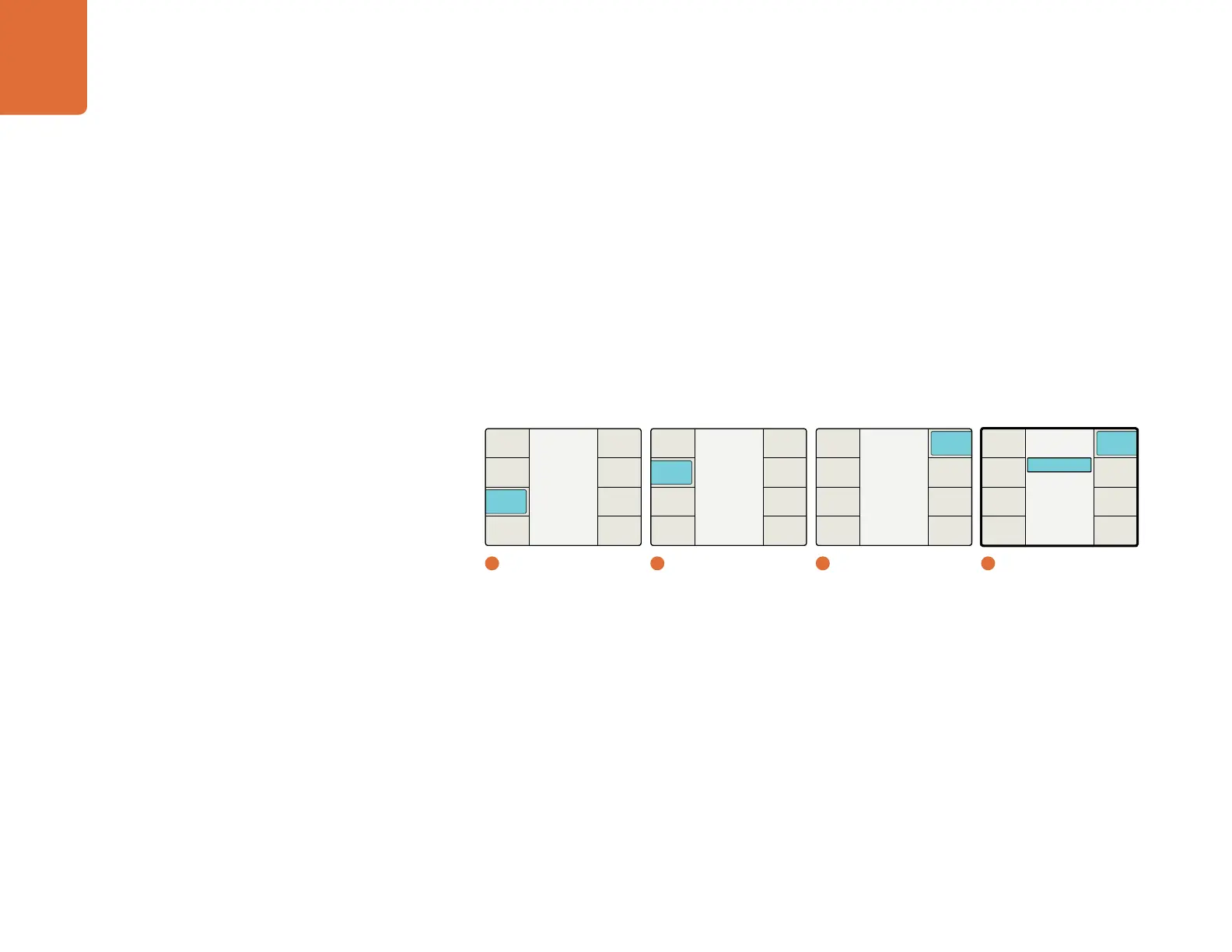
Understanding the LCD Menus
56
Timecode Source
In the Teranex 3D Processor, the Timecode Source menu allows you to select your source for timecode input
to the processor. The choices are:
ATC / VITC (default)
LTC
The default setting is ATC / VITC, which is embedded in the SDI video input signal.
If you are using a device that supplies timecode via a separate cable, such as a VTR, your should connect the
timecode source to the LTC connector on the rear panel..
Timecode output from the Teranex 3D Processor will always be provided in both modes, LTC and
ATC/VITC.
Start Source Menu
The Start Source menu allows you to select the source for the timecode generator. If you want the generator
to reproduce the timecode received on your video input, select “Input” as the Start Source. If you want to
define a specific timecode for the generator, select “Start Value” as the Start Source. When you select either
the Generate or Jam Sync modes from the Mode menu, you will be presented with a timecode register in
which you can program a specific timecode start value.
Main Menu
Back
Audio
Setup
3D
Ancillary
Data
Noise
Reduction
Video
1
Main Menu
Ancillary Data
Back
Video
Index
Timecode
Closed
Caption
2
Ancillary Data
LTC
ATC / VITC
Timecode Source
Back
Timecode
Source
DF Mode
Output
Line
Input
Line
4
Setup / Timecode Source
Timecode
Back
Next
Start
Source
Setup
Start
Prev
Set
Timecode
Mode
Select
3
Timecode


 To Next Page