EasyManua.ls Logo

Black+Decker LHT218 - User Manual

Black+Decker LHT218
40 pages
Print Icon
To Next Page IconTo Next Page
Loading...
Please read before returning this product for any reason.
àLIRE avant de retourner ce produit pour quelque raison que
ce soit.
LEA EL MANUAL antes de devolver este producto por
cualquier motivo.
INSTRUCTION MANUAL
MODE D’EMPLOI
MANUAL DE INSTRUCCIONES
final page size: 8.5 x 5.5 in
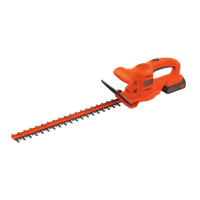
20V MAX* HEDGE TRIMMER
TAILLE-HAIE, 20 V MAX.*
PODADORA DE SETOS 20 V MÁX.*
LHT218

Questions and Answers

  • M
    Marilyn KeithAug 11, 2025
    What to do if my Black+Decker LHT218 won't start?
    • S
      Scott AyalaAug 11, 2025
      If your Black+Decker Trimmer isn't starting, there are a few things to check: * Make sure the battery is installed correctly. * Ensure the battery is adequately charged. * Verify that the lock-off switch is fully pulled back before attempting to start the trimmer.
  • S
    Samantha WashingtonAug 22, 2025
    How to fix slow running, noisy, or hot blades on my Black+Decker Trimmer?
    • K
      Katie MillerAug 22, 2025
      If your Black+Decker Trimmer blades are running slowly, making noise, or getting hot, it could be due to several factors. The blades may be dry or corroded, so lubricating them could help. Also, check if the blades or blade support are bent and straighten them if necessary. Straighten any bent or damaged teeth, and ensure the blade bolts are tightened.
  • J
    joshuadrakeAug 31, 2025
    Why won't my Black+Decker Trimmer battery charge?
    • P
      Paul LucasAug 31, 2025
      Your Black+Decker Trimmer battery might not be charging for several reasons. Ensure the battery is correctly inserted into the charger until the green LED appears, and allow up to 8 hours for a full charge if the battery was completely drained. Verify the charger is plugged into a working outlet and that the receptacle is not controlled by a light switch. Also, the surrounding air temperature could be too hot (above 104 °F (+40 °C)) or too cold (below 40 °F (4.5 °C)); if so, move the charger and tool to a more moderate environment. You can also check the current at the receptacle by plugging in a lamp or other appliance.

Black+Decker LHT218 Specifications

General IconGeneral
BrandBlack+Decker
ModelLHT218
CategoryTrimmer
LanguageEnglish

Related product manuals