EasyManua.ls Logo

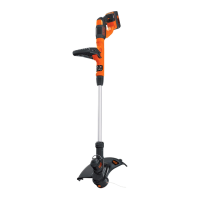
Black+Decker STC1820PC - User Manual

Black+Decker STC1820PC
124 pages
Print Icon
To Next Page IconTo Next Page
Loading...
www.blackanddecker.eu
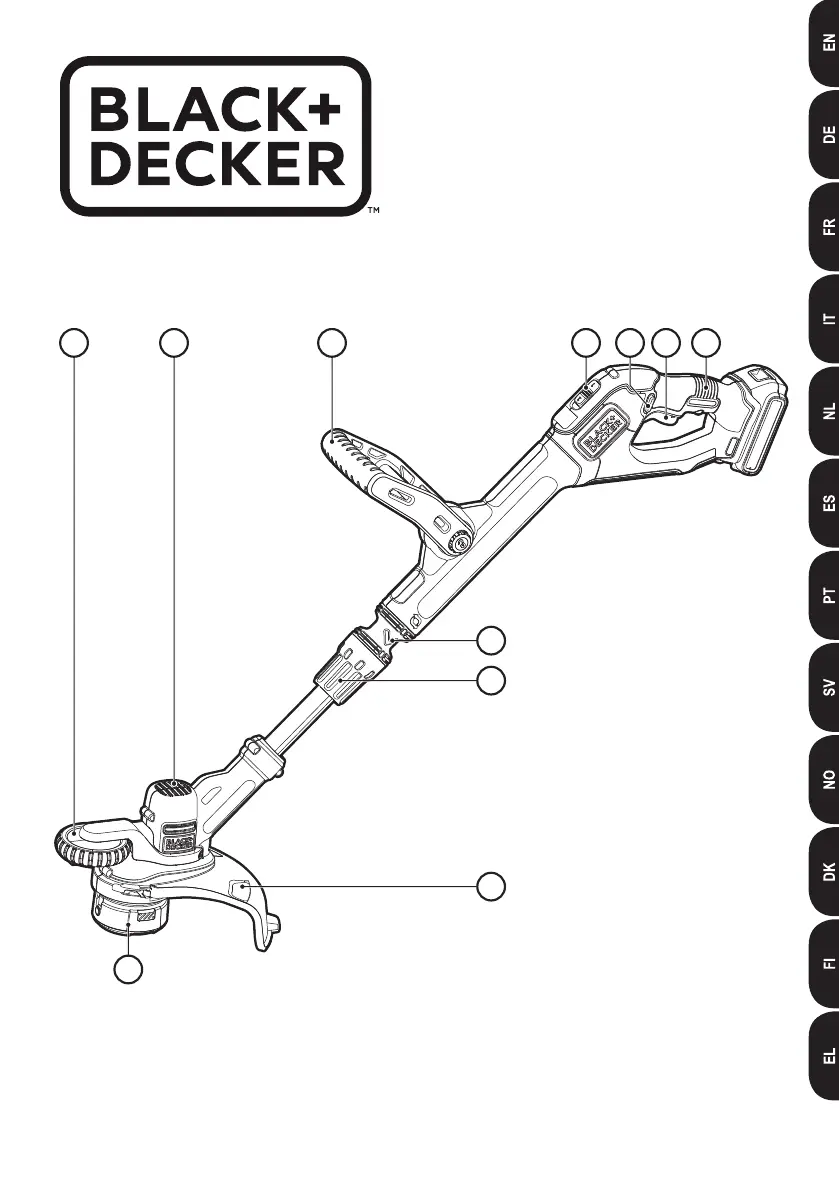
14
11
5
7
6
89 32
10
STC1820PC

Table of Contents

Questions and Answers

  • K
    Keith RodriguezJul 29, 2025
    What to do if the automatic line feed does not feed line on my Black+Decker Trimmer?
    • B
      Brett KellyJul 30, 2025
      If the automatic line feed on your Black+Decker Trimmer isn't feeding line, it could be due to several reasons. More line is fed when the line shortens to approximately 76mm, so let the line wear past this point to see if it feeds. Make sure the line isn't crisscrossed on the spool; if it is, unwind and rewind it neatly. Check the spool for damage and replace it if needed. Ensure the cutting line protrudes about 122mm from the spool. If there's insufficient line, install a new spool. Also, confirm you're using the correct line size (2.00 mm). Smaller or larger lines can affect the auto-feed. Clean the spool and housing, and check if the lever in the spool housing moves freely. Replace the spool into the housing.
  • A
    Anthony CoxAug 6, 2025
    Why is my Black+Decker Trimmer overfeeding line?
    • M
      mark18Aug 7, 2025
      Overfeeding on your Black+Decker Trimmer can be prevented by cutting with the tip of the line 177mm from the spool, using the edge guide to maintain proper spacing, and avoiding angles greater than 10ยบ. Also, avoid contact of the line with hard surfaces like brick, concrete, or wood to prevent excessive wear and overfeeding.
  • D
    Diana PonceAug 13, 2025
    What to do if the line unravels when cap or spool is removed from my Black+Decker Trimmer?
    • J
      Jasmine HoodAug 13, 2025
      To prevent the line from unraveling when removing the cap or spool on your Black+Decker Trimmer, make sure to park the lines in the holding slots before removing.
  • M
    Mark ThorntonAug 20, 2025
    How to fix a Black+Decker Trimmer that runs slowly?
    • H
      hillashleyAug 20, 2025
      If your Black+Decker Trimmer is running slowly, remove the battery and check if the spool housing rotates freely, cleaning it carefully if necessary. Also, ensure the cutting line doesn't protrude more than approximately 122mm from the spool; if it does, cut it off so it reaches the line trimming blade.

Summary

Safety and Usage Guidelines

General Safety Instructions

Essential safety precautions for mains-powered and machine usage, including warnings and user responsibilities.

Trimmer Safety and Maintenance

Additional Trimmer Safety Rules

Specific safety warnings for grass trimmers, including cutting elements, personal protection, and operating conditions.

Vibration and Accessory Safety

Battery and Charger Safety

Crucial safety instructions for handling batteries and chargers, including storage and charging conditions.

Product Features and Charging

Battery Charging Procedure

Step-by-step guide for charging the battery pack, including prerequisites and indicators.

Battery Handling and Assembly

Trimmer Operation and Tips

Trimmer Operation Modes

Guidance on switching on/off, operating, converting to edging, and using speed control modes.

Line Management and Maintenance

Clearing Jams and Replacing Spool

Procedures for clearing jammed line and replacing the spool correctly.

Troubleshooting and Technical Data

Troubleshooting Common Issues

Solutions for problems like slow operation, line feed issues, overfeeding, and line unraveling.

Black+Decker STC1820PC Specifications

General IconGeneral
Power SourceBattery
Battery TypeLithium-Ion
Battery Voltage18V
Cutting Width28 cm
Battery Capacity2.0 Ah
Line Diameter1.6 mm
Adjustable HandleYes
Telescopic ShaftYes
Edging FacilityYes
Line Feed SystemAutomatic

Related product manuals