4.6 Operating the product
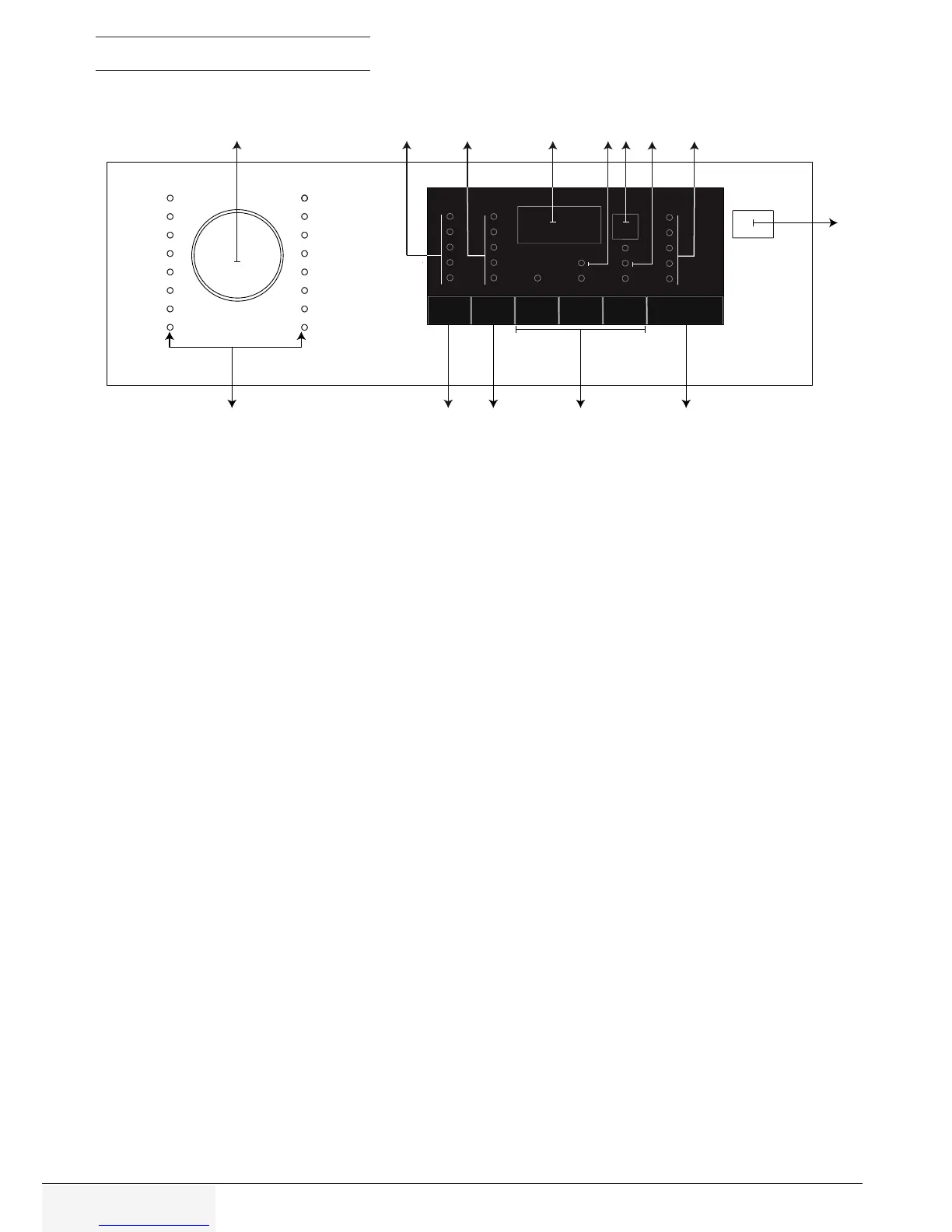
4.6.1 Control panel
17 - Programme selection knob
18 - Temperature indicator
19 - Spin speed indicator
20 - Duration information display
21 - Child lock enabled indicator
22 - End Time Setting button
23 - Door lock enabled indicator
24 - Programme Follow-up indicator
25 - On / Off button
26 - Start / Pause button
27 - Auxiliary function buttons
28 - Spin speed adjustment button
29 - Temperature adjustment button
30 - Programme selection indicator
17 18 19 20 21 22 23 24
25
2627282930



 To Next Page