35 / EN
After every wash make sure that no foreign substance is
left in the drum.
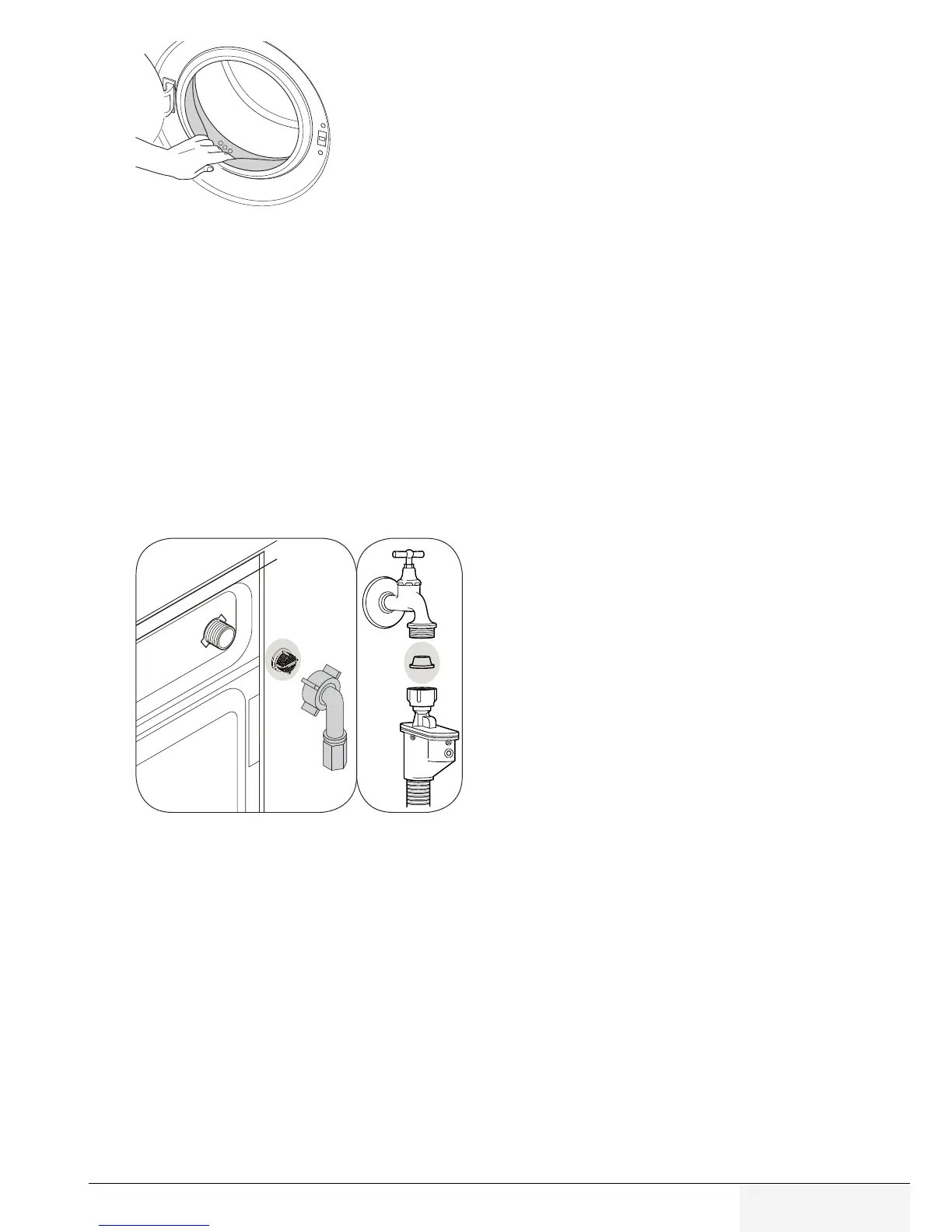
If the holes on the door bellow shown in the figure are
blocked, open the holes using a toothpick.
Foreign metal substances will cause rust stains in the drum.
Clean the stains on the drum surface by using cleaning
agents for stainless steel.
Never use steel wool or wire wool. These will damage the
painted, chromated and plastic surfaces.
4.7.3 Cleanng the body and control panel
Wipe the body of the product with soapy water or non-corrosive mild gel detergents as
necessary, and dry with a soft cloth.
Use only a soft and damp cloth to clean the control panel.
4.7.4 Cleanng the water ntake flters
There is a filter at the end of each water intake valve at the rear of the product and also
at the end of each water intake hose where they are connected to the tap. These filters
prevent foreign substances and dirt in the water to enter the product. Filters should be
cleaned as they do get dirty.
1. Close the taps.
2. Remove the nuts of the water intake hoses to access the filters on the water intake
valves. Clean them with an appropriate brush. If the filters are too dirty, remove them
from their places with a pliers and clean in this way.
3. Take out the filters on the flat ends of the water intake hoses together with the
gaskets and clean thoroughly under running water.
4. Replace the seals and filters carefully and tighten their nuts by hand.



 To Next Page