Bluetoothisashortrangewirelesscommunicationstechnologythatdevicescanuseto
exchangeinformationandconnecttodifferenttypesofdeviceswhichincludeheadsetsand
otherdevices.
PoweronBluetooth
Settings»BluetoothandselecttopoweronBluetooth.
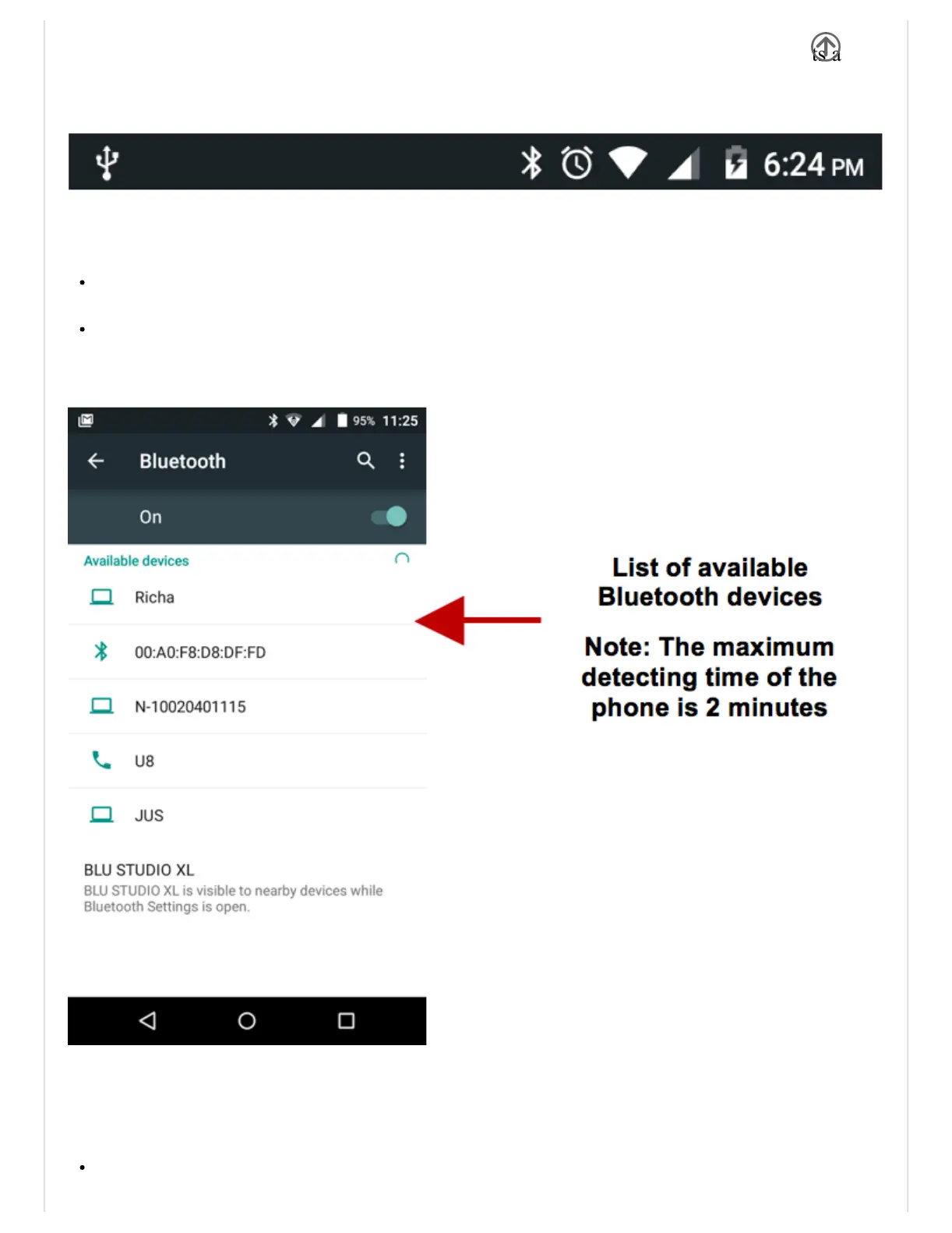
TheBluetoothiconwillappearinthenotificationbar.TheBluetoothwillthenstartto
scanforalldeviceswithinitsrangeandwillstartdisplayallavailabledevices.
Oncethescaniscomplete,allthedevicesfoundwilldisplayinalistunderavailable
devices.Oncethedevicehasbeenidentified,clickonittoconnect.
PoweronWiFi
Settings»WiFiandselecttopoweronWiFi
ClickonthedesiredWiFinetworktobeconnected.
Note:Unsecurednetworkscanbeconnectedtodirectlysecurednetworksrequirea


 To Next Page