
 Need help?
Do you have a question about the Blu Studio XL and is the answer not in the manual?
Do not use the phone in situations where it might cause danger.
Use authorized accessories, handle batteries safely, and dispose properly.
Instructions for turning the phone on and off using the power key.
Enter numbers, dial extensions, and access call settings and history.
Enter name, phone, email, and other details to save a new contact.
Exchange text (SMS) and multimedia (MMS) messages.
Connect to nearby devices via Bluetooth.
Search and connect to available Wi-Fi networks.
Log in or create a Google account for email and services.
Download apps, games, music, and movies.
Connect to Wi-Fi and Bluetooth devices.
Set location services and screen lock methods (PIN, pattern).
View device info and transfer files via USB.
Resolve problems with the phone not powering on or charging.
Fix issues with network connection, SIM errors, and calls.
Troubleshoot inability to make/receive calls or send/receive texts.
Resolve issues with internet connectivity and voicemail.
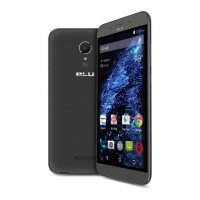
This document is a user manual for the BLU Studio XL smartphone, providing comprehensive instructions on its functions, usage, and maintenance.
The BLU Studio XL is a mobile phone designed for communication, multimedia, and various applications. It supports basic call functions, allowing users to make and receive calls, manage contacts, and utilize a call log. The device features a messaging function for exchanging text (SMS) and multimedia (MMS) messages. For internet connectivity, it supports both Bluetooth and Wi-Fi, enabling wireless communication and access to online services.
The phone comes with a suite of pre-installed applications and features to enhance user experience. The Opera Browser provides internet browsing capabilities, while Gmail offers access to Google's free email service, integrating with other Google services like Play Store, Drive, Photos, Calendar, and Wallet. The Play Store allows users to download music, movies, and games.
For multimedia, the BLU Studio XL includes a Camera for taking photos and recording videos, a Gallery for viewing and managing images, and a Music player for listening to audio files in various formats (AMR, MIDI, MP3, WAV, OGG). An FM Radio function is also available, requiring wired headphones to act as an antenna. A Sound Recorder allows users to record audio.
The device also incorporates essential utility functions such as a File Manager for organizing stored files, a Calendar for tracking events, and an Alarm Clock for setting alarms.
The BLU Studio XL offers a user-friendly interface with intuitive navigation.
Power On/Off: To power on, ensure the SIM card is inserted and long-press the Power key. To power off, long-press the Power key in standby mode and select "Power Off."
Call Functions: Users can dial numbers directly from the dialing interface. For extensions, a dial pad icon is available. An international dialing prefix (+) can be added by pressing and holding the '0' key. The call log saves all called and received numbers, allowing for easy redialing or viewing details. Call options include adjusting settings, viewing call history, clearing frequently dialed numbers, and adding new contacts.
Notifications Bar: Located at the top of the screen, the notification bar displays important information like signal strength, battery indicator, data activity, Bluetooth, and Wi-Fi status. Sliding it down reveals pending notifications and quick settings shortcuts for Wi-Fi, Bluetooth, Location, Airplane mode, and Flashlight. Notifications can be cleared by dragging down the bar and clicking the clear notification icon.
Contacts: The contacts menu, accessible from the applications menu, displays phone and SIM card contacts alphabetically. A search function allows users to find contacts quickly. New contacts can be added by clicking the '+' icon, with options to save to Google account, phone, or SIM card, and to enter various details including a picture, name, number, group, address, and email. Contacts can also be added to home screens, shared via MMS, Gmail, or Bluetooth, and deleted. The phone supports importing and exporting contacts between SIM card, Gmail, and phone storage.
Messaging: Text and multimedia messages are organized into single conversations for easy tracking. To send an SMS, go to Messaging, select "New message," enter the recipient, compose the message, and click "Send." MMS messages are created automatically when attachments are added or if an SMS exceeds 10 pages.
Bluetooth & Wi-Fi: Bluetooth can be powered on via Settings, allowing the device to scan for and connect to nearby Bluetooth devices. Wi-Fi can also be enabled in Settings to search for and connect to available Wi-Fi networks. Secured networks require a password.
Opera Browser: The browser offers options to change layout, add new tabs, clear browsing data, and adjust image quality. It also displays browsing history, speed dial bookmarks, and news.
Gmail: Access Gmail from the applications menu. The inbox is categorized into Primary, Social, and Promotions, which can be adjusted in settings.
Play Store: Access from the applications menu to download apps, music, movies, and games. A Google account login is required for first-time use.
Camera: It is recommended to insert an SD card for storing large capacity images and videos. The camera can be opened from the Applications Menu. Users can switch between photo and video modes, take pictures by pressing the Shutter button, and view photos in the gallery. Various camera settings can be adjusted.
Gallery: Accessible from the Applications Menu, the gallery displays pictures and videos, organized into separate albums. Images can be shared via installed applications, MMS, or Bluetooth. Editing options include various effects (Vintage, Black and White, etc.), cropping, rotating, and mirroring.
Music: The Music player allows users to search for music by artist, song, or album name. Playback options and track controls are available. Music can be saved, played, and organized into playlists. The music player can run in the background, indicated by an icon in the status bar.
FM Radio: Requires wired headphones as an antenna. Users can scan for channels, add favorites, and browse added stations. The FM radio can also run in the background.
Sound Recorder: Users can record audio and send it via Bluetooth, MMS, Google Drive, or Gmail. Recordings should be saved to an SD card for maximum storage.
File Manager: Allows users to search and organize stored phone files.
Calendar: Helps track important events. Users can long-press a day or hour to add a new event and enter details like name, location, and date.
Alarm Clock: Accessible from the Clock icon, it allows users to add and edit alarms by setting specific hours and minutes.
Troubleshooting: The manual provides a list of common problems and their solutions, including issues with powering on, responsiveness, battery charging, standby time, network connectivity, SIM errors, call making/receiving, caller ID display, voicemail, internet connection, and text messages. For example, if the phone does not power on, users should press and hold the power key and check the battery level. If the battery won't charge, users should check if it's fully charged, correctly inserted, and if a BLU approved battery and properly connected charger are used. For network issues, users should verify active service and coverage with their service provider. If a SIM error occurs, ensure the SIM is properly inserted and undamaged. For incorrect PIN entry, the PUK code from the service provider is needed.
 General
| Resolution | 720 x 1280 pixels |
|---|---|
| RAM | 1 GB |
| Storage | 8 GB |
| Rear Camera | 8 MP |
| Front Camera | 5 MP |
| Battery | 3000 mAh |
| SIM | Dual SIM |
| Display | 6.0 inches |
| Processor | 1.3 GHz Quad Core |
| Operating System | Android 5.0 Lollipop |

 To Next Page









