YoumayprintfilesviaCloudReadyprinters
(PleasecheckGoogleCloudPrintwebsiteforprintercompatibilityinformation)
DeveloperOptions
IfthephonedoesnotdisplayDeveloperoptions,pressbuildnumberseven(7)timesinthe
aboutphonetab.
ThedeveloperoptiongivesaccesstoUSBDebuggingandotherdevelopertools.
AboutDevice
Phoneinformationstatusandfirmwareupdates
Storage
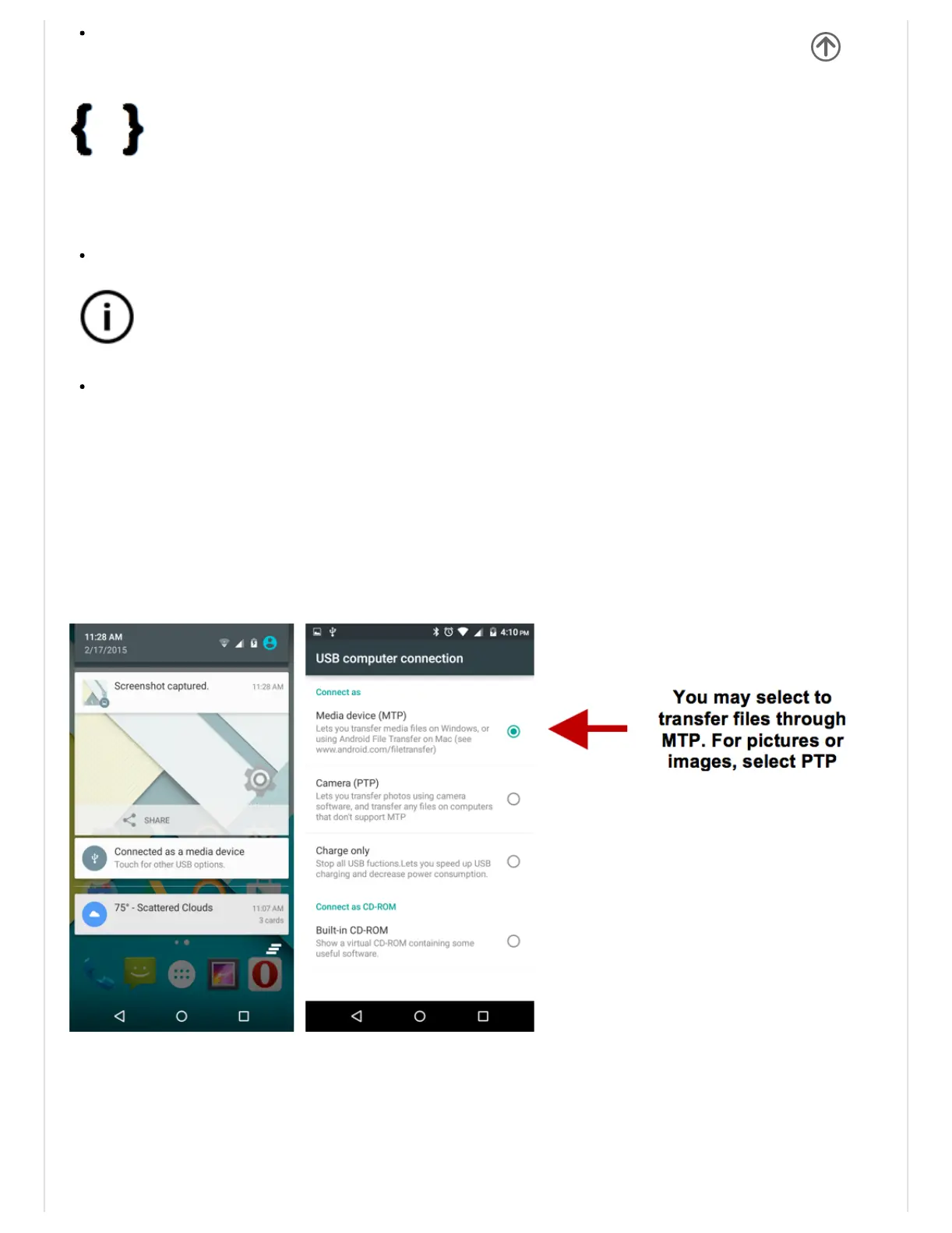
ConnectthephonewiththeUSBcableprovided.Onceconnected,aconnectioninterface
willappear.Intheconnectionmodeinterface,selectoneoftheavailableoptionstotransfer
filestoyourcomputer.
Troubleshooting
Belowisalistofcommonproblemsthatmayoccurwhenusingyourmobilephone.Try


 To Next Page