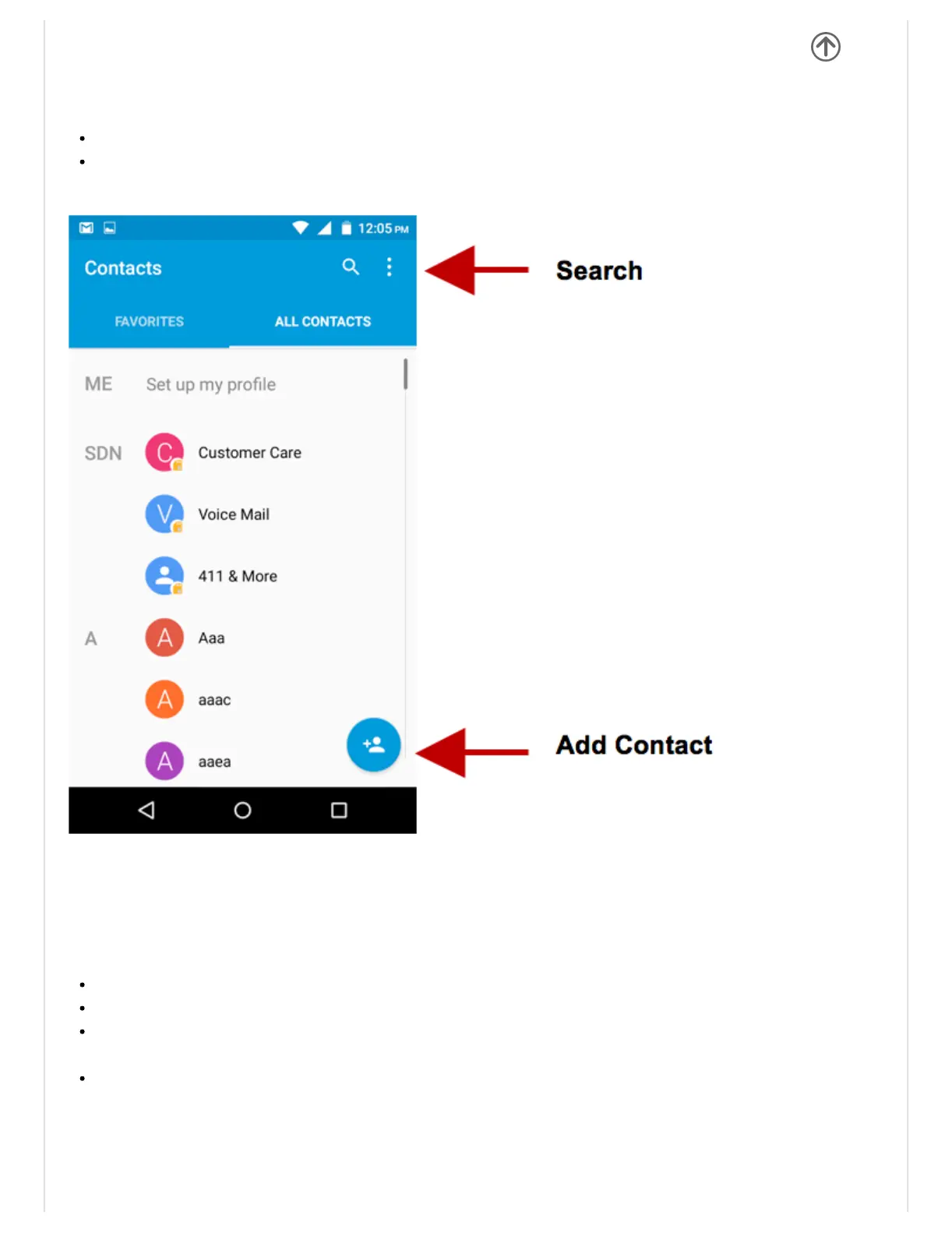
Contacts
Enter:Clickontheapplicationsmenuandselectcontacts.
ThedefaultdisplayisthephonecontactsandSIMcardcontacts.
Thecontactsareorganizedalphabeticallybydefault.
ClicktheSearchicontoenterthecontactsearchinterface.Anynumbersorlettersassociated
withanyofthecontactssavedinthelistwillbeshowninthesearchresults.
AddNewContact
Clicktheaddcontacticon(+)toaddcontacticoninthebottomright.
SelecttosaveyourcontactstoyourGoogleaccount,thephoneortheSIMcard.
Youmayenterdifferentcontactdetailswhichincludeaddingapicture,name,telephone
number,group,address,andemailamongotheroptions.
Clicktosavecontact.


 To Next Page