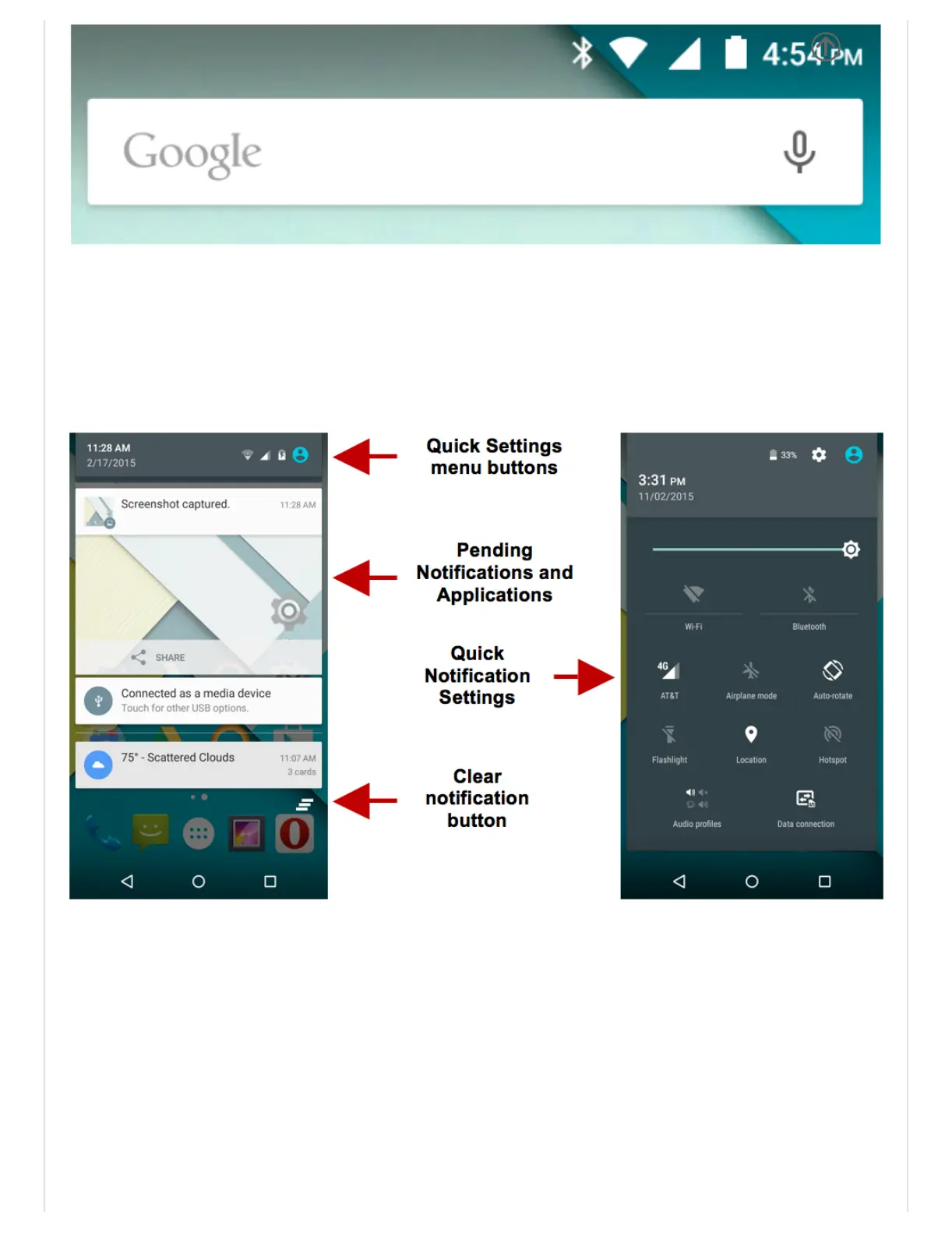
Onthenotificationbar,severaliconswillappearsuchassignalbar,batteryindicator,data
indicator,BluetoothandWiFi.Youmayslidethenotificationbardownwithyourfingerto
displayanypendingnotificationsoractions.
NotificationSettings
Thenotificationsettingswindowprovidesshortcutstodifferentphonesettingsforquick
access.Clickonanyoftheshortcutnotificationiconstopoweronoroff.
Note:Toclearnotifications,dragdownthenotificationbarandclicktheclearnotification
icononthelowerrighthandpartofthenotificationscreen(3horizontallinesasshowninthe
figure).Thequicknotificationsettingsmenuisaccessedbydraggingdownthenotification
barcompletely.SomesettingsincludeWiFi,Bluetooth,Location,Airplanemode,and
Flashlight.
Contacts


 To Next Page