Note:Youmayaddindividualcontactstoanyofthehomescreensbyenteringthecontacts
menu,clickingonthespecificcontact,pressingmenu,andthenselectingthe‘Placeonhome
screen’option.YoucanalsosharecontactsviaMMS,Gmail,Bluetooth,andothershare
optionswithinthesamesettingsmenu.
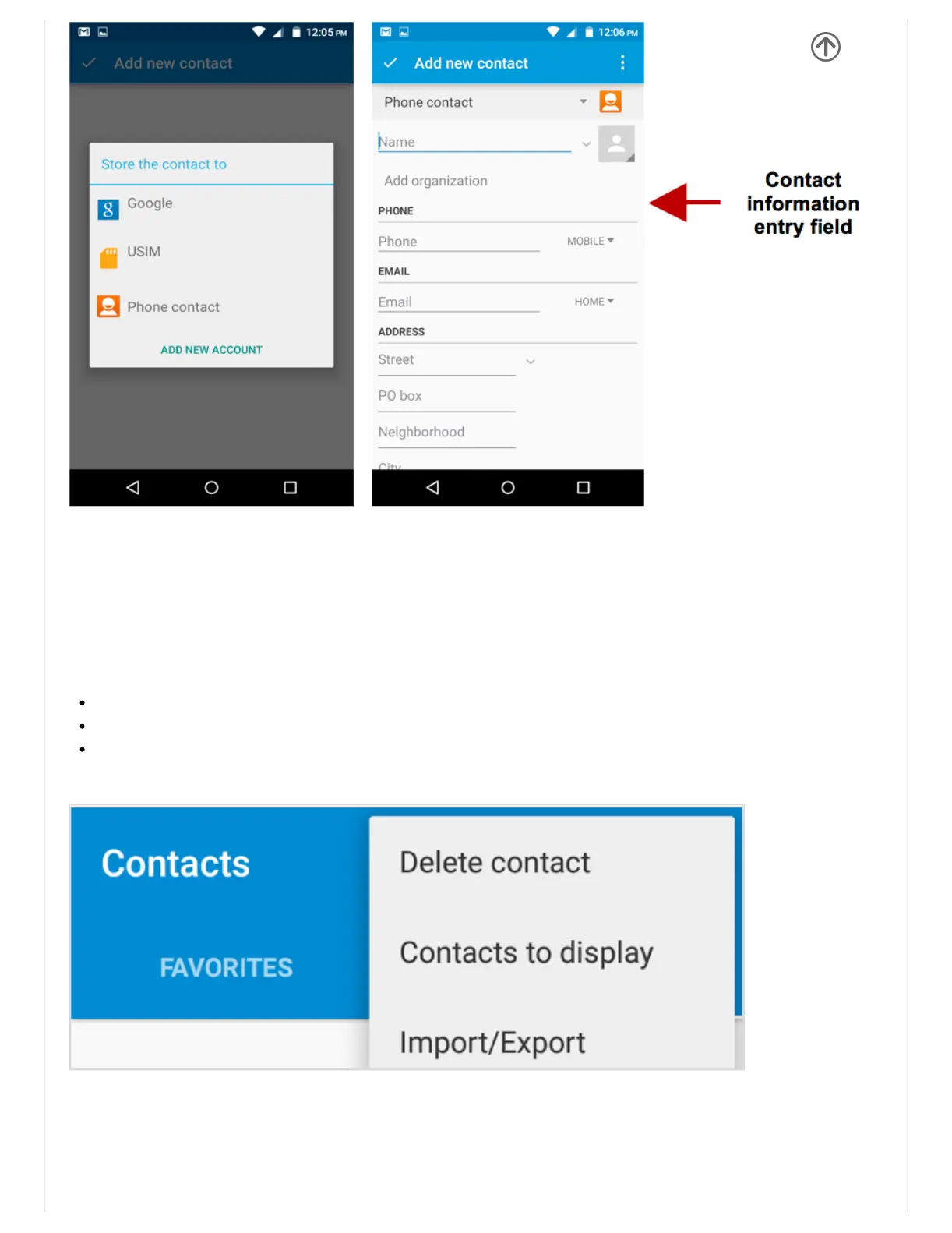
DeleteContact
ClickontheContactsicontoenterthephonebook.
ClickthemenukeytoaccesstheContactsmenu.
ClickonDeleteContactandscrolltoselectwhichcontact(s)youwishtodelete.
Import/ExportContacts
Thephoneallowsyoutoimportandexportcontactstosynchronizeinformationbetween
differentstoragetypesthatincludetheSIMcard,Gmailaccountandyourphone.
Toimportorexportcontacts:


 To Next Page