VISION
D R I V ERS HANDB O O K
30
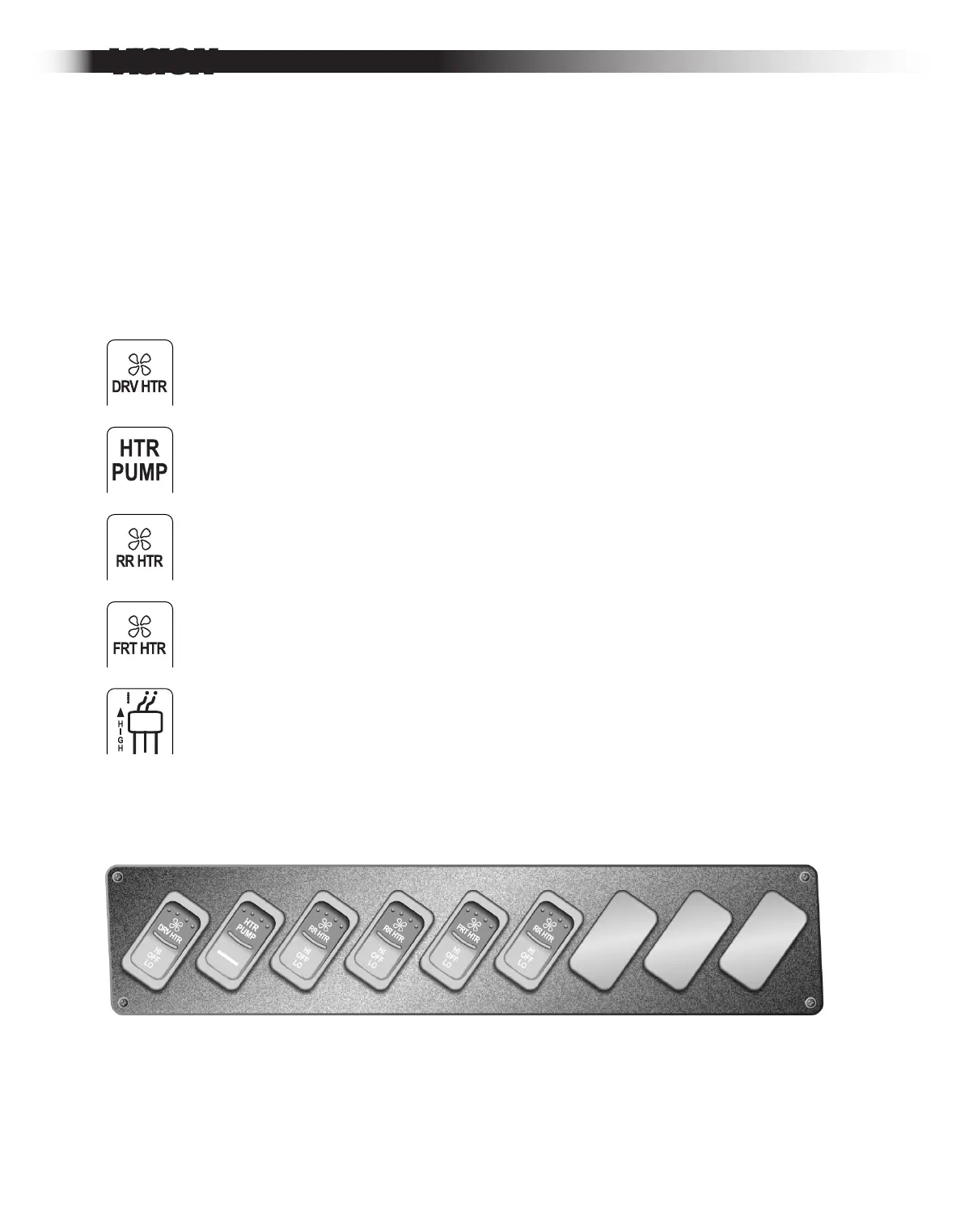
Driver’s Heater Fan. High, off and low positions.
Heater pump. Provides power to auxiliary heater pump, supplying
heat to the passenger compartment.
Underseat Heater Fan Switches. 3-position (High, Off, Low) . Addition-
al 3-position heater switches may be located in the left console lower
panel if the bus is equipped with optional passenger area heaters.
These switches control the fan speed of underseat heaters.
Perimeter Convection Heater Switch. 2-position (On / Off). If the bus is
equipped with optional perimeter convection heaters in the passenger
area, a switch is provided to toggle these heaters on and off. This switch
operates an electric valve which controls the flow of engine-heated water.
Upper Left Switch Panel
The upper left switch panel located directly below the driver’s window and shown
below includes switches that control the heater systems installed on your bus. The
panel contains switches for standard and optional equipment heaters including
front and rear heaters, the driver’s heater, underseat heaters, and auxiliary heater
pump. The panel will be equipped only with switches for options that are included
on your bus and therefore may differ from the panel shown here. The following is a
list of switches and their descriptive icons found in this panel.


 To Next Page