Installation:
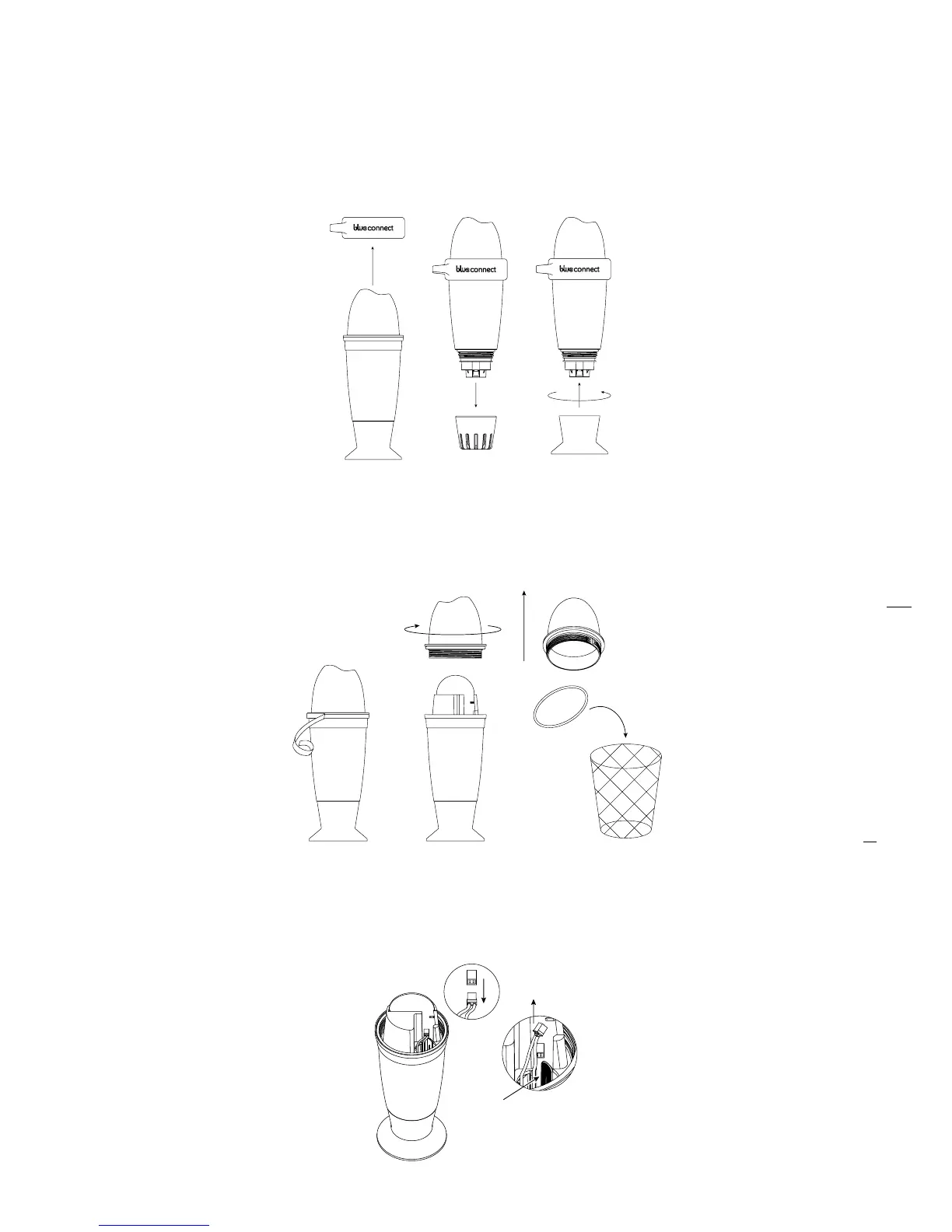
In “Settings“ » “Blue Connect“, press “Battery replacement“.
Take out the device from the water, remove the rubber ring and the usage cap and place
Blue Connect on the storage cap.
Wipe it and start the procedure in a dry and clean place.
Remove the adhesive tape and unscrew the upper part of the device. This is a left-hand
thread. Unscrew it in a clockwise direction. Remove the seal and discard it.
Unplug the white connector by pulling the red and black cable. The battery is at the other
end of the cable. Press the plastic rod to release the battery, and remove it by pulling the
cable.
1.
2.
4.
3.
5.


 To Next Page