C. Probe replacement
The probe needs to be replaced approximately every two years
6
. Please contact your reseller to get a
new one.
NB: To ensure maximum longevity of the probe, keep it for as long as possible in a humid
environment. If you take the device out of the water, you must screw it to the storage cap with KCl
(saturated potassium chloride), pH4 or, as a last resort, pool water.
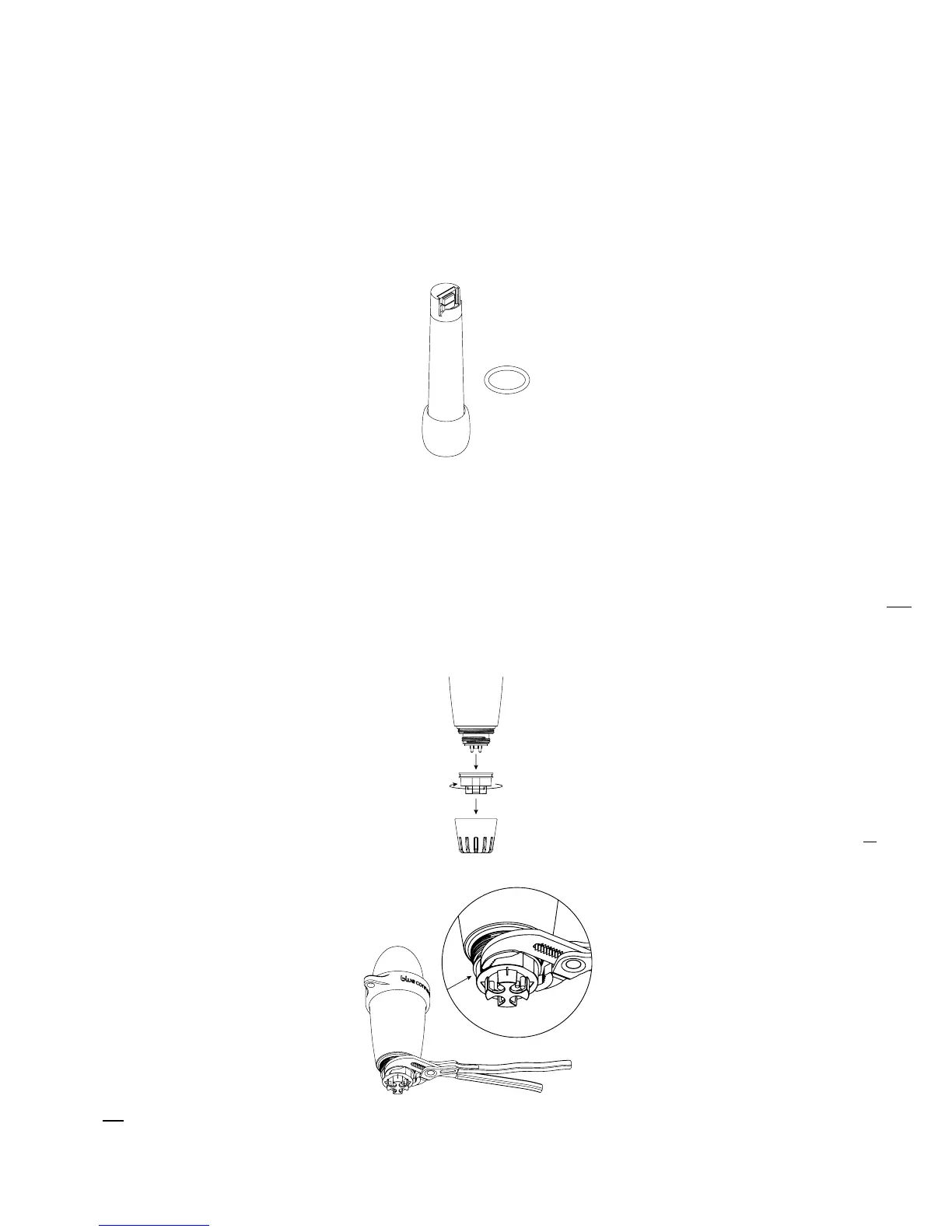
The box includes:
Installation:
In “Settings“ » ”Blue Connect”, press “Probe replacement“.
Take out Blue Connect from the water. Wipe the device and start the procedure in a dry,
clean place.
Remove the usage cap and nut. If you struggle to unscrew the nut, use adjustable pliers by
placing them on this exact spot (Image A).
Image A:
6
Make sure not to leave the probe out of the water without the storage cap lled with KCl (saturated potassium chloride), pH4
or, as a last resort, pool water.
1.
2.
3.


 To Next Page