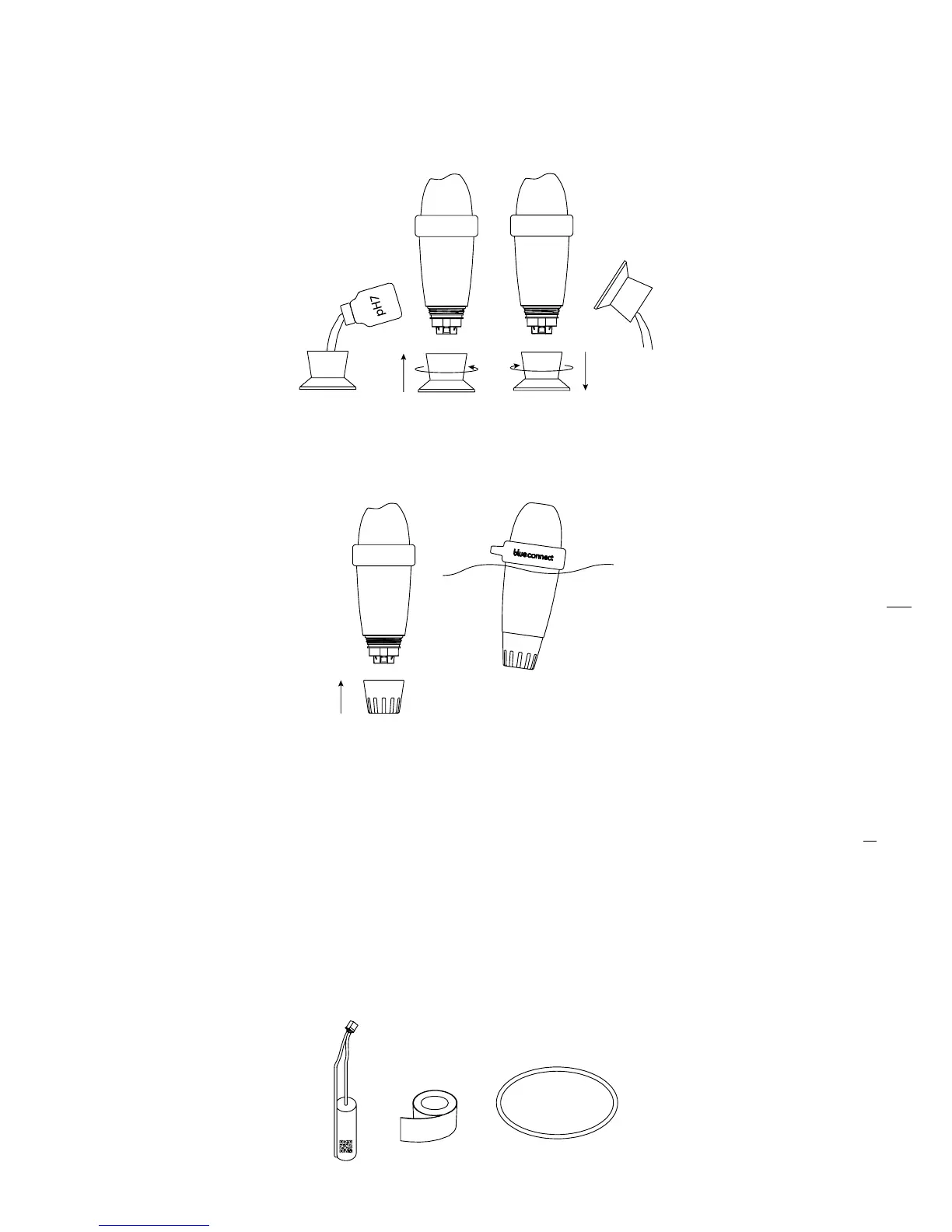
Place a pH7 solution in the storage cap and screw it to the device. Then, press “Validate”.
At the top of the screen, you will see the progression of the measurement. Once the pH7
measurement is complete, unscrew the storage cap and rinse the probe. Empty, rinse and
wipe the cap.
Validate calibration.
Place the usage cap and place back Blue Connect in the swimming-pool.
NB: Calibration products are for single use only. Never use them twice. Please contact your reseller to
get new ones.
B. Battery replacement
The battery needs to be replaced approximately every two years. Please contact your reseller to get a
new one.
NB: To ensure an optimized battery life, put Blue Connect into standby mode when the pool is in
winterization.
The box includes:
6.
7.
8.


 To Next Page