Blue Connect maintenance
A. Calibration
NB: Calibration is not needed when receiving the device.
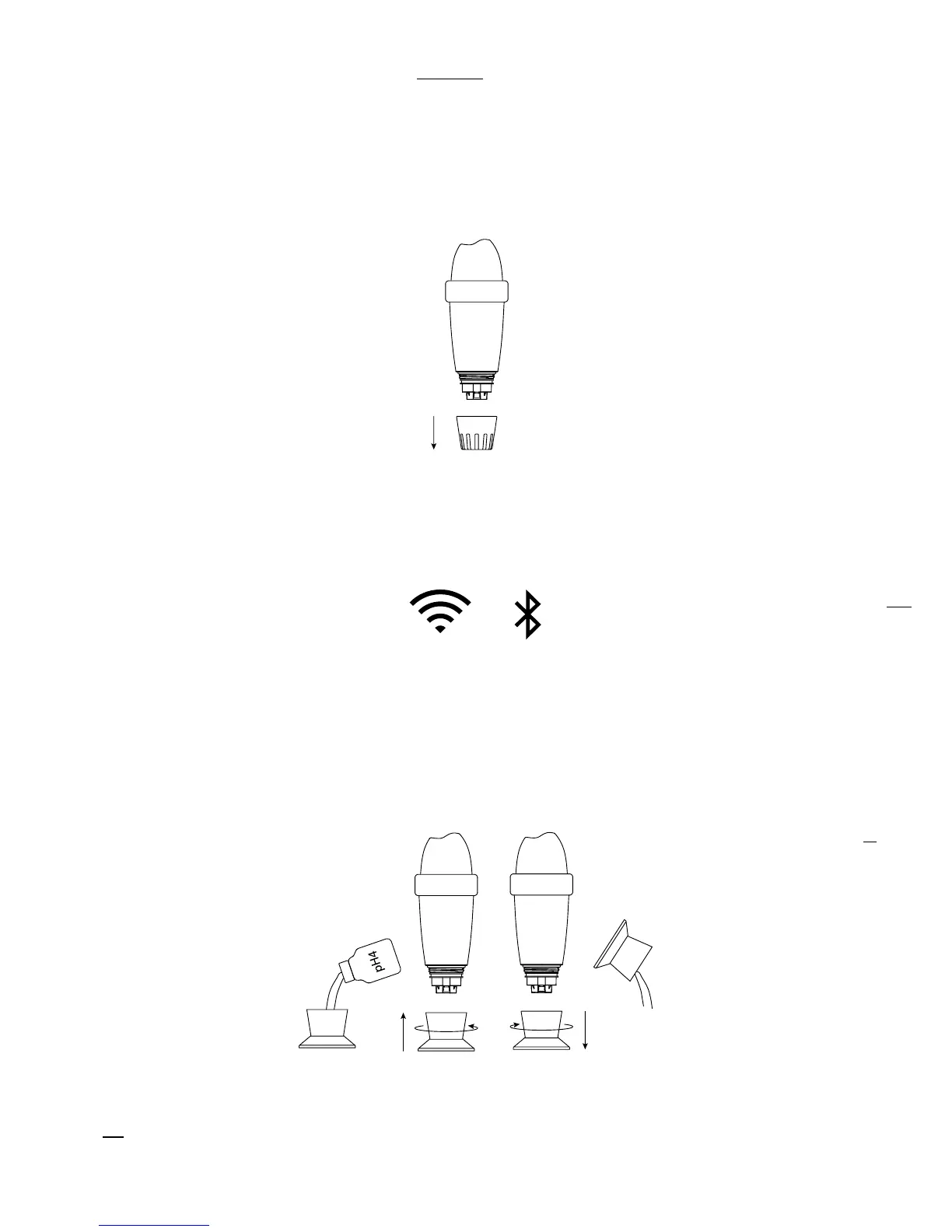
Take out the device from the water, pull out the usage cap and rinse the probe in clear water.
Rinse the storage cap with clear water and wipe it.
Activate the Internet (Wi-Fi or 4G) and Bluetooth® on your smartphone.
NB: Stay close to your device throughout the whole calibration process.
In the app, in “Settings“ » “Blue Connect“, press “Calibrate“. A message at the top of the
screen indicates that the device is detected.
Place a pH4 solution in the storage cap and screw it to the device. Then, press “Validate”.
At the top of the screen, you will see the progression of the measurement. Once the pH4
measurement is complete, unscrew the storage cap and rinse the probe. Empty, rinse
5
and
wipe the cap.
1.
2.
3.
4.
5.
5
Always clean the probe and storage cap with clear water after using a calibration product to avoid mixtures.


 To Next Page