10. Connect to Expansion Battery
The AC200L unit supports several types of expansion batteries to increase its power
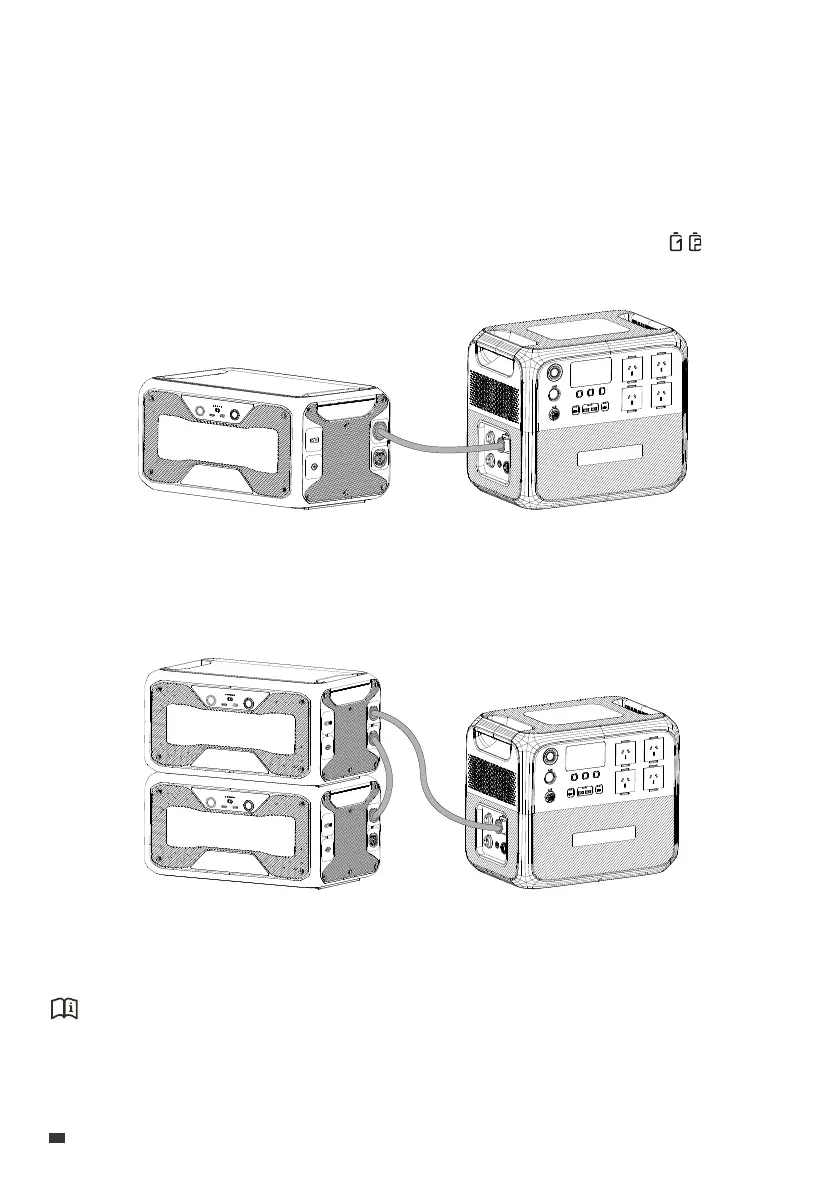
capacity, such as the B210, B230, and B300. Follow the steps below to connect them:
1. Verify that the AC200L is in good condition with the B300 device to be connected.
2. Connect them using the battery expansion cable.
3. Power on the AC200L and the expansion battery turns on automatically. The displays
on the AC200L's screen.
If you want to add one more expansion battery, please set up the system as shown.
(AC200L + 1 B300)
(AC200L + 2 B300)
Attention:
The AC200L is compatible with up to two B210 or B300 units, but only one B230 unit.
EN
JUST POWER ON
24



 To Next Page