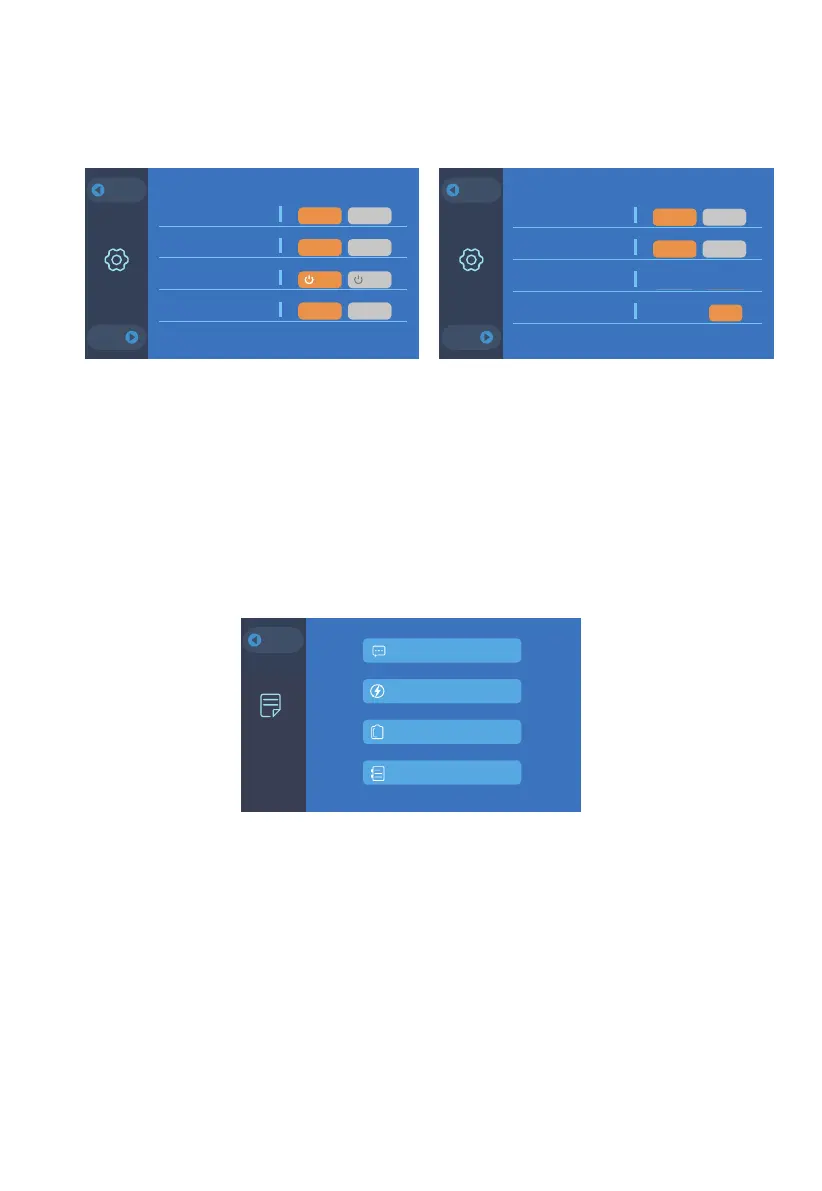
Settings
This section provides general setting configurations, including AC output, DC
input, ECO Mode*, language, buzzer, and system date/time.
Data
This section provides all basic information including product, inverter and
charger, BMS maintenance, and fault history.
Note: Check all settings before first use.
Please set the system date and time every 2 weeks.
Voltage and frequency for reference: US: 120V/60Hz JP: 100V/50Hz/60Hz
Note: ‘Inverter&Charger Info.’ indicates the output and input status of this unit;
‘BMS Maintenance’ indicates the connection status of battery pack(s);
‘Fault History’ records all the error codes. When the error occurs, its indicator will
turn orange.
* When in this mode, the AC output will automatically turn off after 4-hour low (≤50W)
or no load to save power.
Product Info.
Inverter & Charger Info.
BMS Maintenance
Fault History
Data
BACK
BACK
JUST POWER ON 10
NEXT
Settings
BACK
NEXT
BACK
AC Output Voltage
AC Output Frequency
ECO Mode
DC1 Input Source
ON OFFPV Car
ON OFF50Hz 60Hz
English 日本語100V 120V
ON OFFYes NO
Settings
NEXT
Settings
BACK
NEXT
BACK
Language Setting
Buzzer Setting
System Date Setting
Time Setting
English
日本語
English
日本語
OFF
OK
ON OFF2020-05-23
18:18:18
English 日本語ON OFF
EnglishEnglish
Settings


 To Next Page