Need help?
Do you have a question about the Bluetti AC200P and is the answer not in the manual?
Provides essential safety guidelines for operating the BLUETTI AC200P device.
Instructions for maintaining the BLUETTI AC200P for optimal performance and longevity.
Guidance on proper handling and storage conditions for the BLUETTI AC200P.
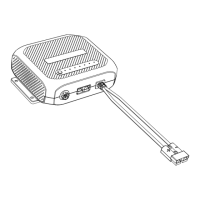
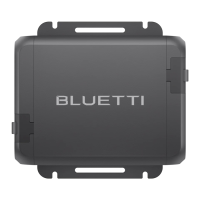
Details the items included in the standard packaging of the BLUETTI AC200P.
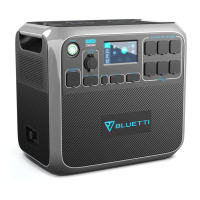
Illustrates and labels the various components and ports of the BLUETTI AC200P.
Instructions for starting up and shutting down the BLUETTI AC200P unit.
Explains the homepage display and navigation of the BLUETTI AC200P's LCD screen.
Procedure for charging the AC200P using a standard wall outlet and AC adapter.
Instructions for charging the AC200P using solar panels.
How to charge the AC200P using a vehicle's cigarette lighter port.
Method for charging the AC200P using a generator and AC adapter.
Guide to charging the AC200P using 12V or 24V lead-acid batteries.
Answers to common questions regarding the BLUETTI AC200P's functionality and usage.
The BLUETTI AC200P is a portable power station designed to provide green energy storage solutions for both indoor and outdoor use. It aims to deliver an eco-friendly experience for homes and various applications globally. The device is developed to be safe and reliable, with a focus on sustainability.
The BLUETTI AC200P serves as a versatile power source, capable of charging and powering a wide range of electronic devices and appliances. It features multiple output ports, including AC, DC, USB-A, and USB-C, allowing for simultaneous charging of various gadgets. The unit supports several charging methods, such as AC adapter charging from a standard wall outlet, solar panel charging, car charging via a cigarette lighter port, and generator charging. This multi-faceted charging capability ensures flexibility and convenience for users in different scenarios. The device also includes wireless charging pads for compatible devices, adding to its modern utility.
The core function of the AC200P is to store electrical energy in its internal battery and then convert it into usable power for external devices. It is designed to handle a significant power output, making it suitable for running not only small electronics but also larger appliances like refrigerators, power tools, and even some window air conditioners, although users should be mindful of startup power requirements for high-demand devices. The unit incorporates a Battery Management System (BMS) for safety and optimal performance, which includes features like over-current, short-circuit, and over-temperature protection.
Operating the BLUETTI AC200P is straightforward. The device is powered on by pressing the power button and held for 2 seconds to shut down. AC and DC outputs can be enabled or disabled directly from the LCD touchscreen interface. The LCD screen serves as the primary control and information hub, displaying real-time charge/discharge status, battery capacity, date/time, and input/output power for both PV/Car input and Adapter input, as well as DC and AC loads.
The touchscreen interface allows users to navigate through various settings. These settings include AC output voltage and frequency, DC input source selection (PV or Car), ECO Mode activation, language preferences, buzzer sound control, and system date/time adjustments. The ECO Mode is a power-saving feature that automatically turns off the AC output after 4 hours of low (≤50W) or no load, helping to conserve battery life.
The AC200P supports pass-through charging, meaning it can charge external devices while simultaneously being charged itself. However, it does not support an Uninterruptible Power Supply (UPS) function. For optimal battery lifespan, it is recommended to charge the unit when the battery level drops to 5%.
The device offers multiple input options for charging:
The device is designed to be user-friendly, with clear indicators for system status. For instance, the LED indicator will be 'On' during startup, 'Off' during shutdown, 'Flash and then off' for BMS over-current/short-circuit protection, and 'Flash and steady green' for BMS start-up timeout. Error codes are recorded in the 'Fault History' section of the Data menu, and when an error occurs, its indicator will turn orange, alerting the user to a potential issue.
Proper maintenance is essential for extending the lifespan and ensuring the safe operation of the BLUETTI AC200P.
The BLUETTI AC200P is designed to be a durable and reliable power solution, provided that users adhere to the outlined usage and maintenance instructions.
 General
| Battery Capacity | 2000Wh |
|---|---|
| Battery Type | LiFePO4 |
| Cycle Life | 3500+ cycles to 80% capacity |
| USB-A Output | 4 x 5V/3A |
| USB-C Output | 1 x 60W PD |
| Weight | 60.6 lbs (27.5 kg) |
| Dimensions | 16.5 x 11 x 15.2 inches (42 x 28 x 38.6 cm) |
| Warranty | 24 months |
| AC Outlets | 6 x 220-240V |
| DC Output | 12V/25A |
| AC Input | 400W Max |
| Solar Input | 700W max |
| Car Input | 12/24V |
| Operating Temperature | -10 to 40°C (14 to 104°F) |
| Recharge Time (Solar) | Approx. 3.5-4 hours (with 700W solar input) |

 To Next Page