EasyManua.ls Logo

Bluetti AC200P - Operation; Powering On;Off; LCD Screen

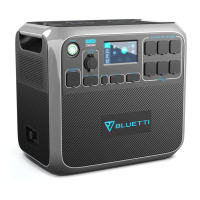
Bluetti AC200P
20 pages
Print Icon
To Next Page IconTo Next Page
To Previous Page IconTo Previous Page
Loading...
Operation
Powering On/Off
Startup and shutdown: Press the power button to start up this unit and hold
for 2s to shut down.
AC/DC Output: Tap the ‘AC ON/OFF’ or ‘DC ON/OFF’ on the screen to enable
and disable.
LCD Screen
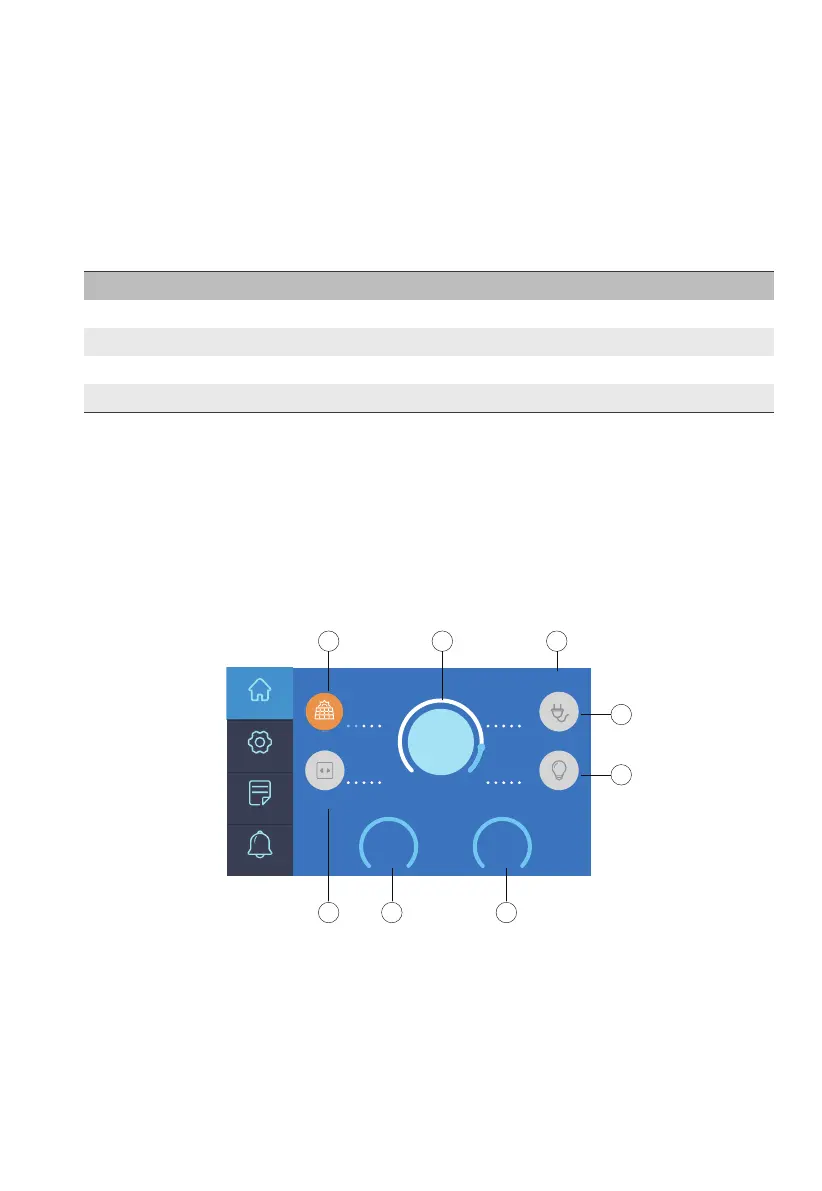
Homepage
This section displays the charge/discharge status and navigates to detailed
product information.
Note: Please turn on the DC power to enable wireless charging.
Symptom
Start up
Shut down
BMS Over-current/Short-circuit Protection
BMS Start-up Timeout
LED Indicator
On
Off
Flash and then off
Flash and steady green
a: PV/Car Input
b: Battery Capacity
c: Date/Time
d: DC Load
e: DC ON/OFF
f: AC ON/OFF
g: Adapter Input
h: AC Load
JUST POWER ON09
%
Home
Settings
Data
AC LoadDC Load
PV Grid
W
W
W
W
639
0 0
346
Alarm
DC
OFF
AC
OFF
20
2020-05-20 10:50:50
a
b
c
h
g
e
d
f

Related product manuals