© BlueView Technologies Corp BlueView BV5000 User Handbook
12
Connect Components
The BV5000 Package comes complete with everything needed to bench-test
and tank test your system.
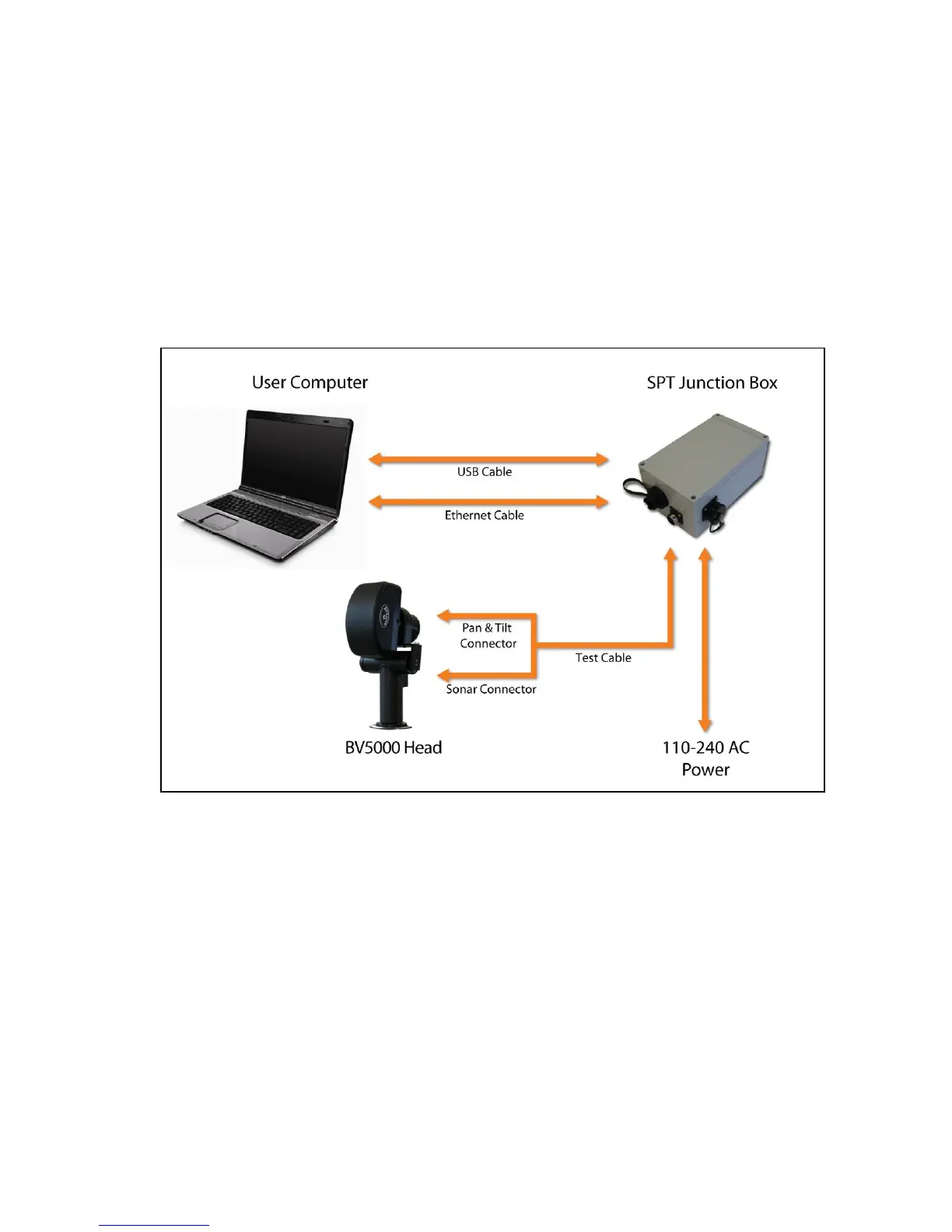
1. Connect the sonar and Pan & Tilt unit to the control box using the SPT
(Sonar / Pan & Tilt) test cable. Connect the Ethernet cable to the control
box, then to an available network connection port on the PC. Verify that all
connections in the diagram below have been made.
2. Once all the connections are made, connect the SPT Junction Box to an AC
Power supply


 To Next Page