PLA88CS USER MANUAL
Contact: support@blustream.com.au | support@blustream-us.com | support@blustream.co.uk
07
Terminating CAT Cable for use with HDBaseT™
It is important that the interconnecting CAT cable between Blustream HDBaseT™ products is terminated using the
correct RJ45 pin configuration. The link CAT cable MUST be a ‘straight’ (pin-to-pin) CAT cable, and it is advised that this
is wired to the T568B wiring standard as this format is less prone to EMI (Electro-Magnetic Interference).
When installing CAT cables it is advised that you use the best possible CAT cable quality. HDMI distribution products
will only work if used with CAT5e standard cable or above. Blustream recommends using a CAT6 cable (or better) for
installations, especially when running longer distances, in areas of high EMI, for 4K signal distribution, or over extended
distances. It is advised that using any method of patch panel, wall plate, or join within the CAT cable is avoided as
these can add degradation to the signal. Blustream also recommend using RJ45 connectors that are recommended
for use with the choice of CAT cable.
RJ45 Wiring -
T568B
Understanding the HDBaseT™ Status LED’s
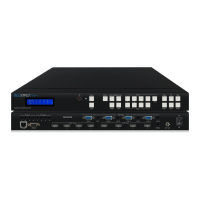
The Matrix includes status LED indicators on the HDBaseT™ RJ45 ports to show all connections are active, and to help
diagnose potential connectivity issues.
Understanding the Matrix Status Lights:
• The orange HDBaseT™ status link light will be OFF when there is no PoC (Power over Cable) being sent via
HDBaseT™ to the Blustream HDBaseT™ Receiver
• The orange HDBaseT™ status link light will be ON when there is PoC (Power over Cable) being sent via HDBaseT™ to
the Blustream HDBaseT™ Receiver
• The green HDBaseT™ link light will be o when there is no CAT cable / active HDBaseT™ connection on the RJ45
HDBaseT™ output
• The green HDBaseT™ link light will blink if there is an unstable connection between the Transmitter and Receiver
• The green HDBaseT™ link light will be lit when a CAT cable is connected to the HDBaseT™ RJ45 output on the
Transmitter and an active connection is achieved with the Receiver
The link lights will only serve as an indication to the connectivity between Matrix and each HDBaseT™ Receiver unit.
The LED’s will not indicate a termination, bandwidth, interference or cable length issues on a CAT cable run. Blustream
always recommend qualifying / verifying / certifying a CAT cable run for suitability prior to the installation of HDBaseT™
equipment.




 To Next Page