BPAP Series User Manual V1.0
13 / 58
• Do not connect any equipment to the device unless recommended by BMC or your health
care provider.
• Please contact BMC to obtain an SD card if needed.
IMPORTANT TIPS!
• If any of the above parts are missing, contact your home care provider.
• Contact your home care provider for additional information on the available accessories of
this device. When using optional accessories, always follow the instructions enclosed with
the accessories.
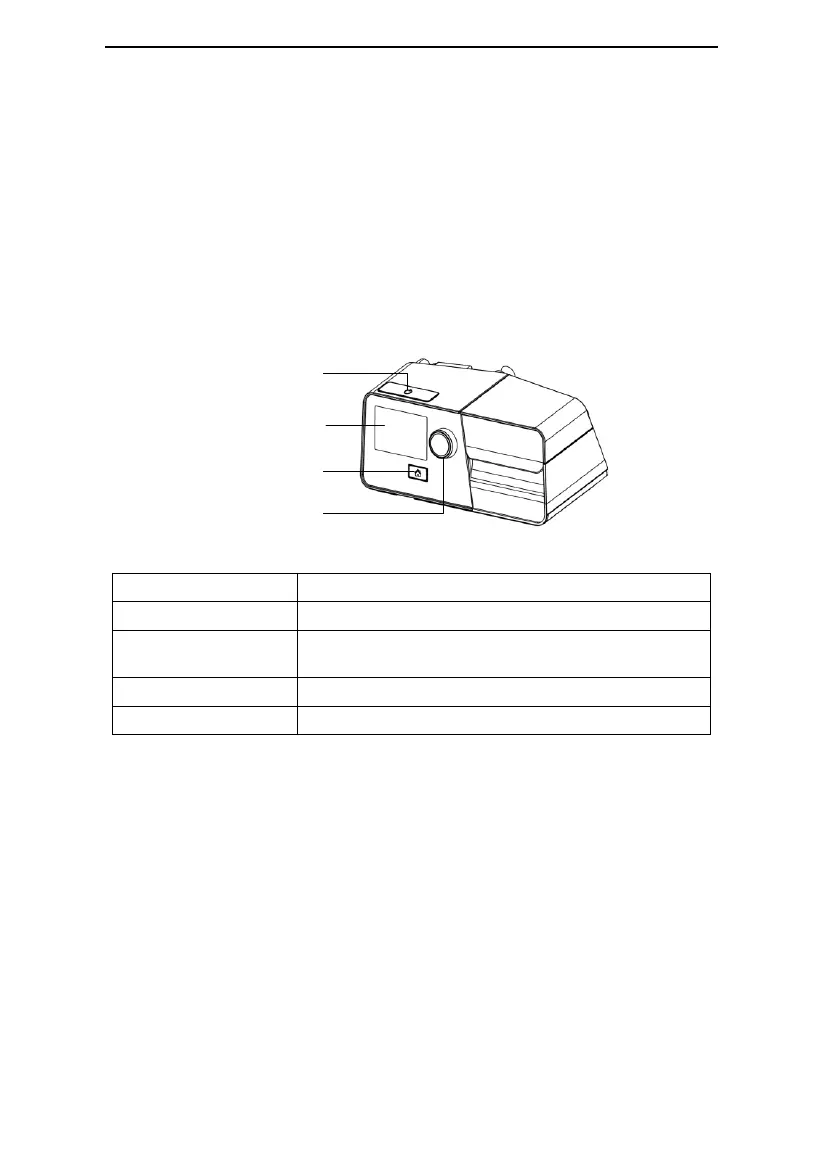
10. System Features
Knob
Display Screen
Home Button
Start / Stop Button
Fig. 10-1
Start / Stop delivering air.
Display menus for operation, messages, monitoring data,
etc.
Return to the previous menu or main interface.



 To Next Page