BPAP Series User Manual V1.0
27 / 58
15. Using the Cellular Module and the WiFi kit
15.1 Connecting to Cellular Network
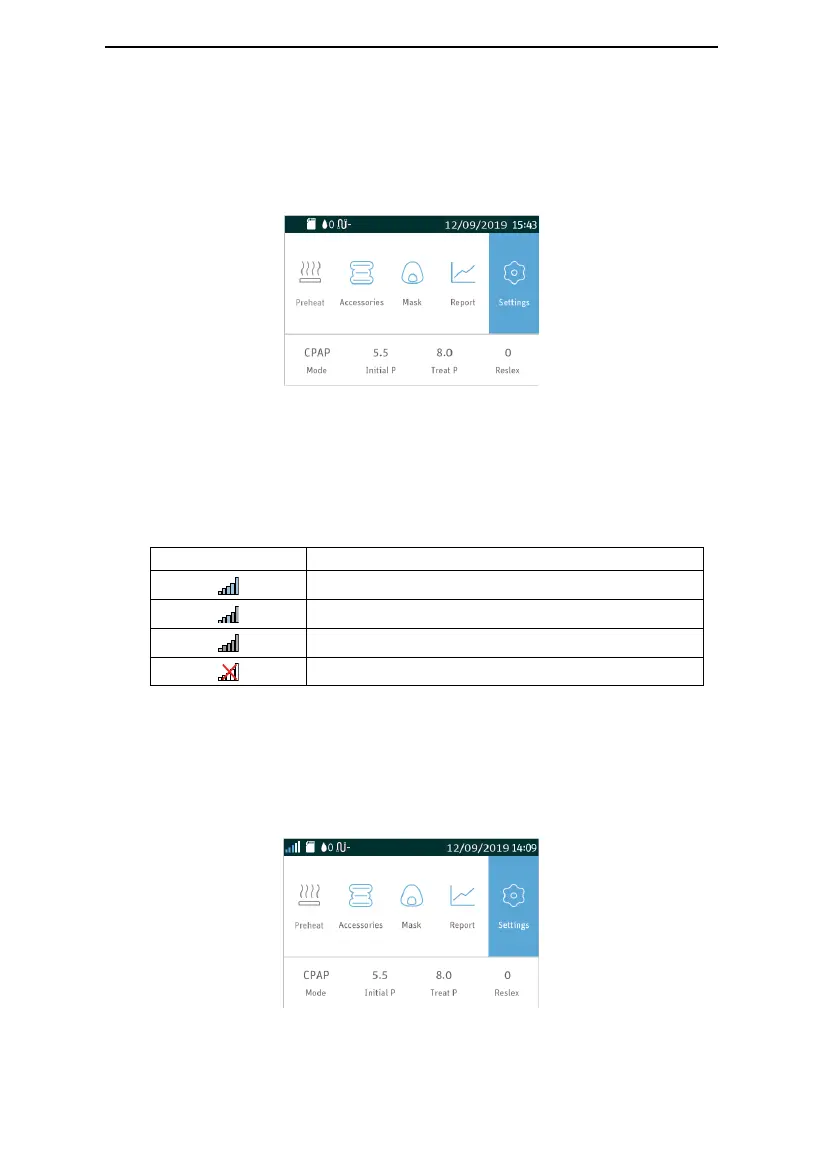
(1) Insert the Cellular Module into the device, and turn on the device. The device screen
displays the Main Screen shown in Fig. 15-1.
Fig. 15-1
(2) The Cellular Module starts searching for signals in a few seconds. Once a signal is found,
the module will automatically connect to it, and a signal icon will appear in the status bar at
the top of the device screen.
There are four different signal icons, as listed in Table 2:
Table 2 Description of Signal Icons
Note:
(1) When the signal is weak, data transmission may become slow and even stop.
(2) The Cellular Module will keep searching for signals until one is found.
If the signal is strong, the signal icon appears in the Main Screen, as shown in Fig. 15-2 (the
signal icons of different strength appear in a similar way).
Fig. 15-2



 To Next Page