REMOTE TUNING & ERASING
1. Remote tuning: Press the RF button for 3 seconds and the LED display will show CS. Then press the remote left
button (A), the LED display will blink 3 times and stay on. After 7 seconds without any new remotes learnt, the LED
will be off and the remote learning is complete - see images 1, 2, 3
2. Remote erasing: Press the RF button for 10 seconds until the LED displays CC, now all remotes have been deleted
+
LED display
RF
3 SEC
LED display
blinks 3 times
A
B
C
D
C.S.
8.8.
LED display OFF after
7 seconds without any new
remote learn
1
2
3
SYSTEM LEARN
BEFORE PROCEEDING TO THE SYSTEM LEARN
THE REMOTES MUST BE TUNED TO COMPLETE THIS PROCESS
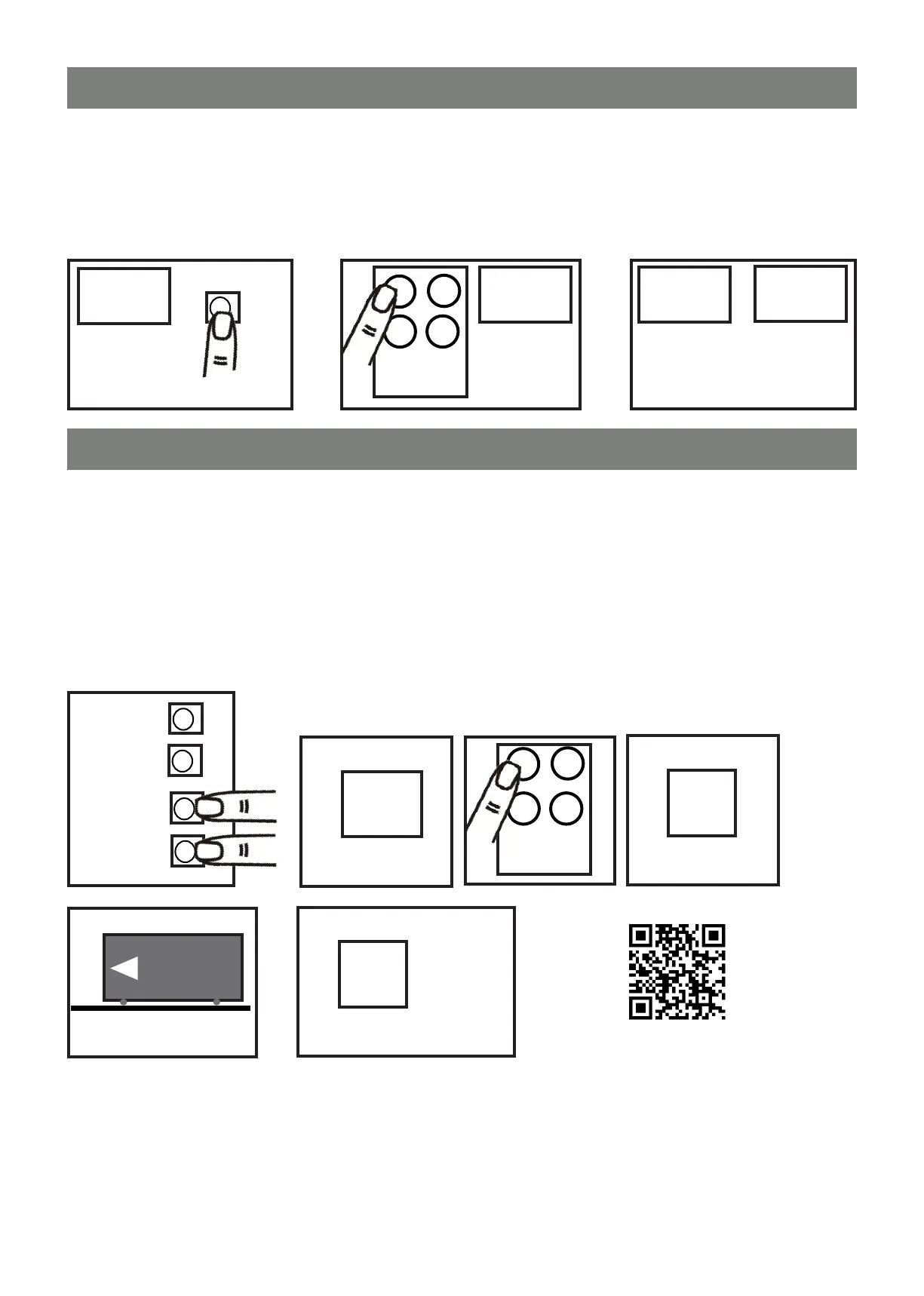
Step 1: Deterimine which way your gate slides open. Standing on the inside looking at your motor, will your gate slide
open to the left or right. Default setting for the system is a gate sliding open to the left. If your gate slides open to the
right you will need to adjust number 1 setting on the main control board to 12.
Step 2: Place your gate in the fully closed position and make sure the gear box is engaged by pushing the lever back
in and that you cannot move your gate manually.
Step 3: Press and hold ‘SET’ amd ‘DOWN’ for 3 seconds and the LED display shows ‘LE’ (see image 1, 2)
Step 4: Press left button (A) on remote one time, the LED display sould show “LP” (see image 3, 4)
Step 5: The gate goes into auto learning, please wait for this process to complete (see image 5, 6)
+
UP
1
+
+
SET
DOWN
Press
3 Sec
L.E.
2
A
B
C
D
3
Press
1 - 3 Sec
L.P.
4
C.P.
6
Learning process complete
5
+
RF
C.S.
C.S.
VERY IMPORTANT: Once the Learn is complete test the gate’s operation to make sure it’s opening and closing
directions are correct. When you press the remote button to open the gate, the control board LED display will
read “O.P.” and when you press the remote button to close the gate, the LED display will read “C.L.”
If this is not reading correctly and it is reading opposite to the above then you have not set your operation
direction correctly. Follow steps 1 through to 5 again and check that the direction is now correct.
Watch Video



 To Next Page