G12�Driver�Assistance�Systems
20.�Speed�Limit�Warning
134
The�driver�has�the�option�of�setting�a�speed�at�which�a�warning�is�issued�when�the�system�is�activated
and�the�preset�speed�is�exceeded.
20.1.�Operation
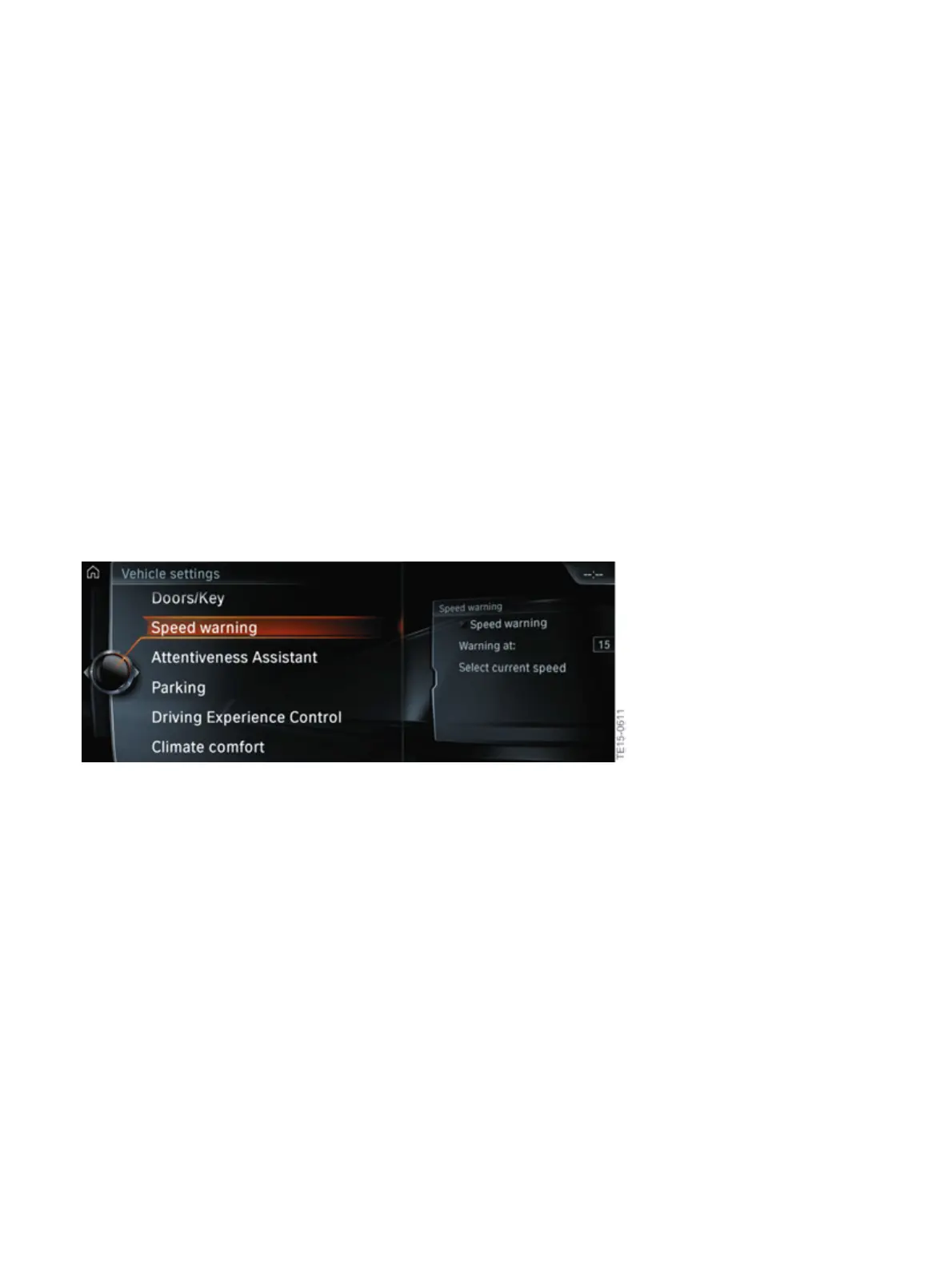
The�speed�limit�warning�can�be�switched�on�and�off�in�the�iDrive�menu,�as�well�as�the�speed�setting�at
which�the�warning�should�be�issued,�by�making�the�following�selection�via�the�controller:
• "My�Vehicle"
• "Vehicle�settings"
• "Speed�limit�warning"
• "Warning�at:"
• turn�controller�until�the�desired�speed�is�displayed
• press�controller
• speed�limit�warning�is�saved.
Speed�limit�warning�display�on�the�CID



 To Next Page