G12�Driver�Assistance�Systems
7.�Collision�Warning
26
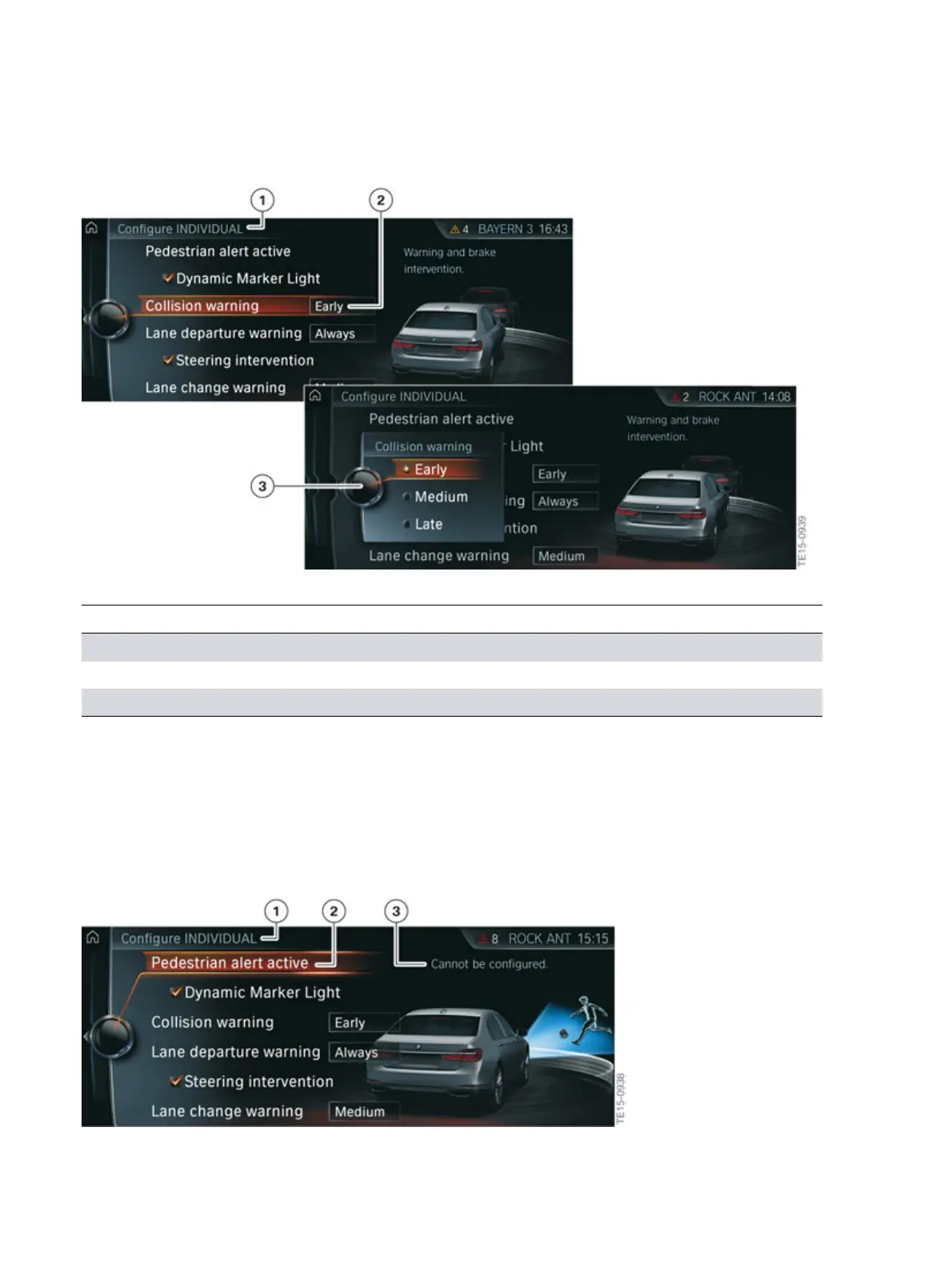
G12�Intelligent�Safety�view�on�the�CID�(collision�warning�with�city�brake�activation)
Index Explanation
1 "Configure�INDIVIDUAL"
2 "Collision�warning"�(selected�setting:�Early)
3 "Collision�warning"�(settings�options:�Early,�Medium,�Late)
The�acute�warning�cannot�be�deactivated�separately.�The�timing�of�the�acute�warning�also�cannot
be�adjusted.�If�the�acute�warning�is�not�to�be�issued,�the�"collision�warning"�front�protective�function
must�be�deactivated.�The�collision�warning�can�be�switched�off�by�holding�down�the�Intelligent�Safety
button.
It�is�also�not�possible�to�configure�or�deactivate�the�pedestrian�warning�separately.�The�"collision
warning"�front�protective�function�must�be�also�deactivated�by�holding�down�the�Intelligent�Safety
button�in�order�to�deactivate�the�pedestrian�warning�function.
G12�Intelligent�Safety�view�on�the�CID�(pedestrian�warning�with�city�brake�activation)



 To Next Page