G12�Driver�Assistance�Systems
16.�Park�Distance�Control
90
The�setting�is�stored�for�the�ID�transmitter�currently�being�used.
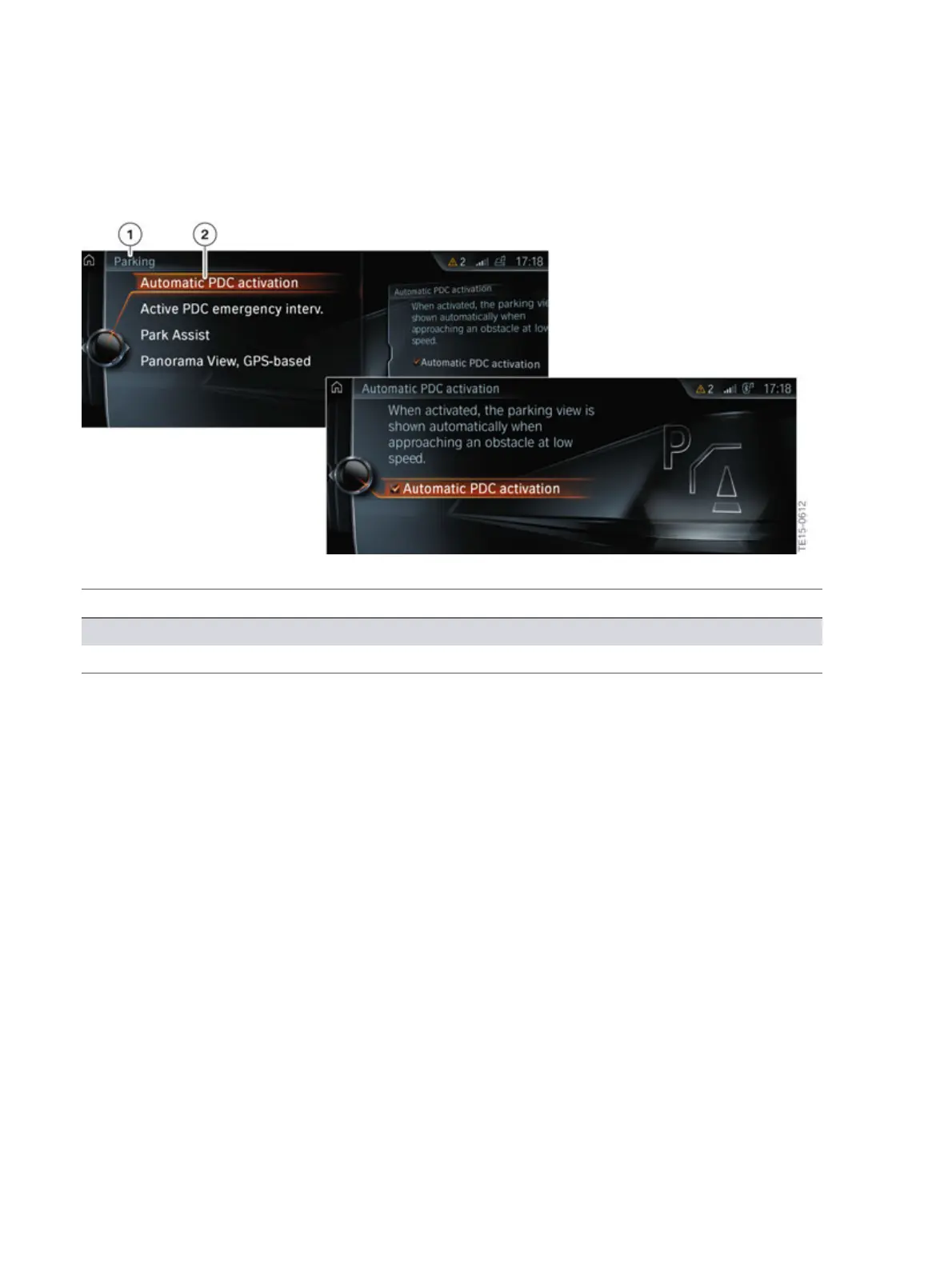
Automatic�Park�Distance�Control�on�the�CID
Index Explanation
1 "Parking"�menu
2 "Automatic�PDC�activation"
16.5.2.�Active�Park�Distance�Control
The�active�Park�Distance�Control�function�can�be�switched�on�and�off�in�the�"Settings"�menu�using�the
controller.�To�do�this�proceed�as�follows:
• "My�Vehicle"
• "Vehicle�settings"
• "Parking"
• "Active�PDC�emergency�inter."
• Apply�desired�setting.
The�setting�is�stored�for�the�ID�transmitter�currently�being�used.



 To Next Page