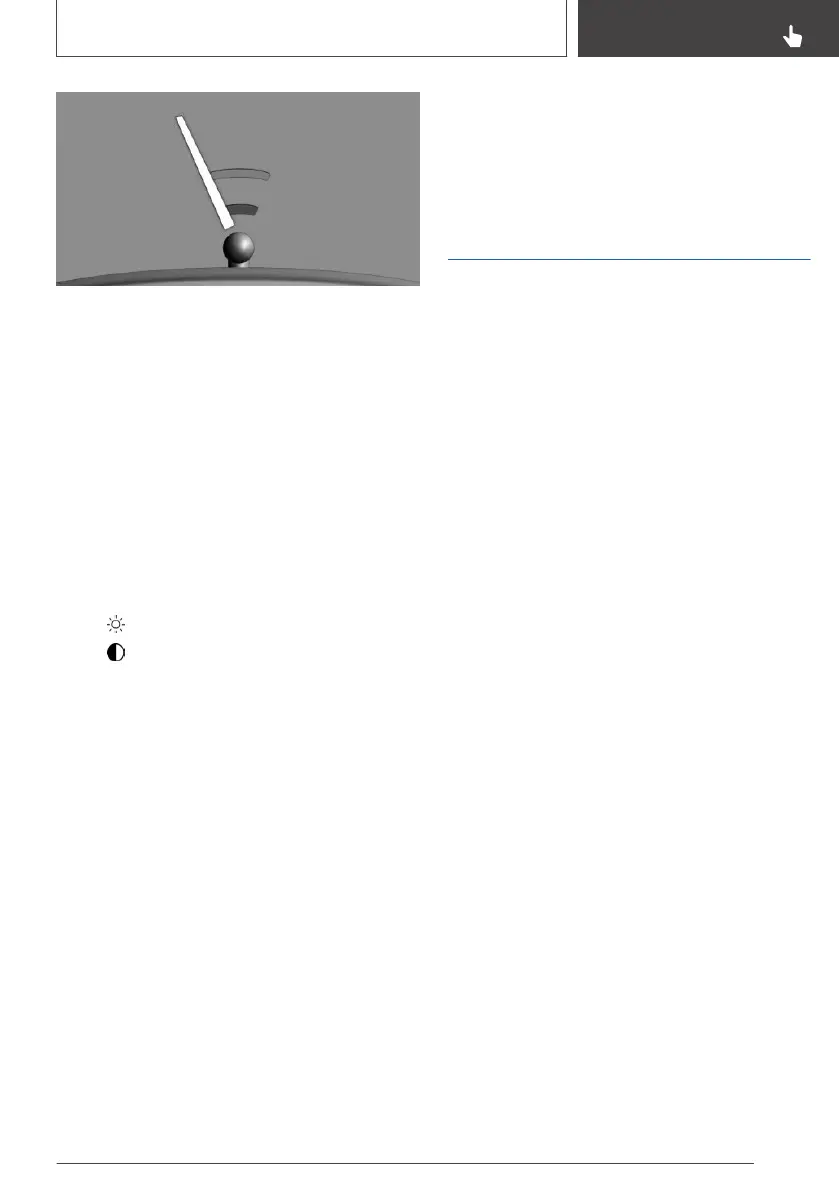
Two static circle segments show the distance
between the trailer and the trailer tow hitch.
A docking line which is dependent on the steer‐
ing angle assists you in lining up the trailer tow
hitch with the trailer.
When zooming in, remember that the view might
no longer show certain obstacles.
Setting the brightness and
contrast via iDrive
With rearview camera switched on:
1.
Tilt the Controller to the left.
2.
▷ "Brightness"
▷ "Contrast"
3. Set the desired value.
System limits
Deactivated camera
If the camera is deactivated, for example when
the boot lid is opened, the camera image is dis‐
played as grey hatching.
Detection of objects
Very low obstacles and higher, protruding ob‐
jects such as ledges cannot be detected by the
system.
Depending on the equipment installed, some as‐
sistance functions also consider Park Distance
Control PDC data.
Observe the notes in the chapter on Park Dis‐
tance Control PDC.
The objects shown on the Control Display may
be closer than they appear. Do not estimate the
distance to objects based on the display.
Surround View with Park
Assistant Plus
Principle
The system provides assistance with parking and
manoeuvring. It does this by displaying an image
of the area all around the vehicle on the Control
Display.
General
Several cameras capture the area from various
selectable perspectives. In addition, assistance
functions, for example help lines, can be shown
in the display.
The following camera perspectives can be dis‐
played:
▷ Automatic camera perspective, see
page 241: the system automatically shows
the appropriate camera perspective depend‐
ing on the particular driving situation.
▷ Rear-view camera, see page 241: for repre‐
senting the areas behind the vehicle.
▷ Flank view right and left, see page 243: for
representing the areas to the sides of the ve‐
hicle.
▷ Camera perspective movable using iDrive,
see page 241.
▷ Panorama View, see page 244: for repre‐
senting crossing traffic, for example at junc‐
tions and exits, depending on which gear is
currently engaged.
Depending on the view, the vehicle surroundings
or a partial area are displayed.
Seite 239
Driver Assistance Systems
CONTROLS
239
Online Edition for Part no. 01402989787 - II/18



 To Next Page