Safety note
WARNING
The system does not relieve you of your per‐
sonal responsibility to assess the traffic situa‐
tion correctly. There is a danger of accidents.
Adapt your driving style to the traffic conditions.
Additionally, look directly to check the traffic sit‐
uation and the area around the vehicle and in‐
tervene actively in the corresponding situations.
Overview
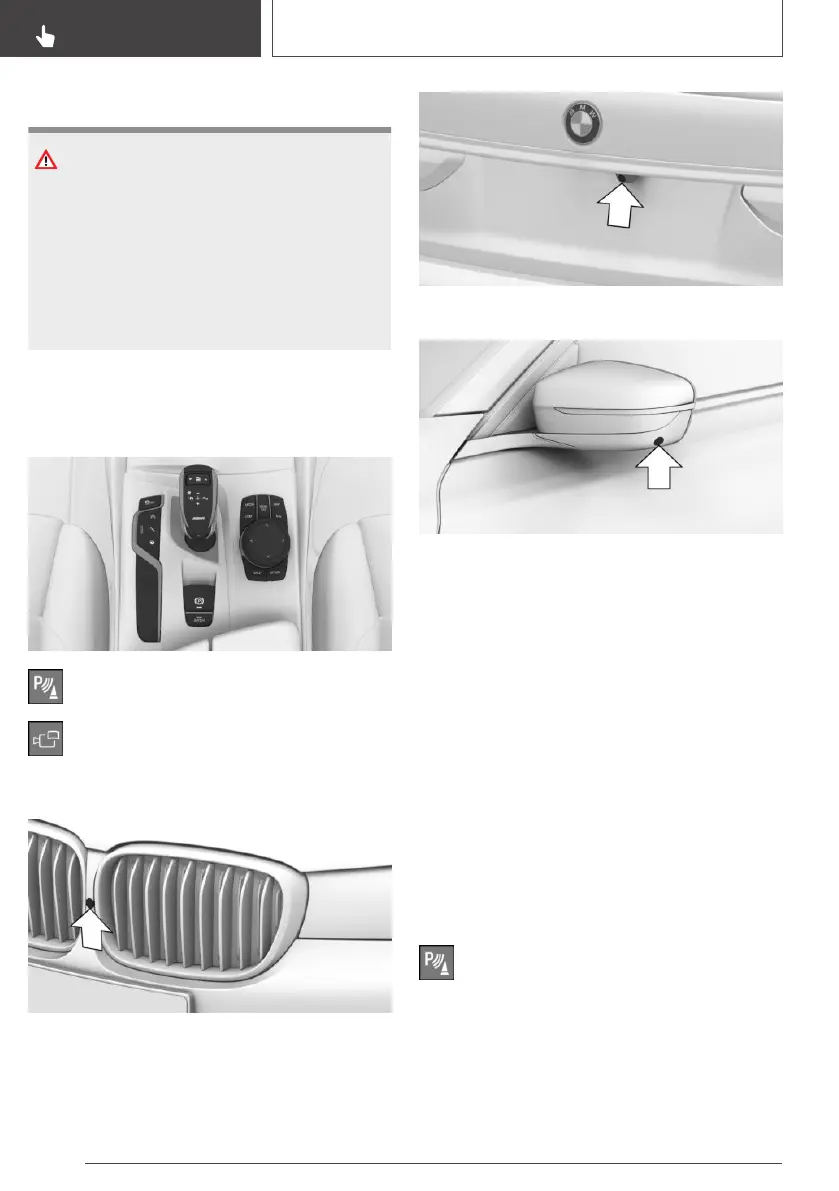
Buttons in the vehicle
Park Assistant button
Panorama View
Cameras
Front camera
Rear-view camera
One camera is located under each exterior mirror
housing.
Dirt on the camera lenses can impair the quality
of the image. Clean the camera lenses if re‐
quired.
Switching on/off
Switching on automatically
The system is automatically switched on if selec‐
tor lever position R is engaged while the engine
is running.
The camera perspective appropriate for the cor‐
responding driving situation is shown.
Switching on/off manually
Press the Park Assistant button.
▷ On: the LED is illuminated.
▷ Off: the LED is extinguished.
Seite 240
CONTROLS
Driver Assistance Systems
240
Online Edition for Part no. 01402989787 - II/18



 To Next Page