Icon Meaning
Function is activated.
Function is deactivated.
Functions can be activated or
deactivated using the button
on the control display. If the
button is highlighted in color,
the function is activated.
BMW Curved Display
Principle
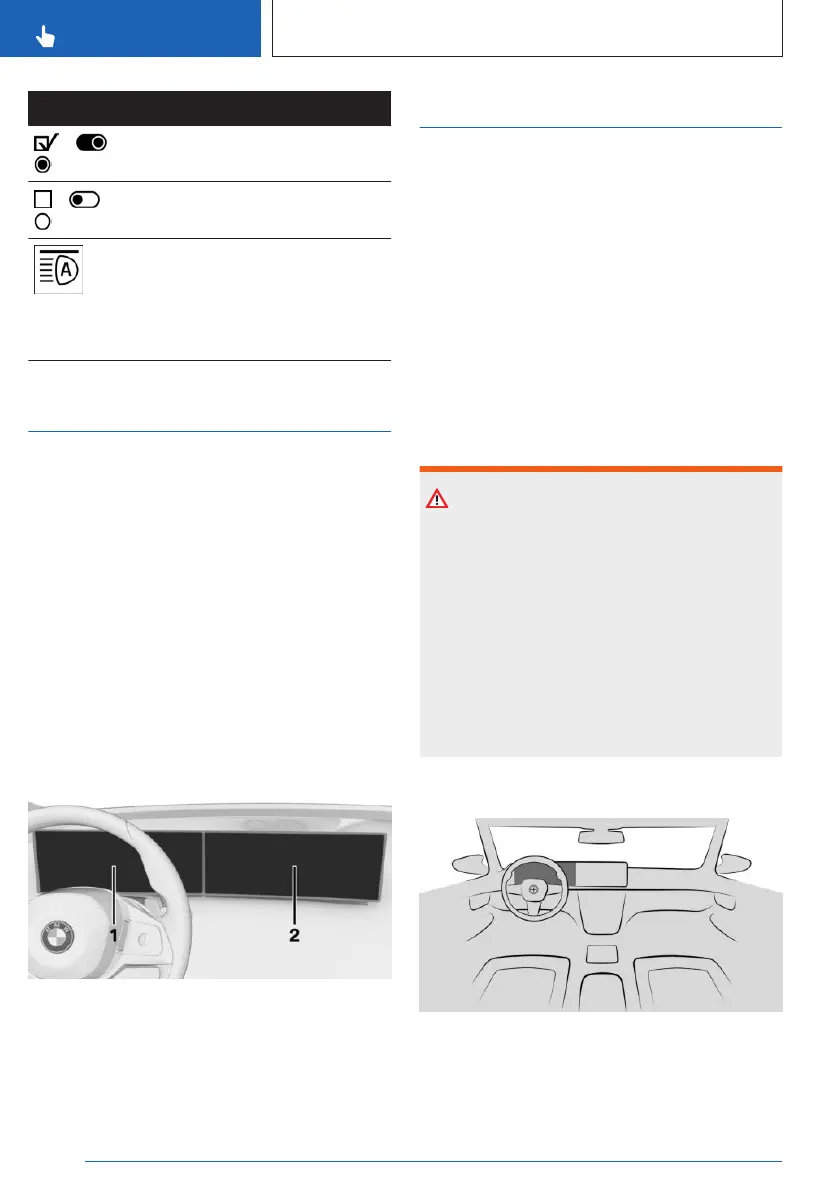
The BMW Curved Display is a single-screen
display in the instrument panel that is curved
towards the driver. The BMW Curved Display
comprises the instrument cluster on the driv-
er's side and the control display.
Follow the instructions for cleaning the BMW
Curved Display in the Care chapter.
Additional information:
Caring for special components, refer to
page 368.
Overview
1
Instrument cluster 44
2 Control display 46
Instrument cluster
Principle
The instrument cluster comprises various digi-
tal displays, e.g., a speedometer, time, range,
temperature as well as indicator and warning
lights.
The buttons on the steering wheel can be
used to configure the layout of the instrument
cluster and the contents of the central display
area, e.g., trip data. Additional views can be
set on the control display, e.g., a second actual
speed.
Safety information
Warning
If the displays on the instrument cluster fail,
do not use the vehicle. There may be a risk of
accidents or risk of damage to property. Im-
mediately park the vehicle in a safe manner.
Turning drive-ready state off and on again
may correct the malfunction, allowing you to
continue driving. If the malfunction cannot be
corrected, have the vehicle checked by an au-
thorized service center or another qualified
service center or repair shop.
Overview
Instrument cluster.
Seite 44
CONTROLS
BMW iDrive
44
Online Edition for Part no. 01405A8A536 - VI/23



 To Next Page