Step 1: Please note that both the earbuds can be used in mono mode. Use either of the two options; Smart Power On
or Manual Power On for switching on the desired earbud
Step 2: The selected earbud will automatically enter the connection mode indicated by alternating blue and red
LED flashes
Step 3: Turn on Bluetooth on your phone/media device and search for’Airdopes 281’to connect.
Notes:
To switch to Stereo mode, simply take out the other earbud from the case. It will automatically power on and pair
with the previously selected earbud, hence enabling Stereo usage
You cannot skip tracks or return to the previous tracks in Mono mode.
Charging The Earbuds
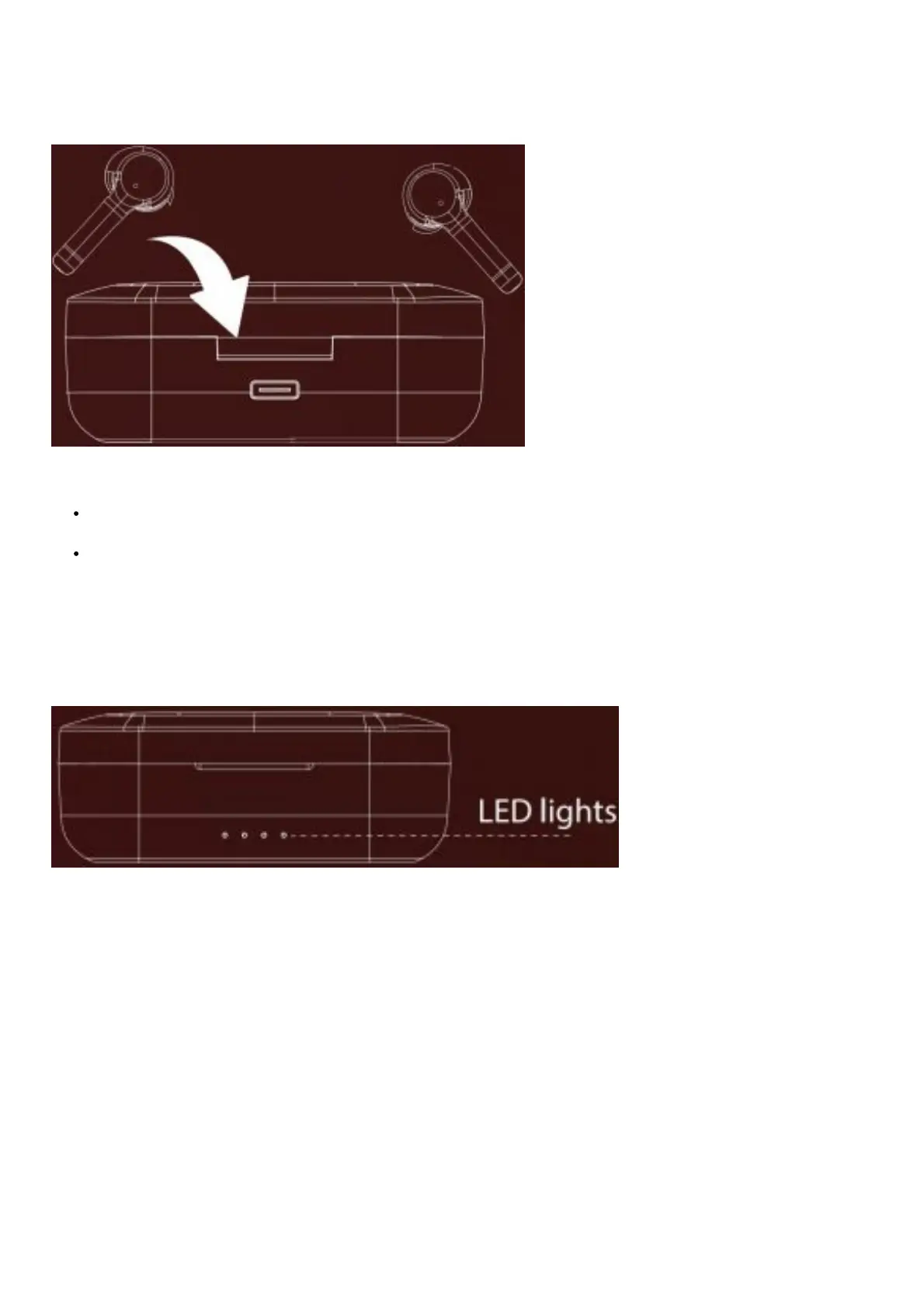
Step 1: Please insert the earbuds back inside the charging case in correct orientation.
Step 2: A red LED will indicate that the earbuds are being charged. Once fully charged the LED turns off. Step 3: Once
the earbuds are fully charged, the charging case automatically switches off to save power.
Charging The Case
Step 1:To charge the case, plug one end of the Type-C cable into the case and connect the other end to a computer or
a wall adapter.
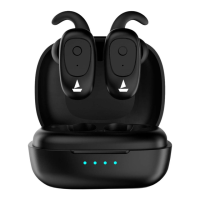
Step 2:The LED lights located on the charging case indicate the battery status of the case. The indicator in the case
blinks red in colour during charge. When the case has been charged fully the red light gets steady.



 To Next Page