EasyManua.ls Logo

BOCI BLT421 - User Manual

Default Icon
24 pages
Print Icon
To Next Page IconTo Next Page
Loading...
BLT421 Product Manual
BOCI
Question and Answer IconNeed help?

Do you have a question about the BOCI BLT421 and is the answer not in the manual?

Summary

Product Overview

Product View and Interfaces

Visual identification of cutting head components and interface ports.

Technical Specifications

Key operational parameters, dimensions, and specifications for the BLT421 cutting head.

LED Status Indicators

Interpretation of LED lights indicating power, operation, communication, and sensor status.

Gas Connections

Gas Port Details and Requirements

Information on cutting gas and cooling gas interfaces, pressure limits, and quality standards.

Water Cooling System

Cooling Water Specifications

Guidelines for cooling water, including pressure, flow rate, and dew point table for condensation prevention.

Electrical Interfaces

Waterproofing PWE and Air Plugs

Precautions to maintain IP64 protection for PWE and air plug connections.

Bus System Wiring

Wiring diagram for connecting the cutting head via a bus system to the BCS210E.

Non-Bus System Wiring

Wiring diagram for connecting the cutting head via a non-bus system to the BCL4500A.

Cutting Head Installation Guide

Pre-Installation Preparation

Required equipment and clean workbench setup for cutting head installation.

Clean Workbench Setup

Procedures for preparing and operating the clean workbench, including purification and lighting.

Positioning the Cutting Head

Instructions for placing the cutting head horizontally within the clean workbench.

Fiber Interface Handling

Steps for cleaning the fiber interface and inspecting the laser fiber end face.

Laser Fiber Insertion

Guide to aligning and securely inserting the laser fiber optic plug into the cutting head.

Mounting on Machine Tool

Instructions for securing the cutting head to the machine tool's Z-axis backplane.

Ceramic Body and Nozzle Assembly

Process for installing the ceramic body, locking ring, and nozzle onto the cutting head.

Beam Centering

Method for adjusting the XY centering knob to align the laser beam with the nozzle center.

Care and Maintenance

Product Structure Diagram

Detailed schematic of the cutting head components and their specifications.

Upper Protective Lens Replacement

Step-by-step instructions for replacing the upper protective lens assembly.

Lower Protective Lens Replacement

Step-by-step instructions for replacing the lower protective lens assembly.

Mechanical Dimensions

Installation Size Details

Diagrams illustrating the cutting head's external dimensions and mounting hole configurations.

Overview

This document is the product manual for the BLT421 intelligent cutting head, manufactured by BOCI (Brilliant Optical Cutting Instrument). It provides essential information regarding the product's parameters, installation, and maintenance, emphasizing the importance of careful reading for safe operation and optimal performance. BOCI reserves the right to modify product models and descriptions without prior notice due to continuous updates and upgrades. Unauthorized disassembly of the product is strictly prohibited and will void the warranty.

Function Description

The BLT421 is an intelligent cutting head designed for laser cutting applications. Its primary function is to precisely deliver a laser beam to a workpiece for cutting, while integrating various components for beam conditioning, focusing, gas delivery, and cooling. The cutting head is equipped with sensors and indicators to monitor its operational status and ensure proper functioning.

Important Technical Specifications

The BLT421 cutting head has the following key technical specifications:

  • Laser Wavelength: 1030-1090nm
  • Laser Power: ≤8kW
  • Fiber Interface: QBH, EOC
  • Spot Magnification: M=1.5/2.0 (100:150/100:200)
  • Focus Adjustment Range: ±50mm (optical ratio 1:2 100:200)
  • NA: Max.0.13 at Fc100
  • Centering Adjustment Range: ±1.5mm
  • Focus Acceleration: 7.5m/s²
  • Cutting Gas Interface: Ø10, maximum 25bar (2.5Mpa)
  • Nozzle Cooling Gas Connection: Ø6, maximum 5bar (0.5Mpa)
  • Water Cooling Interface: Ø8, maximum 5bar (0.5Mpa), minimum flow 2.0l/min
  • Operating Temperature: 5~55°C
  • Storage Temperature: -25~+55 °C
  • Size: 404x122
  • Weight: About 5.5kg

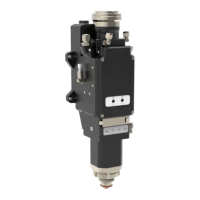
The product view illustrates its main components:

  1. Optical fiber interface
  2. 1st Upper protective lens
  3. 2nd Upper protective lens
  4. Collimation unit
  5. Focusing unit
  6. 2nd Lower protective lens
  7. 1st Lower protective lens
  8. Working indicator
  9. Nozzle cooling air interface
  10. Cutting gas interface
  11. Cooling water outlet
  12. Cooling water inlet
  13. Anti-collision screw
  14. Ceramic body lock ring
  15. Ceramic body
  16. Nozzle

Usage Features

The BLT421 cutting head incorporates several features for ease of use and operational safety:

LED Indicators: The cutting head features LED indicators for POWER, RUN, LINK, and SENSOR, providing real-time status updates:

  • POWER:
    • Green: Power is normal.
    • Red: Under-voltage alarm (insufficient electrical power).
    • Not bright: No power supply, broken connection cable, or loose interface.
  • RUN:
    • Green: System operating normally.
    • Red: Abnormal motor (high current consumption, mechanical components not running smoothly).
    • Not bright: Broken cable or loose interface.
  • LINK:
    • Green: System communication is normal.
    • Red: System communication is abnormal.
    • Not bright: Broken cable or loose interface.
  • SENSOR:
    • Green: All sensor readings are normal.
    • Red: Abnormal sensor reading.
    • Not bright: Broken cable or loose interface.

Gas Interface: The cutting gas interface (1) and nozzle cooling gas connection (2) are clearly marked. The maximum pressure for cutting gas is 25bar (2.5Mpa). The quality of cutting gas must adhere to ISO 8573-1:2010 standards (solid particles - class 2, water - class 4, oil - class 3) to prolong the protective lens's life. The cutting gas pipe has an outer diameter of 10mm, and the nozzle cooling gas pipe has an outer diameter of 8mm.

Water Cooling Interface: The water-cooled water inlet port (2A) and outlet port (1A) are specified. Deionized/distilled water (conductivity < 10 μS/cm) is recommended. The cooling water pressure should be ≤5bar (0.5Mpa) with a minimum flow rate of 2.0l/min. The cooling water temperature should be set according to the dew point table to prevent condensation on optical components.

Electrical Interface: The manual provides detailed wiring diagrams for both bus and non-bus systems.

  • Bus System: The BLT421 connects to a BCS210E unit, which receives 220V AC power. The BCS210E communicates with a Hypcut IPC master station and slave stations.
  • Non-Bus System: The BLT421 connects to a BCL4500A unit, which receives 24VDC power. The BCL4500A communicates with a Cypcut IPC master station and slave stations. All wiring operations should be performed by trained professionals. The BCS210E or BCL4500A must be powered off when connecting the cutting head.

PWE and Aviation Plug Interface Waterproof Precautions:

  • Dust plugs are factory-installed on PWE and air plug interfaces, ensuring IP64 protection if not removed. IP64 protection is also achieved when PWE and air plug cables are properly connected.
  • Removing dust plugs compromises IP64 protection, making the product vulnerable to water ingress from spraying or flushing.
  • Ensure water circuits are well-connected and water pipe interfaces are tightened before removing dust plugs to prevent accidental water loosening and ingress.
  • Retain removed dust plugs for PWE interfaces and reinstall them promptly after wiring adjustments to prevent water ingress during transfer or connection.

Cutting Head Installation: Installation requires a clean workbench (vertical purification, ISO 5 cleanliness, average wind speed ≥ 0.4m/s) and a cleaning kit (flashlight, absolute ethanol/IPA, dust-free cotton swab, dust-free cloth, compressed air dust removal tank/air blower).

  • Preparation: Ensure the clean bench is clean, qualified, and its FFU purification unit is within validity. Check switch and fan operation. Avoid placing unnecessary items in the working area. For new or unused workbenches, wipe with a clean cloth and anhydrous ethanol.
  • Operation: Turn on power, pull glass sliding door to lowest position (10cm gap), start fan (purify for 30 minutes), and turn on light source.
  • Placement: Place the cutting head horizontally in the clean workbench, ensuring the integrity of the protective film/cap on the optical fiber interface to prevent dust contamination.
  • Fiber Interface Cleaning: Wipe the fiber interface with a clean cloth and anhydrous ethanol.
  • Laser Fiber End Face Check: Remove the protective cap, use a flashlight to check for pollution. If clean, insert the fiber. Compatible interfaces include Trumpf LLK-Q, IPG HLC-8/LC-8.
  • Protective Film/Cap Removal: Remove the special protective cap/plug from the cutting head's optical fiber interface.
  • Fiber Insertion: Align the fiber optic plug with the red dot, insert it fully into the unlocked fiber optic port, and rotate the lock cap until tight.
  • Winding Seal: After insertion, wrap and seal the interface with tape (at least three times for effective sealing).
  • Mounting: Mount the cutting head on the Z-axis backplane using four screws (A, B, C, D), ensuring it is locked and stable.
  • Ceramic Body and Nozzle Installation: Install the ceramic body, secure it with the locking ring, and then hand-tighten the nozzle onto the ceramic body.
  • Beam Centering: Adjust the XY centering knob to align the focal point with the nozzle center using low-power dotting. The conditioned laser beam must be centered in the nozzle.

Manual Alignment Operation:

  1. Ensure the laser beam is off.
  2. Place scotch tape under the nozzle.
  3. Trigger a low-power laser pulse and assess the beam position on the tape.
  4. Adjust the X/Y centering screws to center the laser beam on the nozzle.

Maintenance Features

The manual provides guidelines for care and maintenance, particularly concerning the replacement of protective lenses.

Schematic Diagram of Product Structure: The diagram details the internal components, including:

  • Upper Protective Lens Drawer: Contains the upper protective lens (D21.5x2mm).
  • Collimation Drawer Unit: Includes the collimating length (F100mm).
  • 2nd-Upper Protective Lens Drawer: Contains the 2nd-upper protective lens (D25.4x4mm).
  • Focusing Lens Unit: Contains focusing lenses with lengths F150mm and F200mm.
  • Lower Protective Lens Drawer: Contains the lower protective lens (D34x5mm).
  • Lower Protective Lens Drawer Door:
  • Anti-Collision Set: Includes anti-collision screws.
  • Plane Capacitive Sensing Module: Includes the ceramic part (D41mm, M11) and nozzle (M11, H15).

General Maintenance Notes:

  • Maintain cleanliness during maintenance to prevent dust or dirt from contaminating the cutting head and damaging optical components.
  • Specifications for maintainable parts vary by product model; contact after-sales service for specific models.
  • Only use original accessories for optical products to ensure quality and prevent potential safety hazards.

Replacing the Upper Protective Lens:

  1. Open the protective door of the 1st upper protective lens.
  2. Pull out the upper protective mirror drawer.
  3. Close the protective mirror drawer door to prevent dust ingress.
  4. Remove the pressure ring from the protective lens.
  5. Replace the protective lens.
  6. Open the upper protective mirror drawer protective door.
  7. Insert the upper protective mirror drawer with the new lens into the cutting head. Note: Do not press the upper protective lens directly.

Replacing the Lower Protective Lens:

  1. Press the buckle to open the protective door of the lower protective mirror drawer.
  2. Pull out the lower protective mirror drawer.
  3. Close the protective door of the lower protective mirror drawer to prevent dust ingress.
  4. Remove the pressure ring from the protective lens.
  5. Replace the lower protective lens.
  6. Open the protective door of the lower protective mirror drawer.
  7. Insert the lower protective mirror drawer with the new lens into the cutting head.

BOCI BLT421 Specifications

General IconGeneral
BrandBOCI
ModelBLT421
CategoryIndustrial Equipment
LanguageEnglish

Related product manuals