46
8.3 Time and synchronisation configuration page
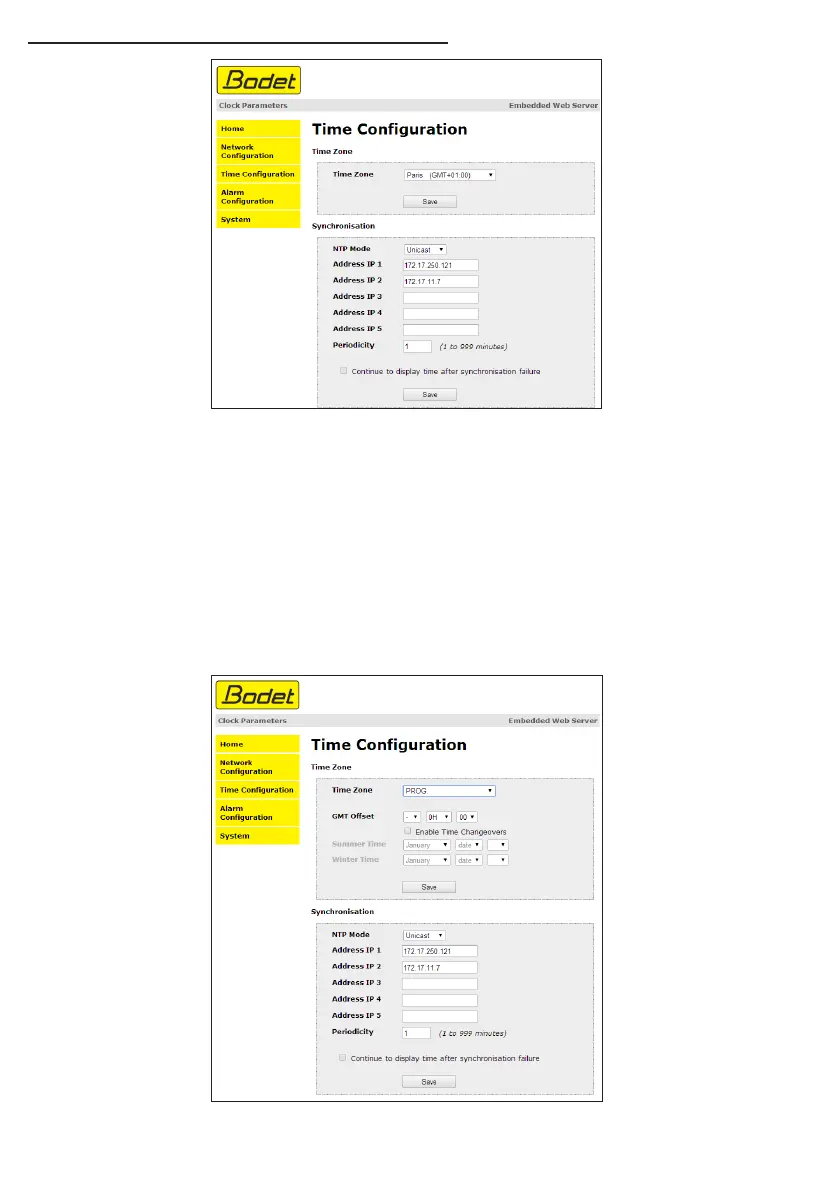
The Time Configuration page is divided into two parts. One is used to set the time zone, the other
to set the synchronisation mode.
The information displayed is described below:
- Time zone : the drop-down menu can be used to select the appropriate time zone (summer/winter
time changes are automatically managed according to the selected time zone).
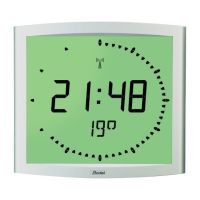
When «PROG» is selected in the drop down menu, this feature allows you to set the time, month,
or day fixed rank changes of seasons:


 To Next Page