13
75
72
18
25
22
17
19
16
A2
B2
B1
A1
Step 3:
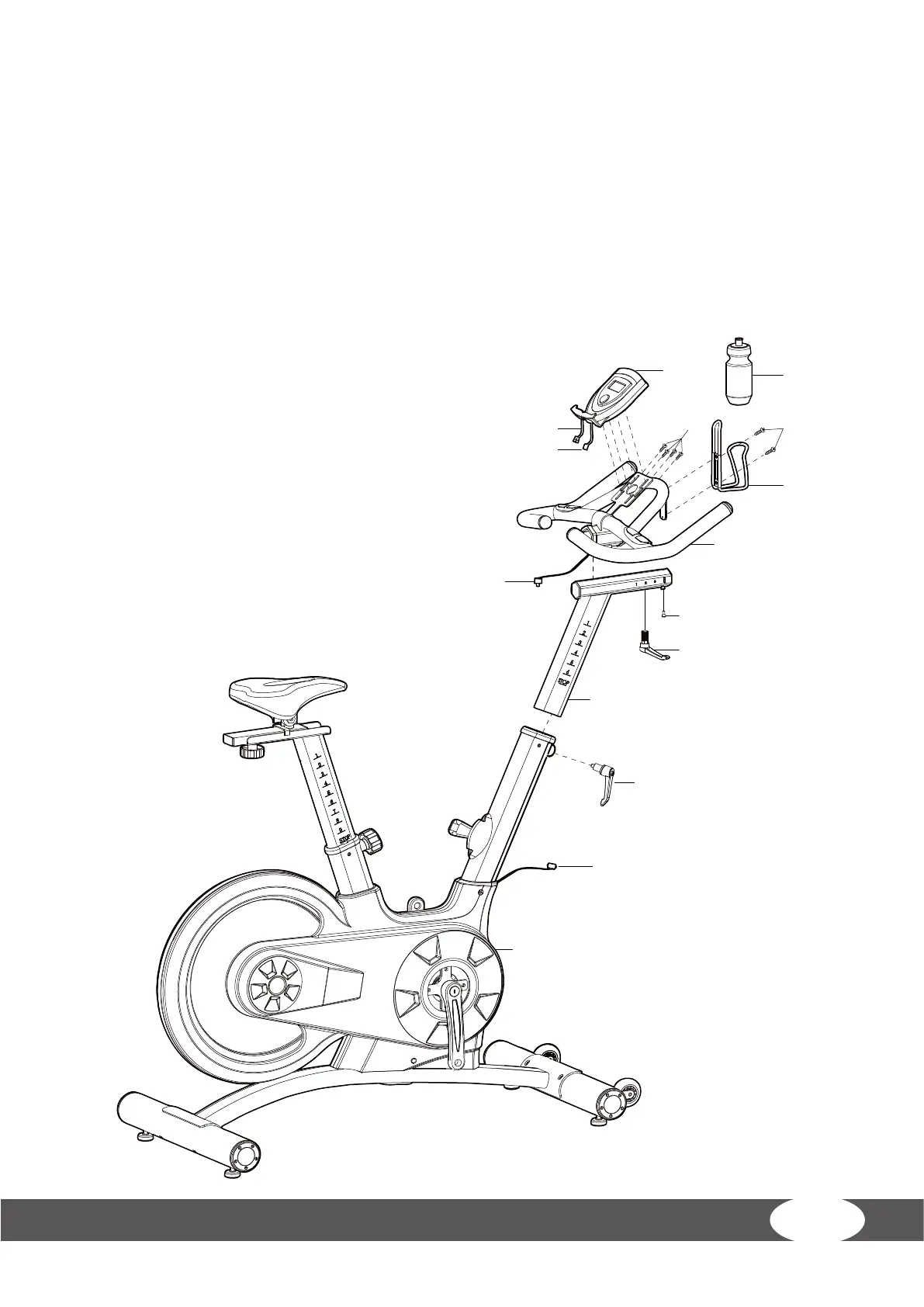
1. Slide the Handlebar Post (17) into the Handlebar Post housing on the Main Frame (16). You
will have to slacken the knurled section of the L Shape Knob (19) and pull the knob back
and then select the desired height. Release the knob and retighten the knurled portion.
2. Then x the Handlebar (18) with L Shape knob (22), and then use tool x the Bolt (25)
(removed before). Use two Screws (73) to x Bottle Holder (78) onto Handlebar (18), slide
the Bottle (79) into Bottle Holder (78).
ATTENTION: YOU SHOULD FIX THE HANDLEBAR TIGHTLY
3. Fix the Computer (72) onto the Computer Holder (18) use 4
Bolts (75). Connect the Plug (A1 & A2), (B1 & B2)


 To Next Page