18
WP60
3.4 Battery Replacement
The supplied remote control is powered by a CR2032 lithium button cell battery. If the remote control
does not work properly, the button cell battery might be running low. Follow the instructions to
replace the battery.
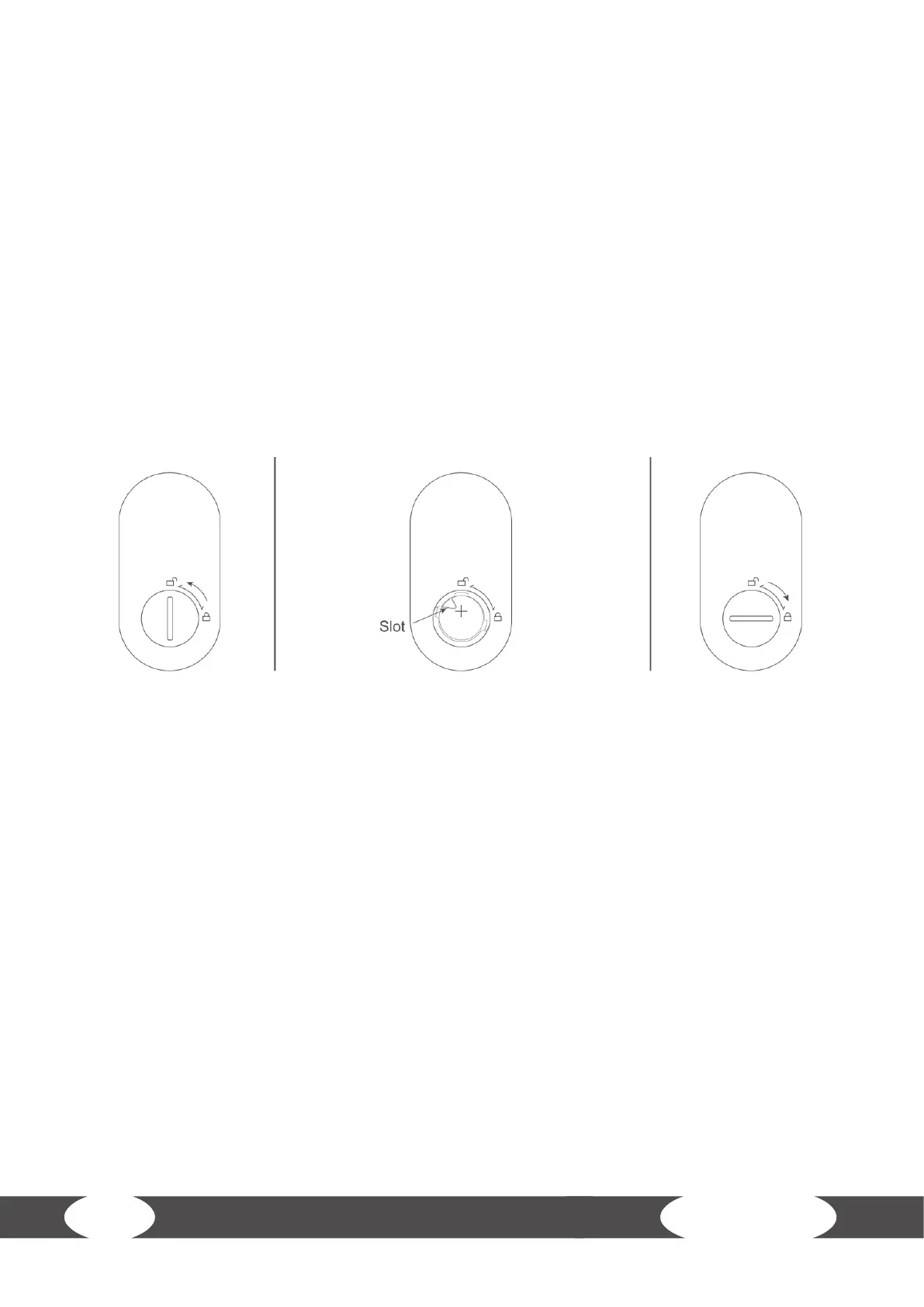
1. Open the battery compartment by turning the battery cover to the left.
2. Remove the battery.
3. Insert a new CR2032 lithium button cell battery. Make sure the battery is inserted with the +
facing upwards.
4. Close the battery compartment again by turing the battery cover to the right.


 To Next Page