Press the <> to change the appropriate unit selection and once complete,
press the proceed button to confirm.
After pressing the proceed button, the selection reverts to the 4 options for Units,
Inputs, Outputs or Printer. Further selections can be made or alternatively, press
the home button to return to the main screen.
INPUT OPTIONS
The input options can be amended to reduce the time of subject data entry when
performing a measurement. For example, if only female subjects are being
measured or in the event of a particular age group being constantly measured.
By selecting the input option, the device will then display the standard default
measurements required for input.
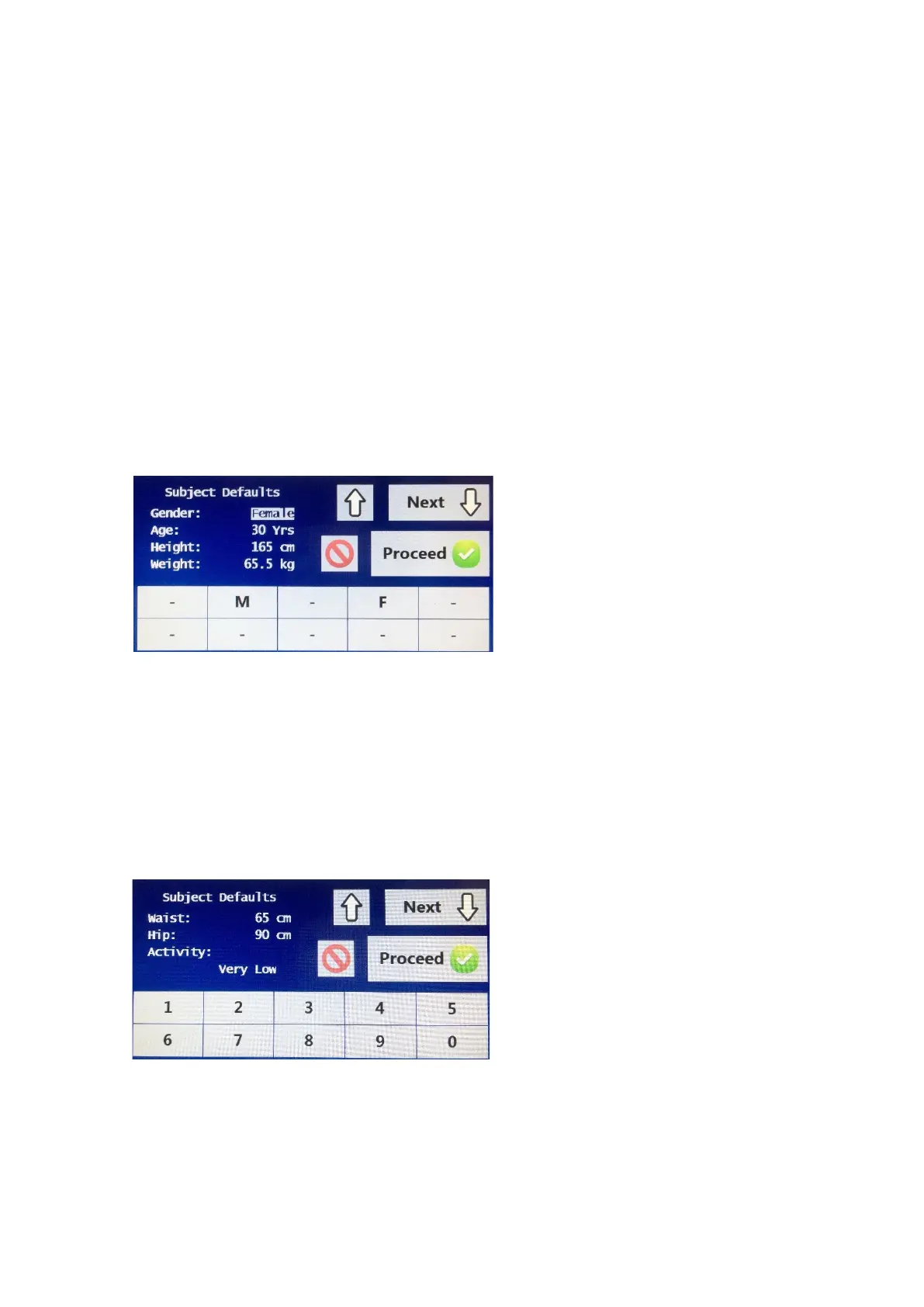
The first option available is for
gender. Select the M for Male or F
for Female.
Press the <> key to move down
to the next input option.
Age, Height and Weight all have
numerical selections and can be
entered by choosing the appropriate numbers for that field. Once each option
has been entered, press the <> key to move down to the next input option.
Once the weight option has been entered, the user can either select the next
button to move to the next screen or the proceed button to save the recently
entered options.
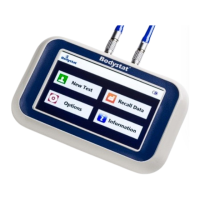
If the cursor is flashing on the weight option and the next button has been, the
next screen showing waist/hip and activity level is displayed.
The first option is waist, followed
by hip. Both options have
numerical selections and can be
entered by choosing the
appropriate numbers for that field.
Once each option has been
entered, press the <> key to
move down to the next input
option.
For Activity Level select the appropriate option for the activity level required.
Select one of five choices of average expected activity level of the subject being
tested ranging from Very Low to Very High



 To Next Page