26
Control Button
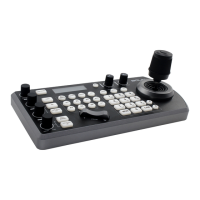
You can select the item by pressing “↑, ↓, ←, →” and HOME button.
1.
You can select a menu item by
“↑, ↓”
button on the infrared remote
controller
. The selected item is shown by the
cursor (Color change).
You can change the value of the item by pressing “←, →” button.
2.
You can move to the next layer by
pressing the HOME button.
3.
You can return to the normal display by
pressing the DATA SCREEN button.
When you are operating the menu using the infrared remote controller, you cannot set IR- RECEIVE in the SYSTEM
menu to OFF. To set IR- RECEIVE to OFF, use the appropriate VISCA command.
EXPOSURE Menu
The EXPOSURE menu is used to set the items related to exposure.
MODE (Exposure Mode)
FULL AUTO: The exposure is adjusted
automatically using the values set for EX-COMP
(Exposure Compensation).
MANUAL: Adjust the GAIN, electronic shutter
speed (SPEED), iris (IRIS) manually.
IRIS PRI: Iris Priority mode. The exposure is
adjusted automatically using the values manually set
for iris (IRIS) and EX-COMP.
SHUTTER PRI: Shutter Priority mode. The
exposure is adjusted automatically using the values manually set for electronic shutter speed (SPEED) and EX-
COMP.
Bright: Bright Priority mode. The exposure is adjusted automatically using the values manually set for electronic
brightness level.
When you select one from various exposure modes, some of the following setting items that are required for the selected
mode will appear.
GAIN: Select the gain from the following:
0dB, 3.6 dB, 7.1 dB, 10.7 dB, 14.3 dB, 17.8 dB, 21.4 dB, 25 dB, 28.6 dB, 32.1 dB, 35.7 dB, 39.3 dB, 42.8 dB, 46.4 dB,
50 dB
SPEED: Select the electronic shutter speed from the following:
When video format is set to 720P25, 1080P50, 1080i50, 1080P25, 720P50, Speed can be selected from the following:
1/1, 1/2, 1/3, 1/6, 1/12, 1/25, 1/50, 1/75, 1/100, 1/120, 1/150, 1/215, 1/300, 1/425, 1/600, 1/1000, 1/1250, 1/1750, 1/2500,
1/3500, 1/6000, 1/10K.
When video format is set to 720P30, 1080i59.94, 1080P29.97, 720P59.94, 1080P59.94, 1080I60, 1080P30, 1080P60,


 To Next Page