32
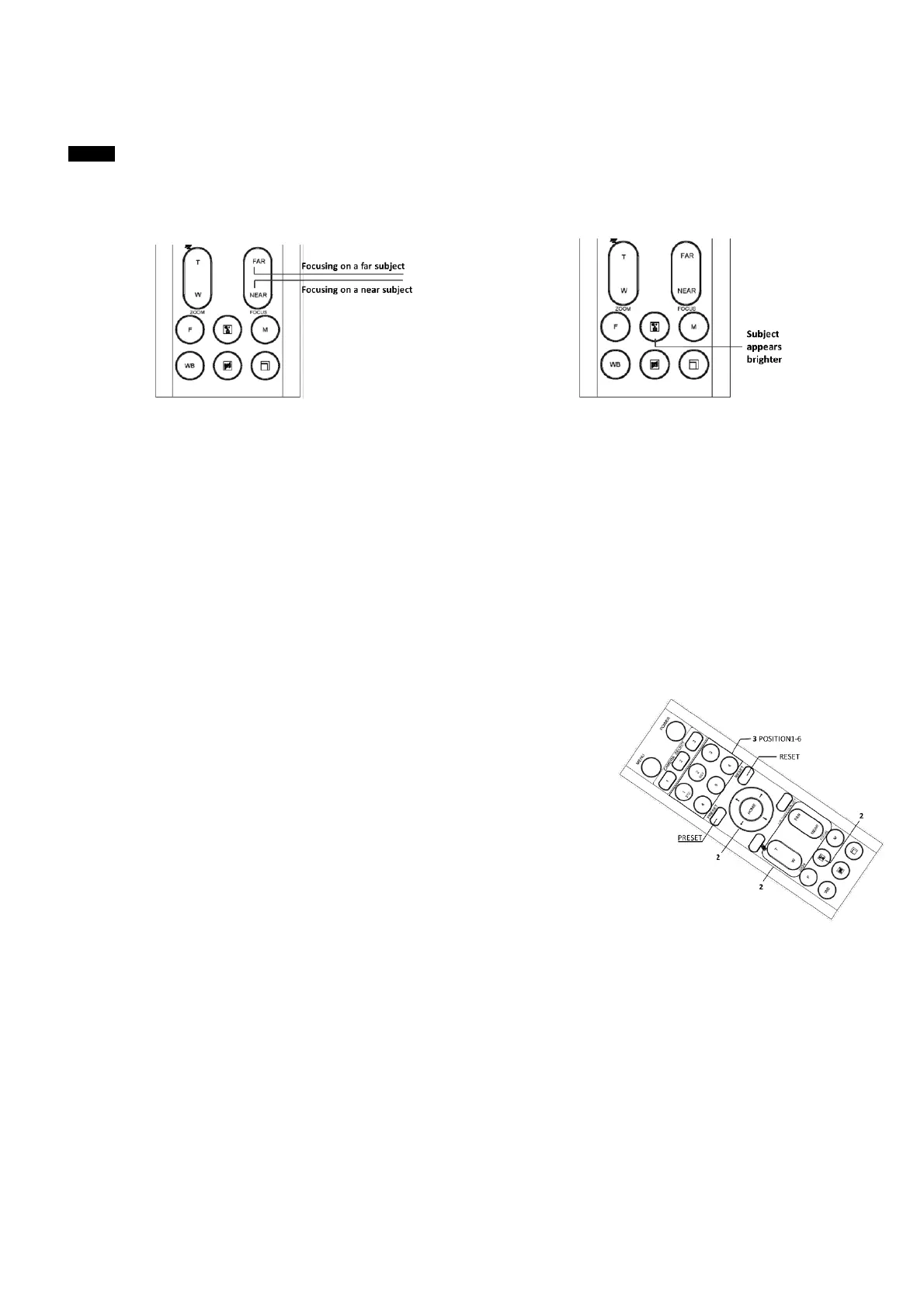
When you shoot a subject with a light source behind it, the subject becomes dark. In such a case, press the BACK LIGHT
button.
To cancel the function, press the BACK LIGHT button again.
Note
The BACK LIGHT function is effective if MODE is set to FULL AUTO in the EXPOSURE menu of the camera.
Storing the Camera Settings in Memory — the Presetting Feature
Memory (Preset)
Using the preset function, 6 sets of camera shooting conditions can be stored and recalled. 6 sets of camera shooting
conditions can be stored and recalled by using remote controller. Up to 128 presets via protocol programming.
This function allows you to achieve the desired status instantly, even without adjusting the following items each time.
• Pan/Tilt Position
• Zoom Position
• Focus Auto/Manual
• Focus Position
• AE Mode
• Shutter control parameters
• Bright Control
• Iris control parameters
• Gain control parameters
• Exposure Compensation On/Off
• Exposure Level
• Backlight Compensation On/Off
• White Balance Mode
• R/B Gain
• Aperture Control
• WD Parameter
The settings stored using this function are recalled when the power is turned on.
1. Press the PAN-TILT RESET button to reset the pan/ tilt position.
2. Adjust the position, zooming, focusing and backlighting of the camera.
While holding down the PRESET button, press any of the POSITION buttons, 1 to 6, in which you want to store the
settings.


 To Next Page