16
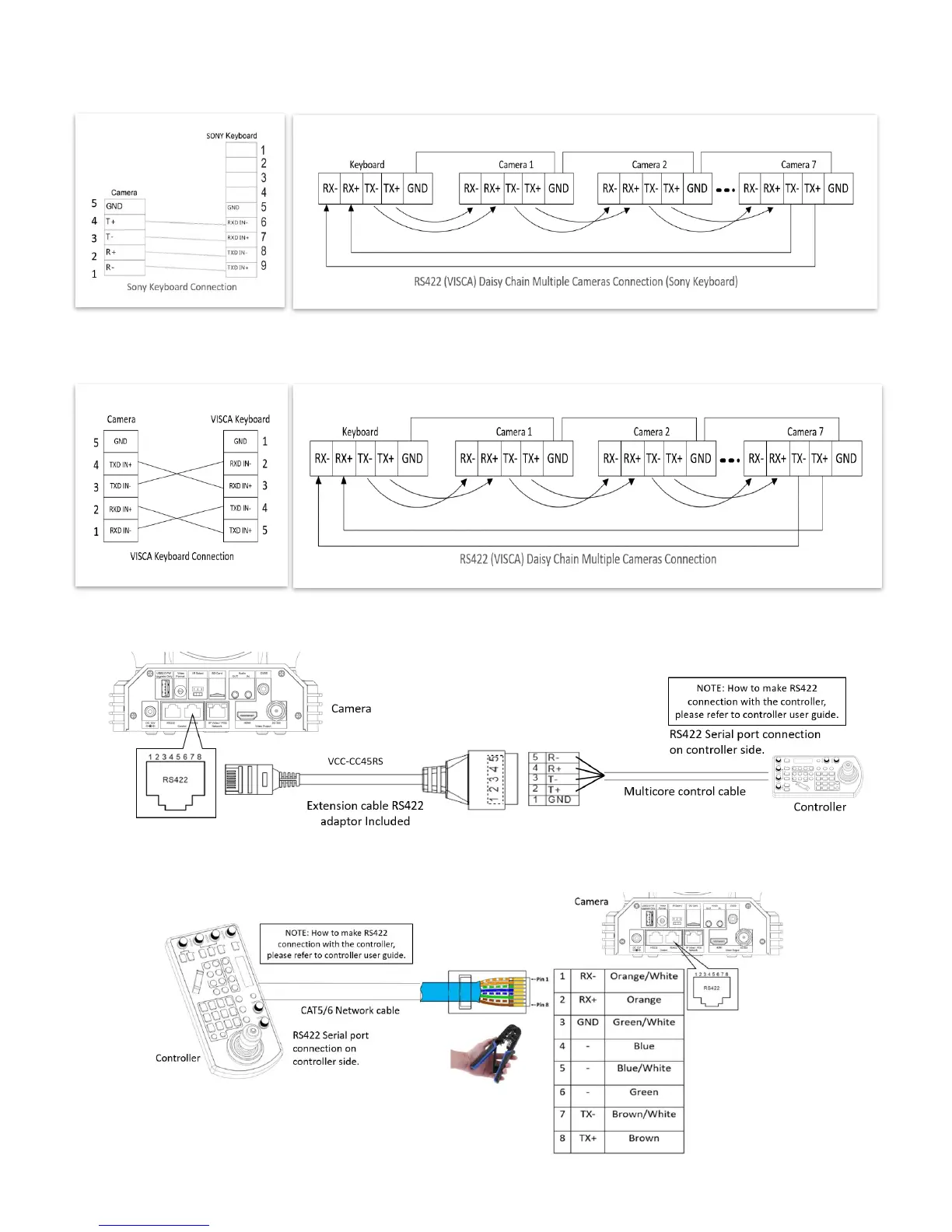
9. How to make RS422 connection and RS422 Daisy Chain multiple cameras connection with SONY controller as below
SONY Keyboard RS422 Connection
10. How to make RS422 connection and RS422 Daisy Chain multiple cameras connection with Non-Sony controller as below:
VISCA (Non-Sony) Keyboard RS422 Connection
11. Use extension cables RJ45 to RS422 Phoenix connecter adaptor included to make RS422 connection for your control device.
12. Or you can use CAT5/6 T-568B Standard Ethernet cable direct connect between the camera and the controller to make
RS422 connection by following the pin definition below:


 To Next Page