Need help?
Do you have a question about the Boly SG520 and is the answer not in the manual?
Details powering the camera using AA batteries or an external adapter.
Provides guidance on SD card compatibility, speed, and insertion.
Explains ON, Hunting, and OFF modes for camera operation.
Describes PIR triggering and timer triggering functionalities.
Outlines the interface and information shown when the camera is on.
Instructions for manually capturing photos or recording video.
How to view and navigate through images and videos on the camera.
Guide to accessing and modifying various camera settings.
Clarifies the function of the IR-cut filter and lens obstructions.
Addresses issues with the camera not functioning, often related to SD cards.
Explains how to reactivate a black display screen.
 General
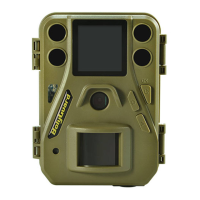
| Image Sensor | 5MP CMOS Sensor 10MP, 16MP Interpolation |
|---|---|
| Lens | F/NO=2.2 FOV(Field of View)=55° |
| Image Resolution | 16MP=4896×3264 10MP = 3648 ×2736 5MP = 2560×1920 |
| Video Resolution | 1920×1080(20fps) 1280x720 640×480 |
| PIR detection range | 85ft |
| PIR Sensitivity | Adjustable (High/Normal/Low) |
| Operation/Storage Tem. | -20 - +60°C / -30 - +70°C |
| Operation Humidity | 5% - 90% |
| Display Screen of Remote Control | 1.44” LCD |
| Memory Card | Up to 32 GB |
| Trigger Time | <0.7s |
| Power Supply | 4×AA |
| Sound Recording | Available |
| Mounting | Rope/Belt/Python lock |
| Security Authentication | FCC, CE, RoHS |
 Weight and Dimensions
| Weight | 180g(without battery) |
|---|---|
| Dimensions | 107 x76 x40 mm |

 To Next Page