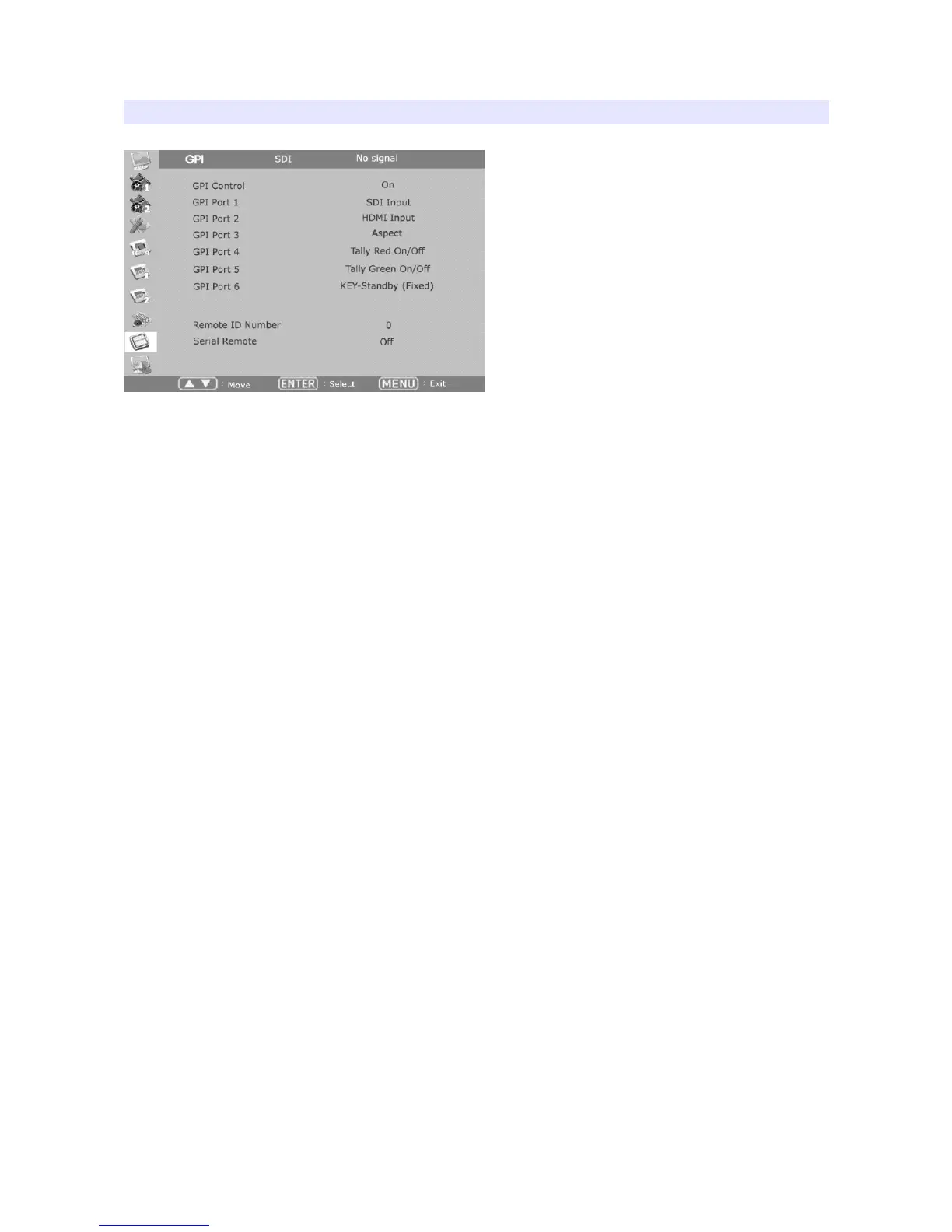
GPI
GPI Control
Turns on/off external monitor control function.
GPI Port 1,2,3,4,5,6
Assigns each GPI port’s function. (e.g. SDI 1 input, HDMI input, Tally Red) See EXTERNAL
REMOTE CONTROLLING section for details.
Remote ID Number
Assigns the ID for the monitor to control through serial port. 0 to 99 can be assigned.
Serial Remote
Turns serial remote function on. All front buttons are locked on this mode. To exit from this mode,
press and hold Menu button for 3 seconds.
22


 To Next Page