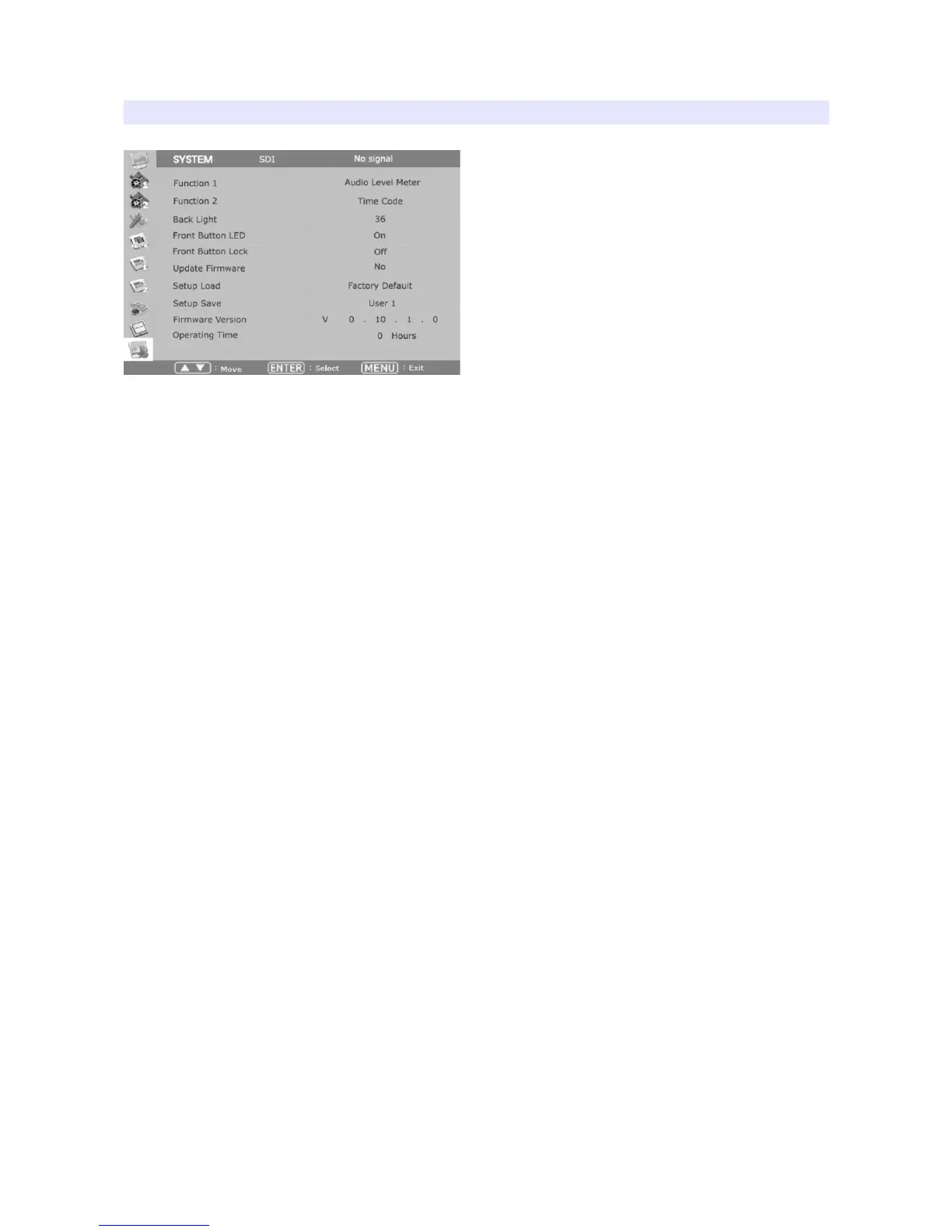
SYSTEM
Function 1,2
Assigns a function to each function button.
Backlight
Set the backlight intensity from 0 to 40. An LCD panel requires more than 30 minutes to be settled
to a new backlight value.
Front Button LED
Set front LEDs on/off status.
Font Button Lock
Locks front buttons not to work. Press and hold Menu button for 3 seconds to exit from this mode.
Update Firmware
Turns update mode on. Select Serial or USB port for update. After firmware update, the monitor
should be turned off/turned on, and Factory Default should be loaded before use.
Setup Load
Load monitor settings from Factory Default, User 1/2/3/4.
Setup Save
Save current monitor setting to use later. 4 settings can be saved.
Firmware Version
This version number is required when you request for service.
Operating Time
This indicates total hours that the monitor operated.
23


 To Next Page