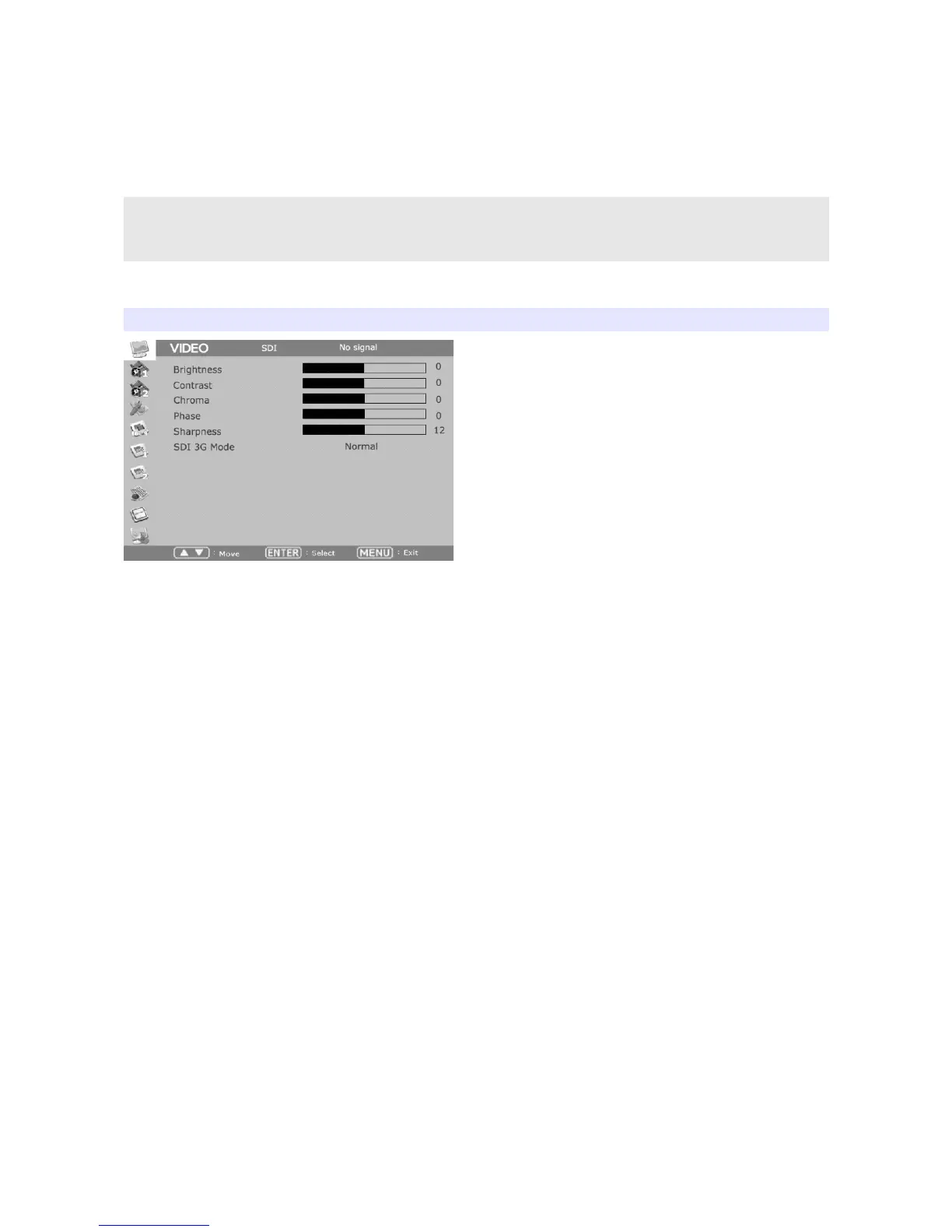
OSD Menu
Menu opens up by pressing Menu button. This button also works as Exit button on the Menu. The
brightness knob works as up/down arrow. To select something, press either enter button or the knob.
* The menu may disappear on no signal or unstable signal input.
* Menu setting is saved for each input mode. So the user should make
selection on an appropriate input mode.
VIDEO
Brightness
Adjust brightness.
Contrast
Adjust contrast.
Chroma (Hue)
Adjust chroma.
Phase
Adjust phase.
Sharpness
Adjust sharpness. Default: 12s.
SDI 3G Mode
Set this mode if the input is 3G HD SDI. SDI 3G mode support SMPTE standards listed below:
▶ A_MS1_YCbCr422_10
: 3G SDI Level-A Mapping Structure 1 – YCbCr 4:2:2/10 bit
▶ A_MS2_YCbCr444_10
9


 To Next Page